RaspEX Rpi5/Rpi4 64 bit based on Ubuntu 26.04 LTS “Resolute Raccoon” with LXQt 2.2, kernel 6.17.0-1003-raspi and Firefox with DRM support :: Build 260114

NEWS 260114 about RaspEX with LXQt based on upcoming Ubuntu 26.04 LTS Resolute Raccoon 
RaspEX Build 260114 is a Linux ARM (64 bit) system for Raspberry Pi 5 with 4GB/8GB and Raspberry Pi 4 with 2GB/4GB/8GB RAM It is based on Debian and Ubuntu 26.04 LTS. Firefox Browser with DRM (Digital Rights Management) support is pre-installed.

Study all installed packages in RaspEX Build 260114.

RASPBERRY Pi 5 and 4
RaspEX is made especially for the “new” Raspberry Pi 5 released October 23, 2023 (4GB and 8GB), but can also be used on a Raspberry Pi 4.
NOTE: A Raspberry Pi 5 is about twice as fast as the Raspberry Pi 4.

SCREENSHOTS
Screenshot 1 – raspex’s Desktop 260114
Screenshot 2 – Running raspi-config
Screenshot 3 – Running Synaptic
Screenshot 4 – Showing that OpenGL is used

READ MORE…

Read about my Android-x86 Systems – 11, 10, Pie, Oreo, Nougat, Marshmallow, Lollipop and KitKat at andex.exton.net – latest is AndEX 11 (with GAPPS), AndEX 10 (with GAPPS) and AndEX Pie 9.0 (also with GAPPS)!
and
about my Android 16, 15, 14, 13, 12, 11, 10, Pie, Oreo, Nougat, Marshmallow and Lollipop versions for Raspberry Pi 5, Pi 4 and  Pi 3/2 at raspex.exton.se – latest is RaspAnd 16 (with GAPPS), RaspAnd 15 (also with GAPPS), RaspAnd 14 (also with GAPPS), 13 and 12 (without GAPPS), RaspAnd 11 (with GAPPS) and RaspAnd Oreo 8.1 (also with GAPPS)!

exGENT (Gentoo) Rpi5 for Raspberry Pi 5 with LXDE, NetworkManager, Firefox and kernel 6.12.62-v8-16k+ :: An unique Build 251228

ABOUT exGENT Rpi5
I’ve built a Gentoo system for Raspberry Pi 5. Just for fun, but it took me four days to compile everything from “scratch”. exGENT Rpi5 is a full Gentoo/Linux Desktop system with LXDE (an extremely fast-performing and energy-saving desktop environment). Study all other included packages in exGENT Rpi5. The most important apps are NetworkManager and Firefox.

REPLACEMENT

exGENT Rpi5 is a replacement for exGENT Rpi4 from 200410 (!?). The performance is much better on a Rpi5. You can also run exGENT Rpi5 Build 251228 on a Rpi4. Just replace /boot/config.txt (on the boot partition) with this file.
NOTE: A Raspberry Pi 5 is about twice as fast as the Raspberry Pi 4.

KERNEL
Kernel 6.12.62-v8-16k+ is used when running on a Rpi5.
Kernel 6.12.64-v8+ is used when running on a Rpi4.

PERFORMANCE

The system is quite fast and responsive. All included applications work very well.

WHO should run Gentoo Linux/exGENT Rpi5?

My answer: The system fits the “advanced” Linux user/enthusiast, who would be willing to run an occasional command from time to time.

Is exGENT Rpi5 UNIQUE?
I believe so. In any case you can’t find another Gentoo System for Raspberry Pi 5 for downloading.

SCREENSHOTS
1. The Desktop for root
2. The Desktop for pi
3. Resizing the rootfs
4. YouTube is running 
5. Running on a Rpi4

READ MORE…

Read about my Android-x86 Systems – 11, 10, Pie, Oreo, Nougat, Marshmallow, Lollipop and KitKat at andex.exton.net – latest is AndEX 11 (with GAPPS), AndEX 10 (with GAPPS) and AndEX Pie 9.0 (also with GAPPS)!
and
about my Android 16, 15, 14, 13, 12, 11, 10, Pie, Oreo, Nougat, Marshmallow and Lollipop versions for Raspberry Pi 5, Pi 4 and  Pi 3/2 at raspex.exton.se – latest is RaspAnd 16 (with GAPPS), RaspAnd 15 (also with GAPPS), RaspAnd 14 (also with GAPPS), 13 and 12 (without GAPPS), RaspAnd 11 (with GAPPS) and RaspAnd Oreo 8.1 (also with GAPPS)!


Follow me on Facebook…

FedEX Rpi5 (Fedora 43 ARM64) for Raspberry Pi5 and Pi4 with GNOME 49 :: Build 251215

FedEX Rpi5 for Raspberry Pi5 and 4 is a “remaster” of the Fedora Project’s Fedora 43 Workstation build for ARM64 (aarch64).

REPLACEMENT
My previous version of FedEX from 250105 was also made for Raspberry Pi5.

ABOUT

FedEX Rpi5 uses the GNOME 49 Desktop. (As the original system does). The original Fedora 43 ARM64 system can only run a Raspberry Pi4 computer. You may be able to start it on a Rpi5, but you can’t make the keyboard and mouse work. My Build works very well on a Raspberry Pi5 computer though. You can also run FedEX Rpi5 on a Rpi4 computer. Your Raspberry Pi computer will automatically choose the correct kernel at boot.

Study all installed packages…

USED KERNEL
6.12.56-1.rpi5-fc43.aarch64

PERFORMANCE
The system is quite fast and responsive. All included applications work very well.

WHO SHOULD RUN FedEX Rpi5 for Raspberry Pi5 and 4?
My answer: The system fits the “advanced” Linux user/enthusiast, who would be willing to run an occasional command from time to time.

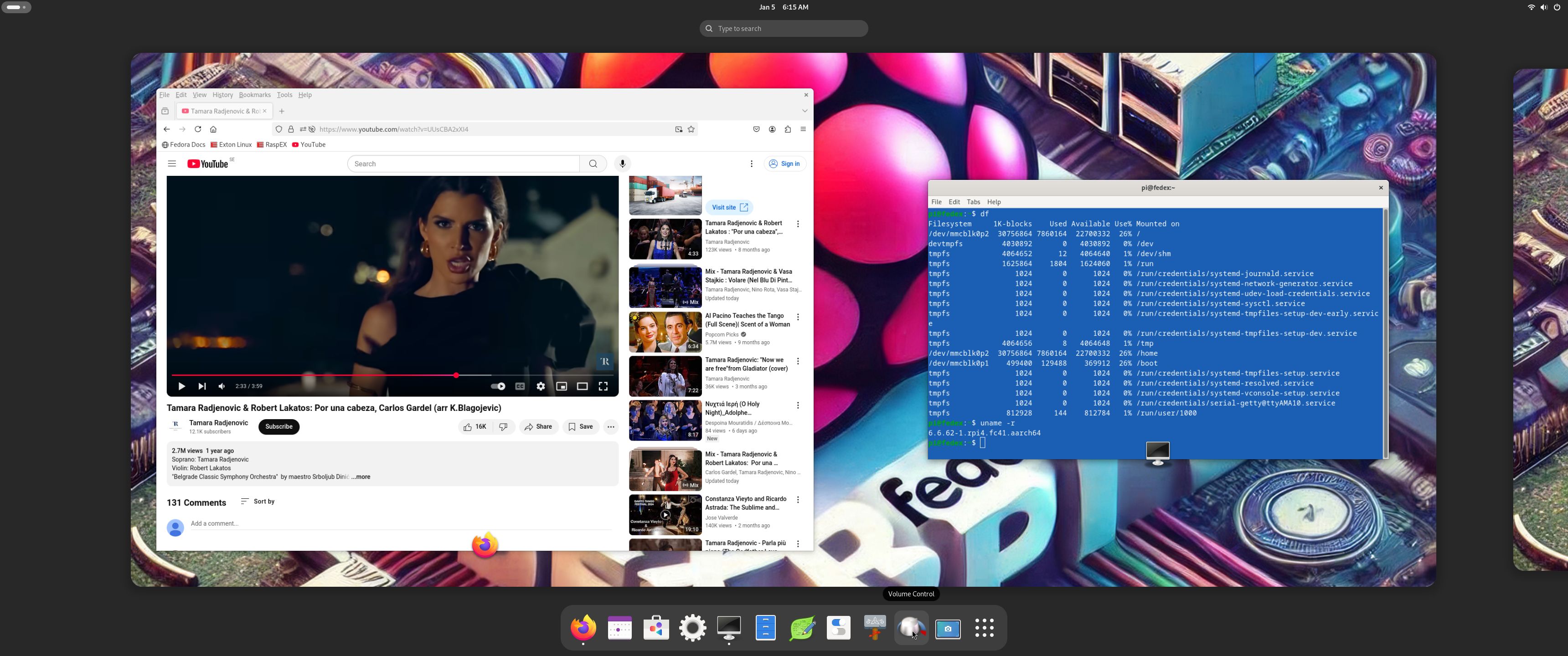
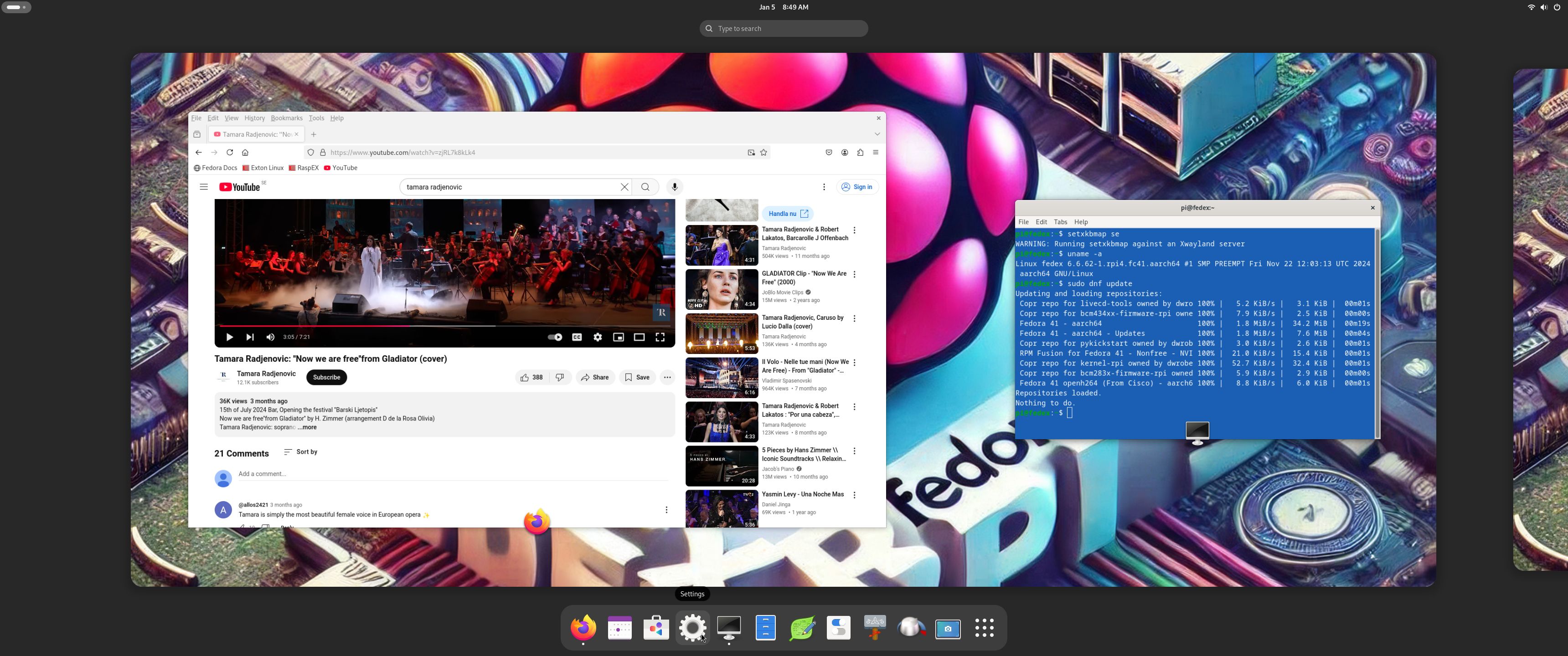
SCREENSHOTS
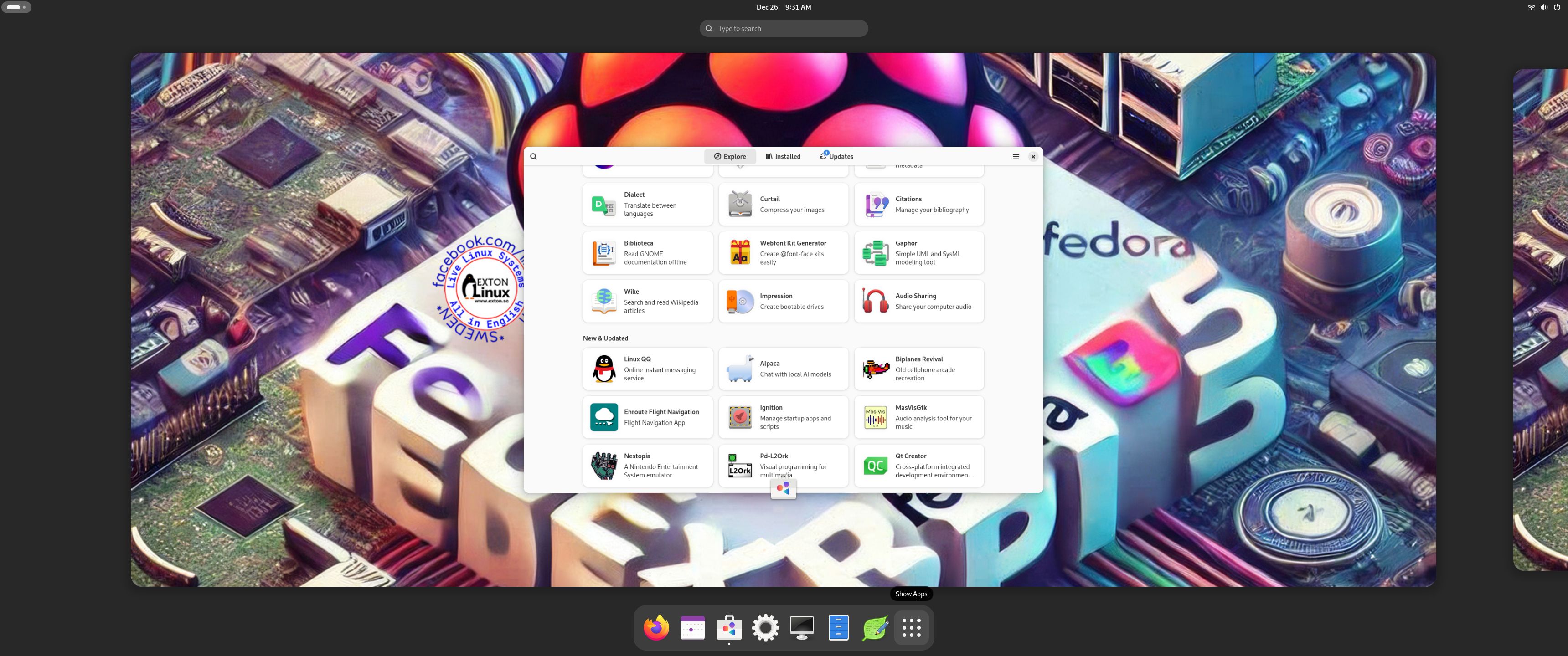
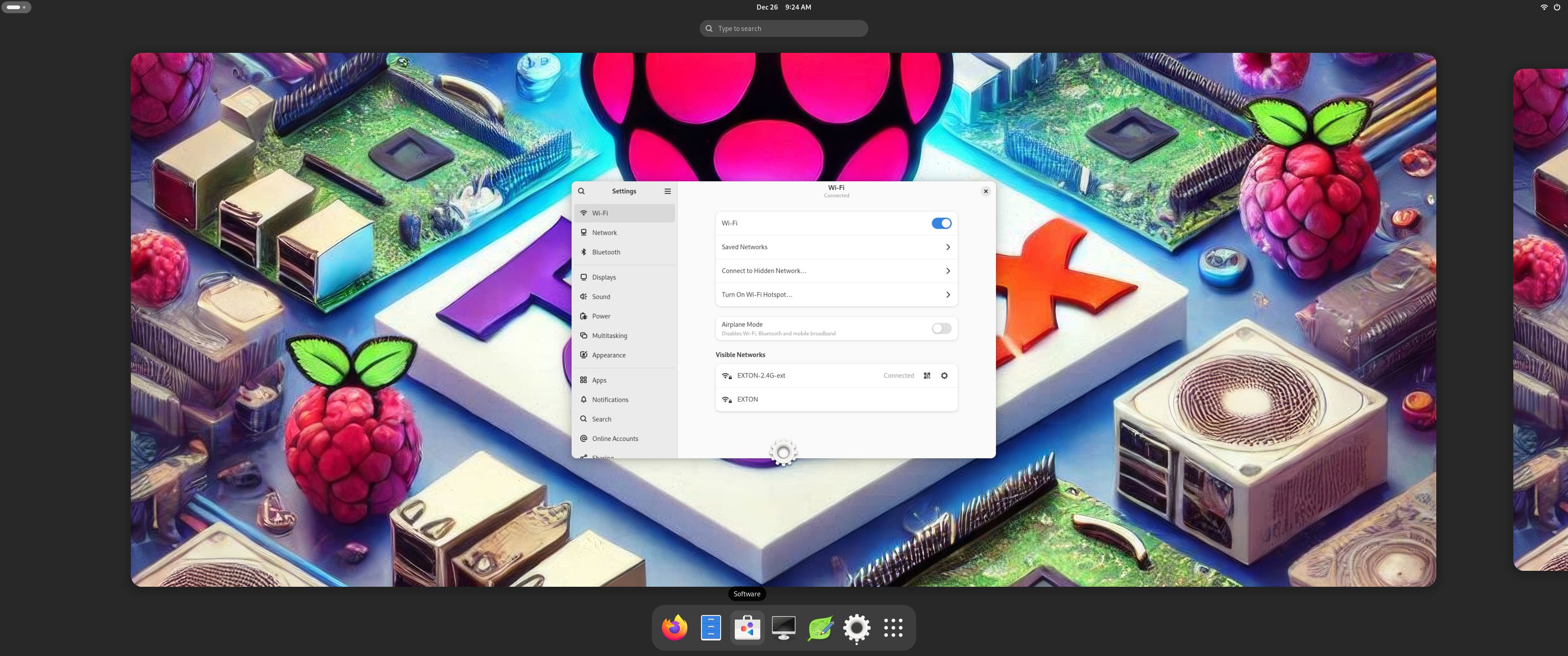
1. The Desktop for the ordinary user pi
2. The Desktop for root
3. Running YouTube showing very good video quality
4. Running dnf upgrade 251215

READ MORE…

Read about my Android-x86 Systems – 11, 10, Pie, Oreo, Nougat, Marshmallow, Lollipop and KitKat at andex.exton.net – latest is AndEX 11 (with GAPPS), AndEX 10 (with GAPPS) and AndEX Pie 9.0 (also with GAPPS)!
and
about my Android 16, 15, 14, 13, 12, 11, 10, Pie, Oreo, Nougat, Marshmallow and Lollipop versions for Raspberry Pi 5, Pi 4 and  Pi 3/2 at raspex.exton.se – latest is RaspAnd 16 (with GAPPS), RaspAnd 15 (also with GAPPS), RaspAnd 14 (also with GAPPS), 13 and 12 (without GAPPS), RaspAnd 11 (with GAPPS) and RaspAnd Oreo 8.1 (also with GAPPS)!


Follow me on Facebook…

RaspEX Rpi5/Rpi4 64 bit based on Ubuntu 24.04.2 LTS “Noble Numbat” with LXQt 1.4, kernel 6.8.0-1031-raspi and Firefox with DRM support :: Build 250804

NEWS 250804 about RaspEX with LXQt based on Ubuntu 24.04.2 LTS Noble Numbat.
RaspEX Build 250804 is a Linux ARM (64 bit) system for Raspberry Pi 5 with 4GB/8GB and Raspberry Pi 4 with 2GB/4GB/8GB RAM It is based on Debian and Ubuntu 24.04.2 LTS. Firefox Browser with DRM (Digital Rights Management) support is pre-installed. Study all installed packages in RaspEX Build 250804.

RASPBERRY Pi 5 and 4
RaspEX Kodi is made especially for the new Raspberry Pi 5 released October 23, 2023 (4GB and 8GB), but can also be used on a Raspberry Pi 4.
NOTE: A Raspberry Pi 5 is about twice as fast as the Raspberry Pi 4.

ABOUT Snaps
I have removed all snaps and snapd (The snap daemon) altogether from RaspEX following the advice’s here. The main reason for that was that the RaspEX image became too big with snaps installed.

More about RaspEX
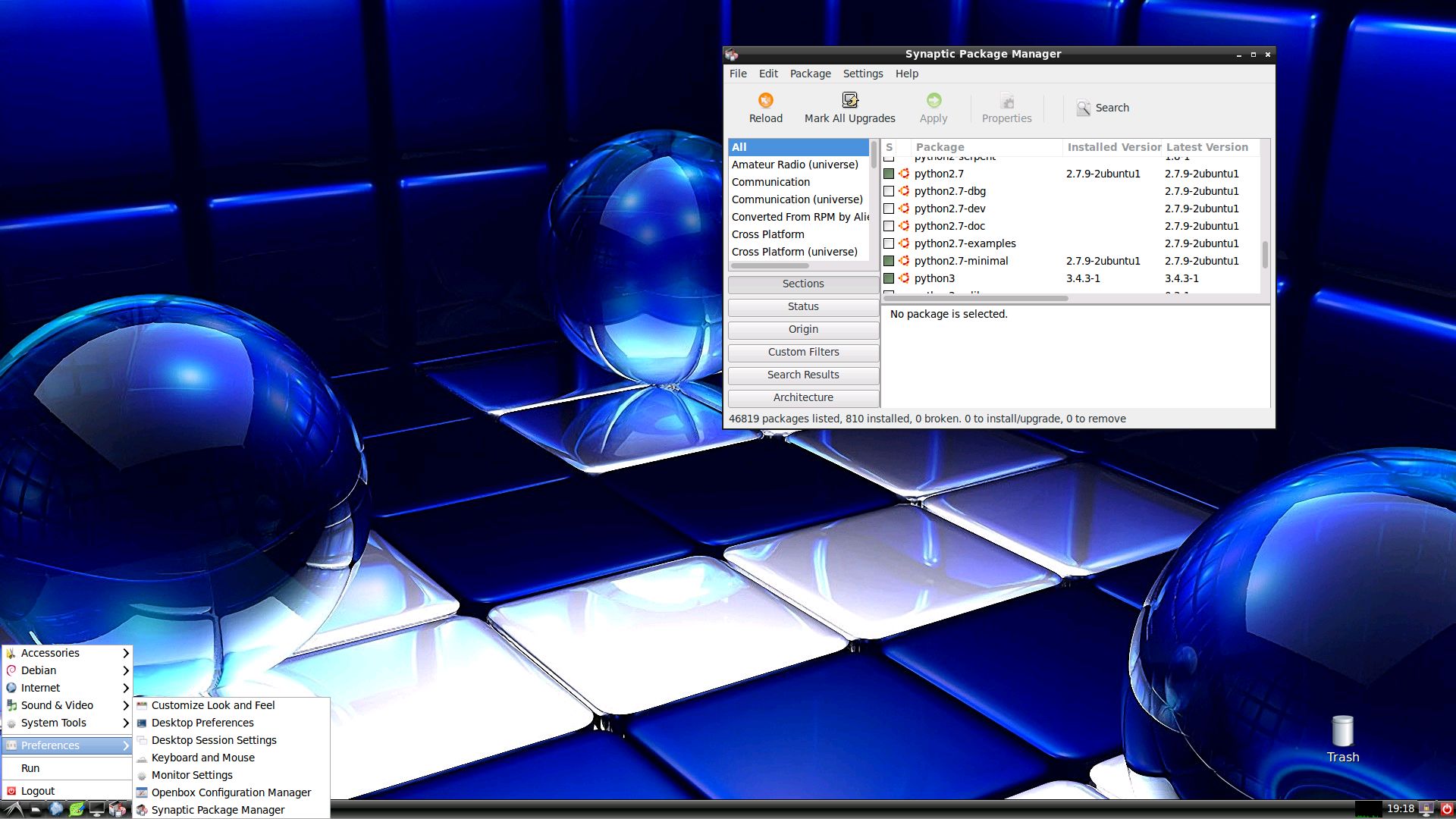
RaspEX is a full Linux Desktop system with LXQt (which is the product of the merge between LXDE-Qt, an initial Qt flavour of LXDE, and Razor-qt, a project aiming to develop a Qt based desktop environment with similar objectives as the current LXQt) with many other useful programs pre-installed. Firefox is used as Web Browser and Synaptic as Package Manager. You can use Synaptic to install any extra packages you may need. For example LibreOffice. RaspEX uses Ubuntu’s software repositories so you can install thousands of extra packages if you want.

SCREENSHOTS
Screenshot 1 – raspex’s Desktop 250804
Screenshot 2 – running raspi-config
Screenshot 3 – running Synaptic
Screenshot 4 – running SMPlayer

READ MORE…

Read about my Android-x86 Systems – 11, 10, Pie, Oreo, Nougat, Marshmallow, Lollipop and KitKat at andex.exton.net – latest is AndEX 11 (with GAPPS), AndEX 10 (with GAPPS) and AndEX Pie 9.0 (also with GAPPS)!
and
about my Android 16, 15, 14, 13, 12, 11, 10, Pie, Oreo, Nougat, Marshmallow and Lollipop versions for Raspberry Pi 5, Pi 4 and  Pi 3/2 at raspex.exton.se – latest is RaspAnd 16 (with GAPPS), RaspAnd 15 (also with GAPPS), RaspAnd 14 (also with GAPPS), 13 and 12 (without GAPPS), RaspAnd 11 (with GAPPS) and RaspAnd Oreo 8.1 (also with GAPPS)!


Follow me on Facebook…

FedEX Rpi5 (Fedora 41 ARM64) for Raspberry Pi 5 and Pi 4 with GNOME 47 :: Build 250105

FedEX Rpi5 for Raspberry Pi 5 and 4 is a “remaster” of the Fedora Project’s Fedora 41 Workstation build for ARM64 (aarch64).

ABOUT
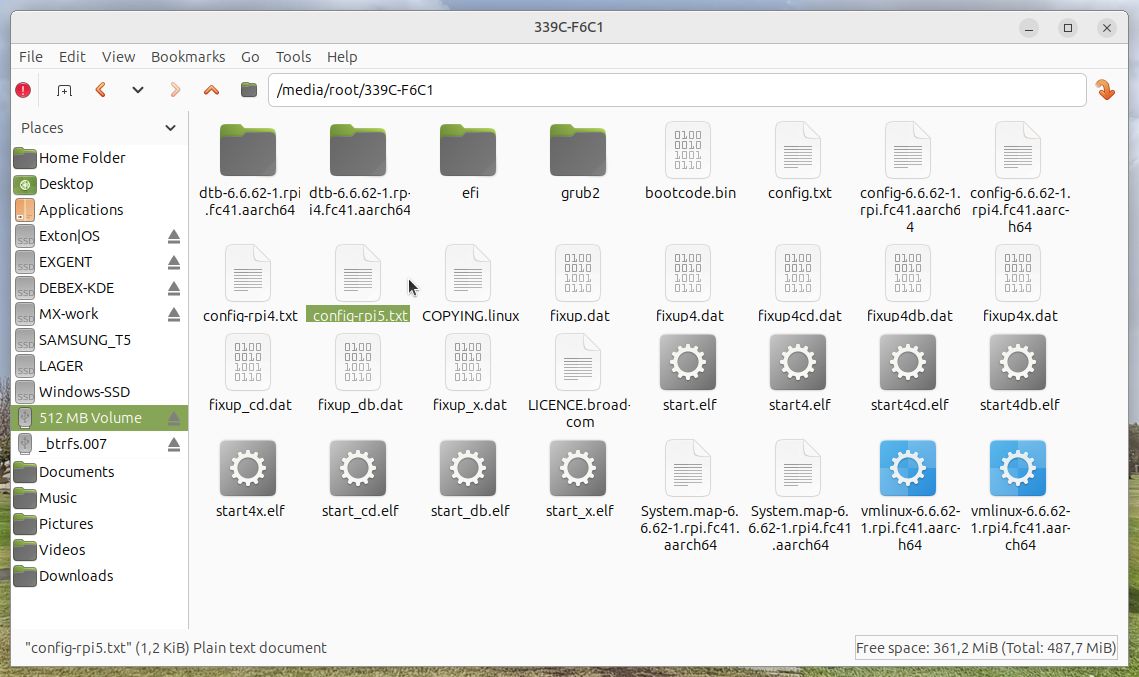
FedEX Rpi5 uses the GNOME 47 Desktop. (As the original system does). The original Fedora 41 ARM64 system can only run a Raspberry Pi 4 computer. You may be able to start it on a Rpi 5, but you can’t make the keyboard and mouse work. My Build works very well on a Raspberry Pi 5 computer though. You can also run FedEX Rpi5 on a Rpi 4 computer if you switch /boot/config.txt to /boot/config-rpi4.txt. Watch this screenshot…

PERFORMANCE
The system is quite fast and responsive. All included applications work very well.

WHO SHOULD RUN FedEX Rpi5 for Raspberry Pi 5 and 4?
My answer: The system fits the “advanced” Linux user/enthusiast, who would be willing to run an occasional command from time to time.

SCREENSHOTS
1. The Desktop for the ordinary user pi
2. The Desktop for root
3. Running YouTube showing very good video quality
4. Running dnf update 250105

READ MORE…

Read about my Android-x86 Systems – 11, 10, Pie, Oreo, Nougat, Marshmallow, Lollipop and KitKat at andex.exton.net – latest is AndEX 11 (with GAPPS), AndEX 10 (with GAPPS) and AndEX Pie 9.0 (also with GAPPS)!
and
about my Android 15, 14, 13, 12, 11, 10, Pie, Oreo, Nougat, Marshmallow and Lollipop versions for Raspberry Pi 5, Pi 4 and  Pi 3/2 at raspex.exton.se – latest is RaspAnd 15 (with GAPPS), RaspAnd 14 (also with GAPPS), 13 and 12 (without GAPPS), RaspAnd 11 (with GAPPS) and RaspAnd Oreo 8.1 (also with GAPPS)!

Follow me on Facebook…

RaspArch Rpi5 Build 240302 :: Run Arch Linux (aarch64) with the LXQt DE on your new Raspberry Pi 5 computer :: Install using Rufus or Etcher in Windows!

RaspArch Build 240302 especially for the new Raspberry Pi 5 released on October 23, 2023

RaspArch is a “ready-to-go” ARM (aarch64/arm64) system. It can only run on a Raspberry Pi 5 or Raspberry Pi 4 computer. The previous RaspArch version was from 230908 (32 bit). All included packages have been updated to the latest version as of 240302. The Desktop Environment is LXQt 1.4. You can log in to LXQt from SLiM as the normal user archpi or as root.

RASPBERRY Pi 5 and 4
RaspArch is made especially for the new Raspberry Pi 5 released on October 23, 2023 (4GB and 8GB), but can also be used on a Raspberry Pi 4.
NOTE: A Raspberry Pi 5 is about twice as fast as the Raspberry Pi 4.

WHO should run Arch Linux/RaspArch?
My answer: The system fits the “advanced” Linux user/enthusiast, who would be willing to run an occasional command from time to time.

PERFORMANCE

Everything works! The System is responsive and quite fast, especially if you use a Rpi 5 computer to run it.

UNIQUE
There is no other Arch Linux ARM System for Raspberry Pi 5 (as far as I know). Not for downloading anyhow.

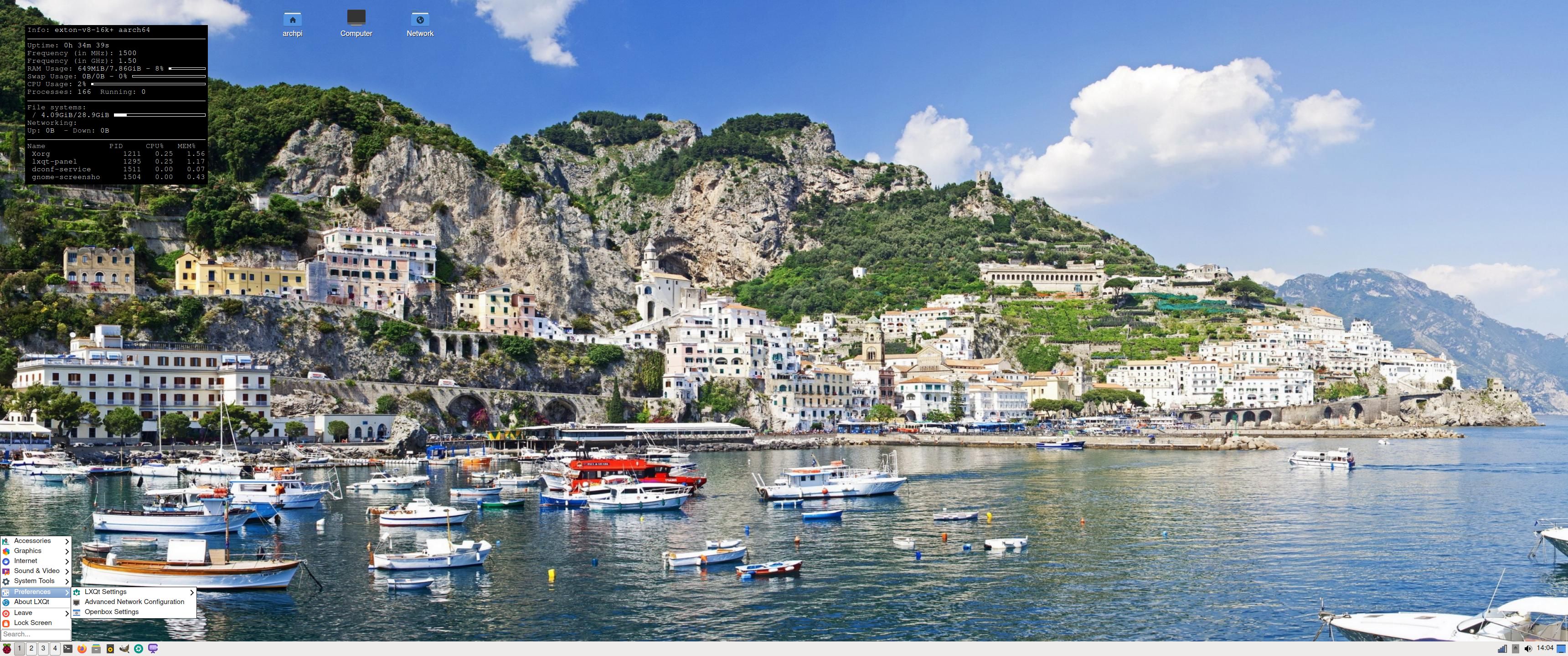
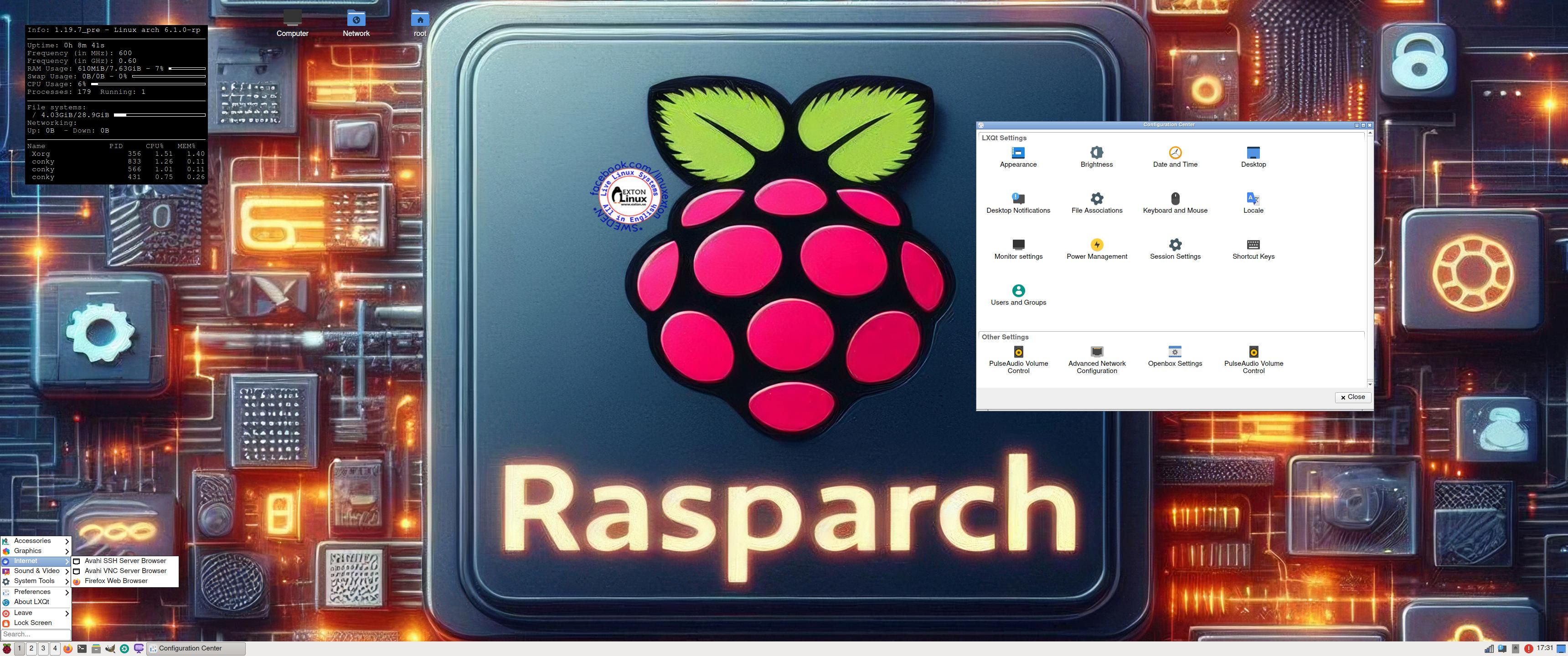
SCREENSHOTS
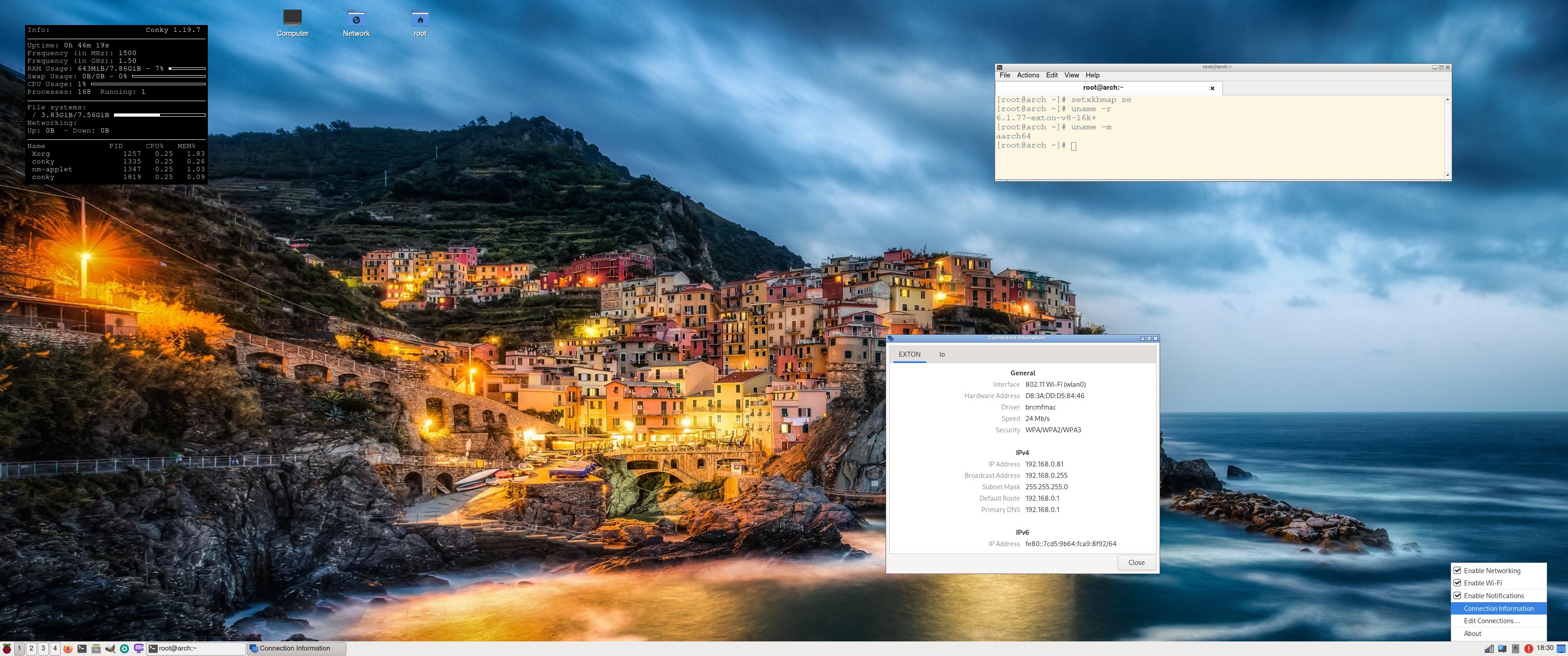
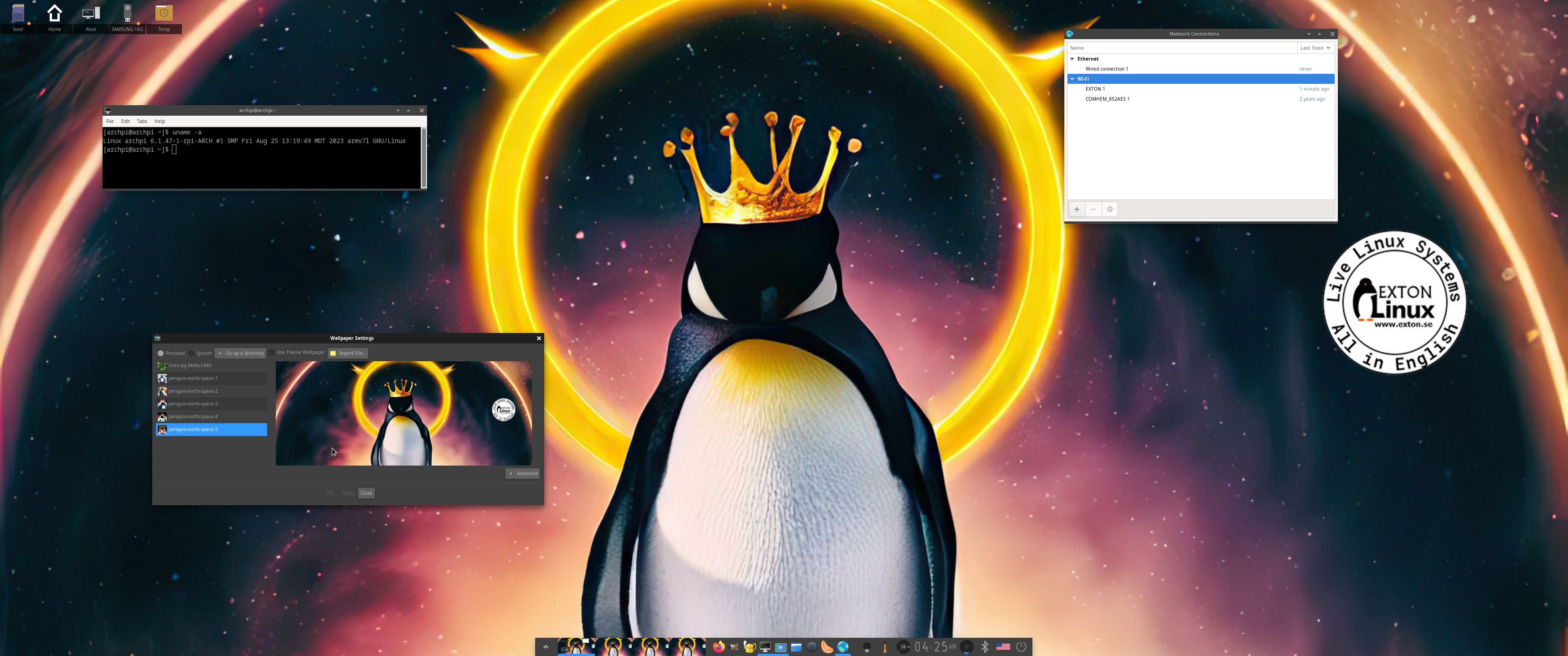
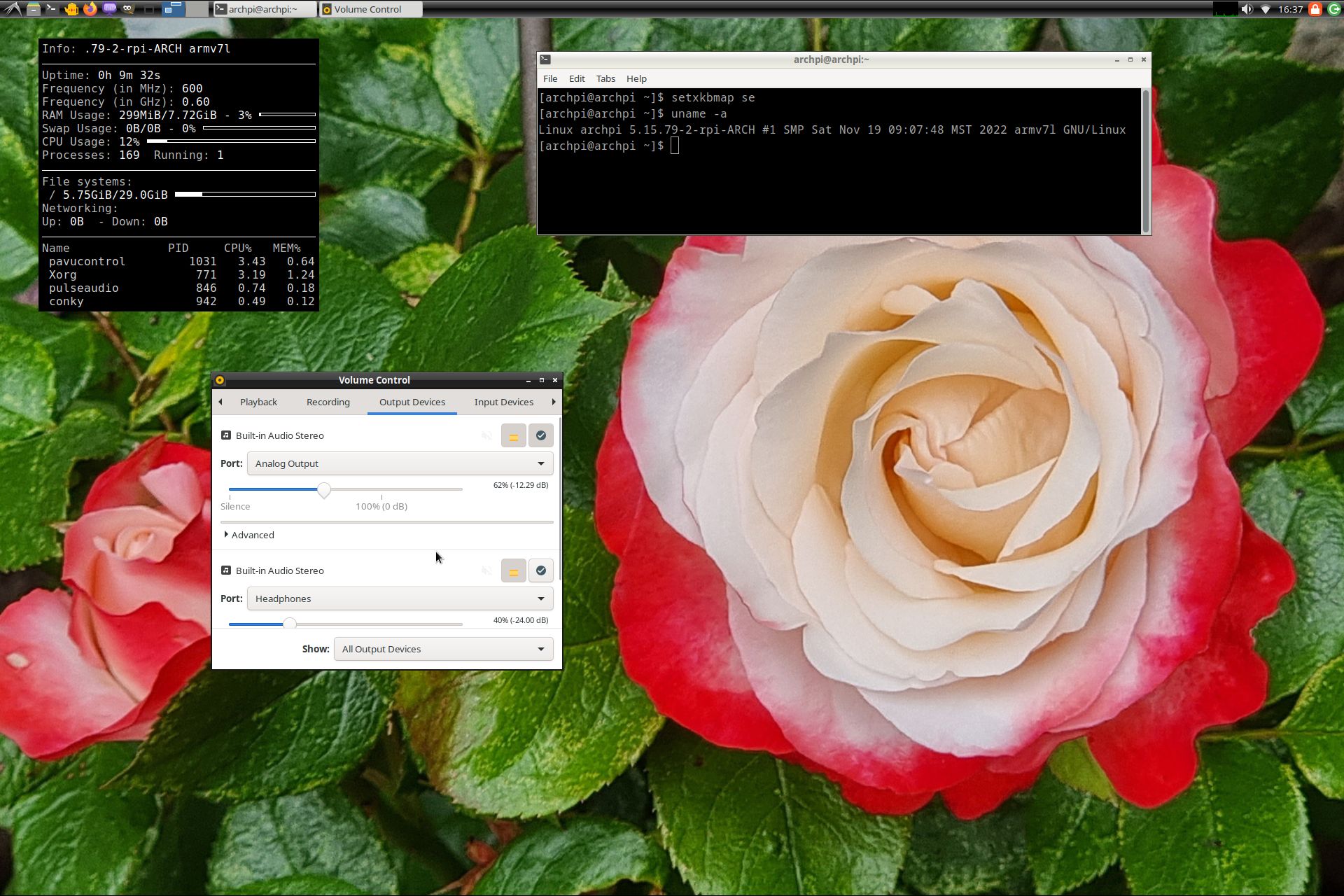
Screenshot 1 of RaspArch’s Desktop
– logged in as archpi
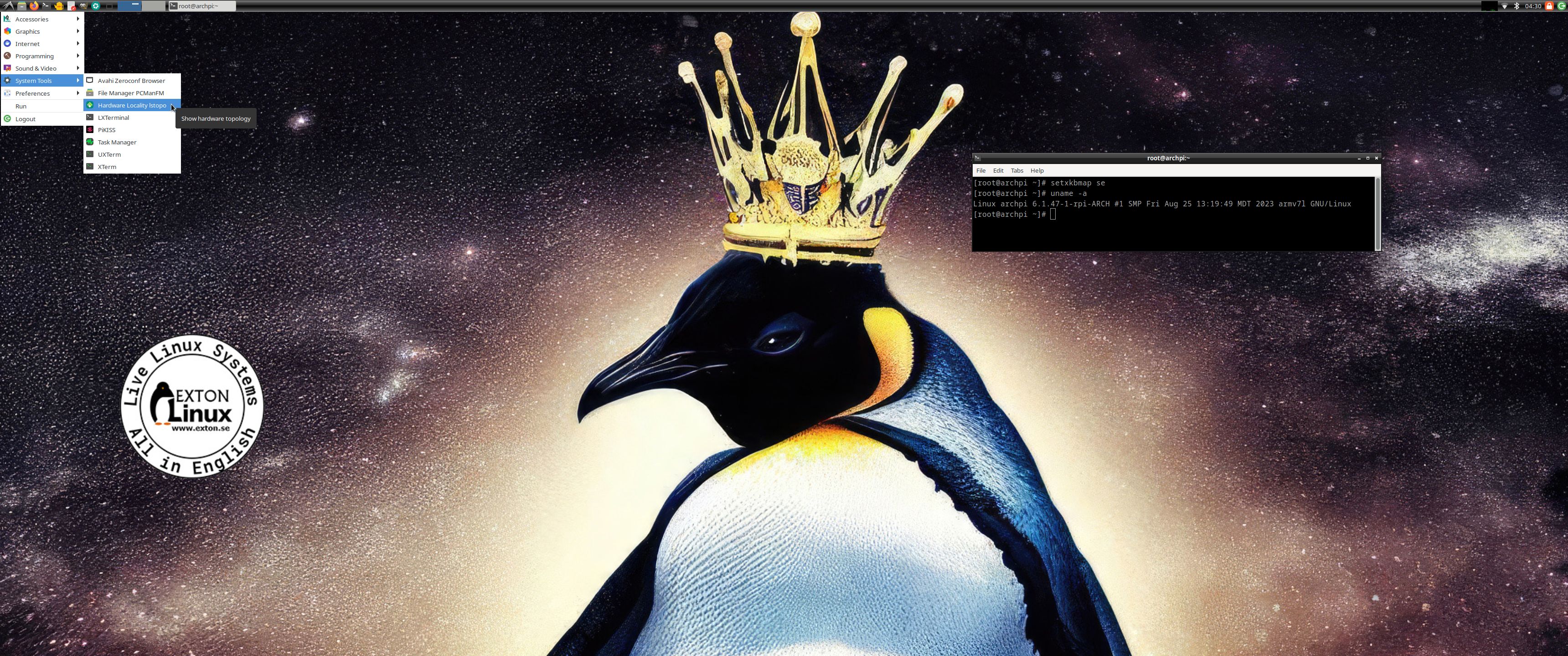
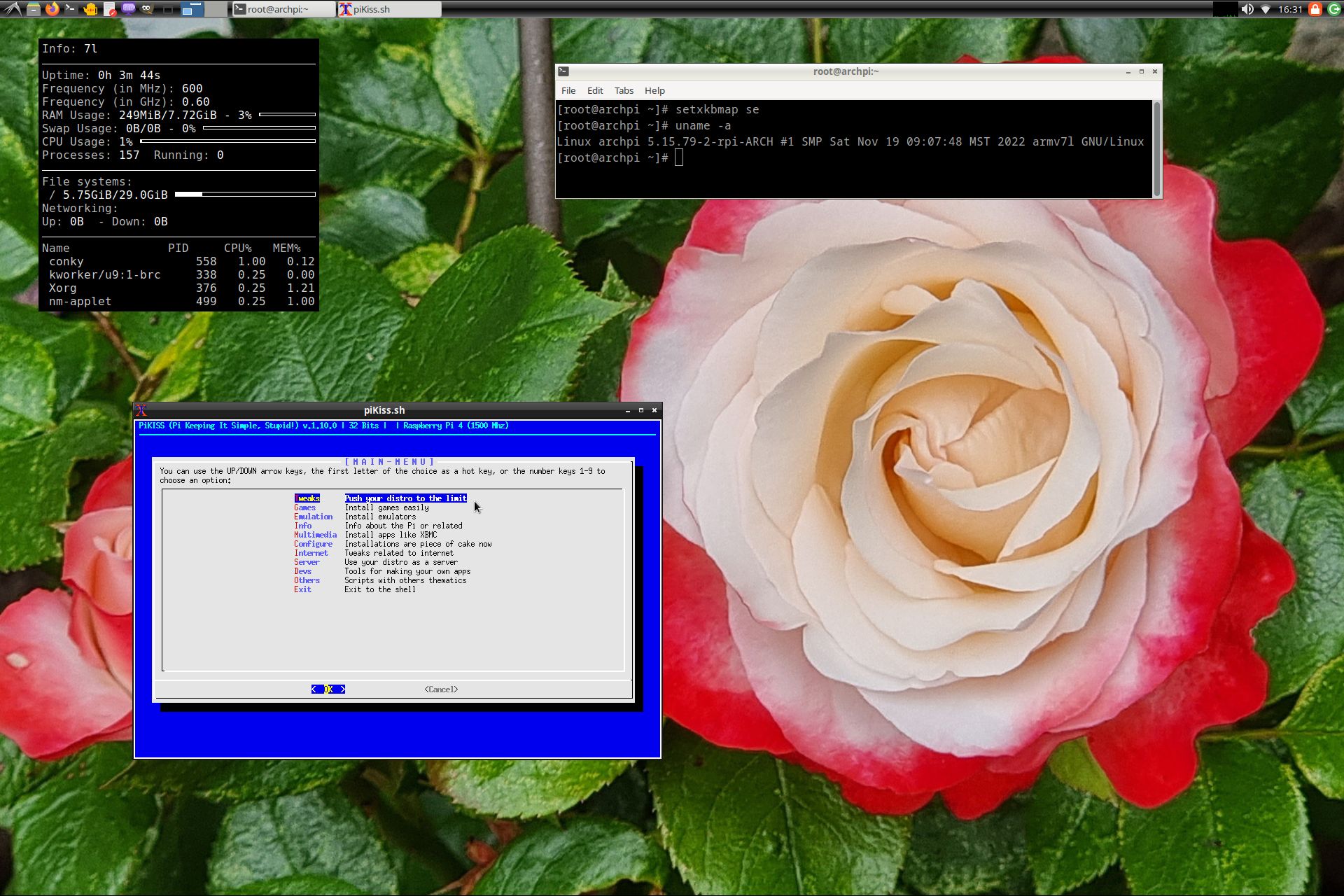
Screenshot 2 of RaspArch’s Desktop – logged in as root
Screenshot 3 – logged in as root 2
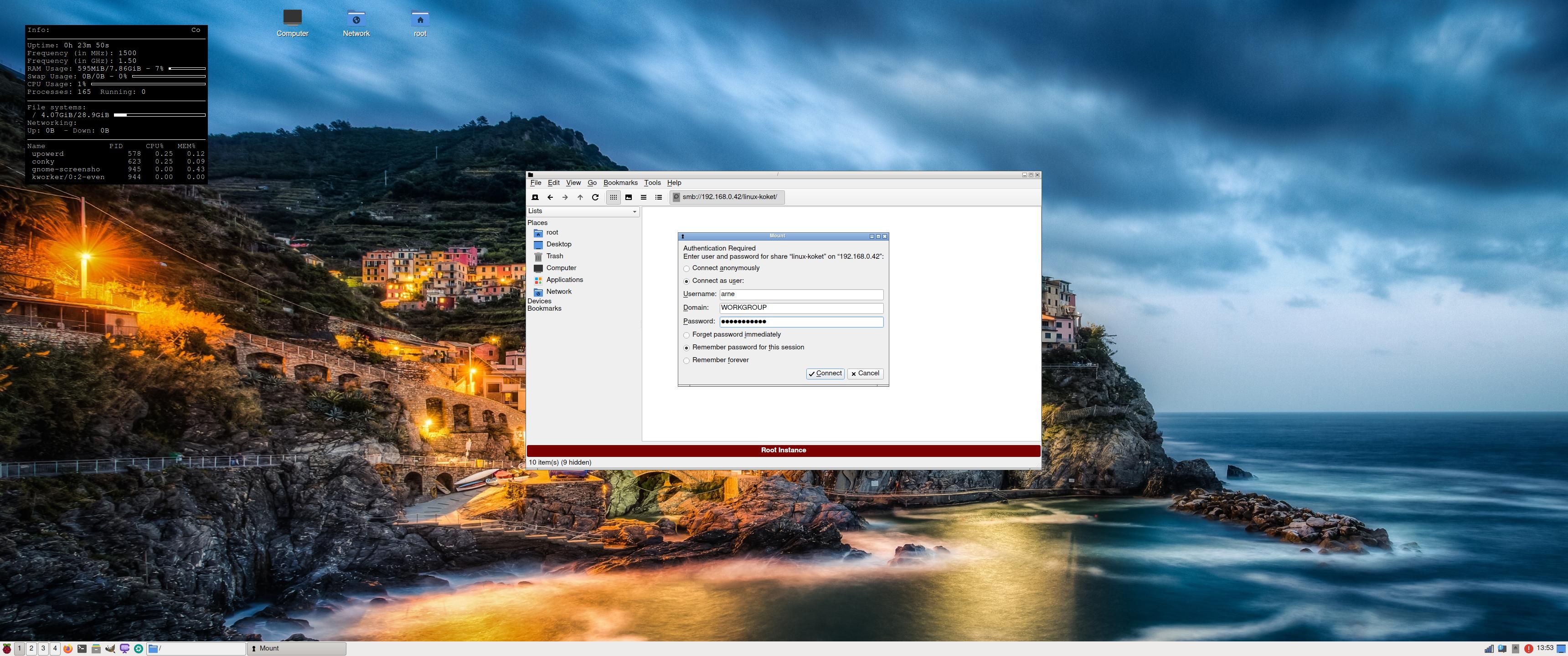
Screenshot 4 – Samba connection to a Windows computer

READ MORE…

Read about my Android-x86 Systems – 11, 10, Pie, Oreo, Nougat, Marshmallow, Lollipop and KitKat at
andex.exton.net – latest is AndEX 11 (with GAPPS), AndEX 10 (with GAPPS) and AndEX Pie 9.0 (also with GAPPS)!
and
about my Android 13, 12, 11, 10, Pie, Oreo, Nougat, Marshmallow and Lollipop versions for Raspberry Pi 4 and 3/2 at
raspex.exton.se 
– latest is RaspAnd 13 and 12 (without GAPPS), RaspAnd 11 (with GAPPS) and RaspAnd Oreo 8.1 (also with GAPPS)!

RaspArch Rpi4 Build 230908 :: Run Arch Linux with Enlightenment DE on your new Raspberry Pi 4 computer :: Install using Rufus 4.2, Win32 Disk Imager or Etcher in Windows!

RaspArch Build 230908 especially for the “new” Raspberry Pi 4 released in May 2020
This version (230908) is especially made for the “new” Raspberry Pi 4, but it can of course also be used on a Raspberry Pi 3 Model B+, Raspberry Pi 3 Model B and Raspberry Pi 2 Model B.

RaspArch is a “remaster” of Arch Linux ARM. The original compressed system is of about 230 MB. When I added the Enlightenment 0.25.4 (latest version) Desktop Environment (DE), the LXDE DE, PulseAudio, Firefox, Yay, Gimp and NetworkManager the system size increased a lot. RaspArch is a “ready-to-go” ARM system. It must be installed on a Raspberry Pi 4, Raspberry Pi 3 Model B+, Raspberry Pi 3 Model B or Raspberry Pi 2 Model B computer. RaspArch Build 230908 replaces RaspArch Build 221202. Build 221202 had only the LXDE DE installed. I.e. not Enlightenment.

NEWS in RaspArch Build 230908
A new kernel – 6.1.47-1-rpi-ARCH. All included packages have been updated to the latest version as of 230908. I’ve also replaced Yaourt with Yay – Yet Another Yogurt – An AUR Helper Written in Go. I came to know that Yaourt is dead. I.e. Yaourt is not being developed anymore. I have also installed PulseAudio. I’ve replaced the LightDM Display Manager with SLiM. Finally the sound works very well in RaspArch. Nice if you like YouTube. I’ve also replaced Wicd with NetworkManager. It works better. NOTE: To be able to install Yay I had to install a lot of development tools. When logged in as the normal user archpi you will enjoy the Enlightenment DE. When logged in as root you will enter the LXDE DE from SLiM. The password for archpi is raspberry. The password for root is root.

SCREENSHOTS
Screenshot 1 of RaspArch’s Desktop
– logged in as archpi
Screenshot 2 of RaspArch’s Desktop – logged in as root
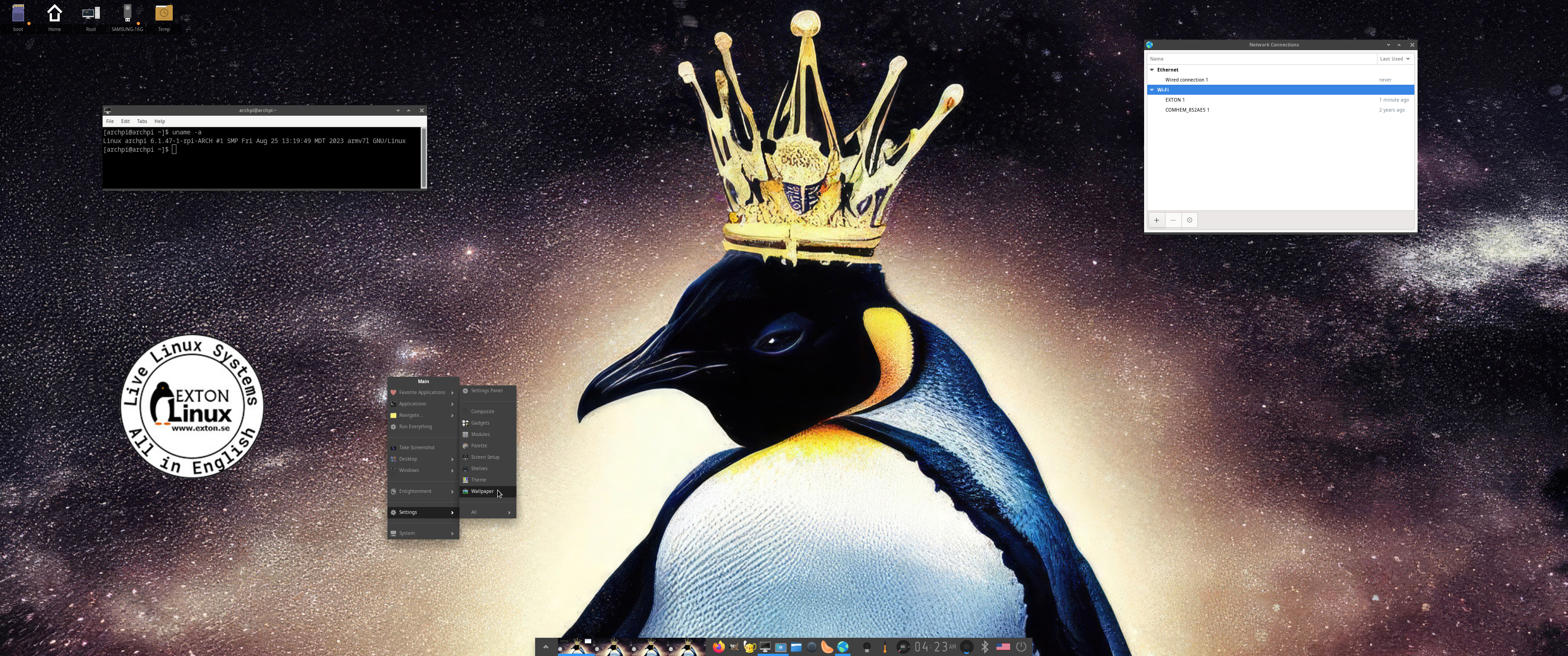
Screenshot 3 – showing how to change wallpaper in Enlightenment

READ MORE…

Read about my Android-x86 Systems – 11, 10, Pie, Oreo, Nougat, Marshmallow, Lollipop and KitKat at
andex.exton.net – latest is AndEX 11 (with GAPPS), AndEX 10 (with GAPPS) and AndEX Pie 9.0 (also with GAPPS)!
and
about my Android 13, 12, 11, 10, Pie, Oreo, Nougat, Marshmallow and Lollipop versions for Raspberry Pi 4 and 3/2 at
raspex.exton.se
– latest is RaspAnd 13 and 12 (without GAPPS), RaspAnd 11 (with GAPPS) and RaspAnd Oreo 8.1 (also with GAPPS)!

RaspAnd 13 (Android 13) for Raspberry Pi 4 with Aptoide Store, F-Droid Store, Spotify, Bluetooth, AIDA64, Firefox and Clash of Clans pre-installed :: Build 230616

ABOUT RaspAnd 13 – Build 230616
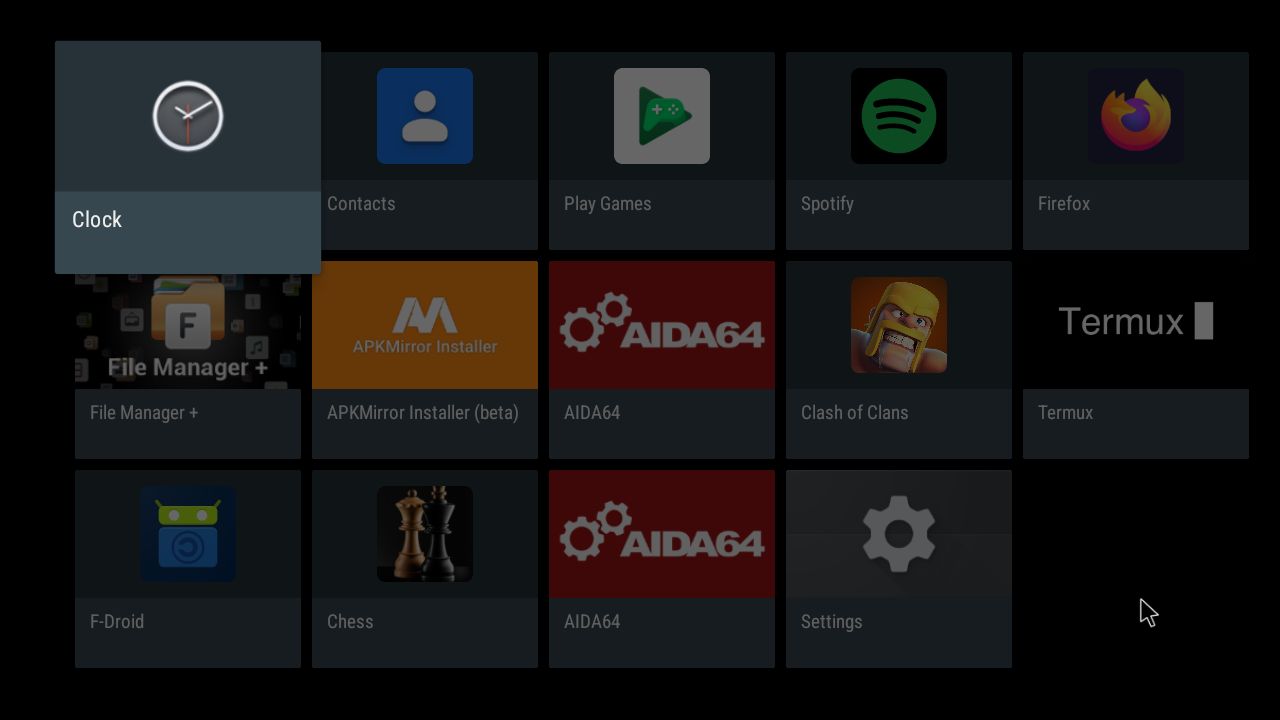
RaspAnd 13 runs very well on a Raspberry Pi 4. I.e. the system is pretty responsive if you use a micro SD card of good quality. RaspAnd 13 has the following apps pre-installed: Aptoide App Store, F-Droid Store (Free and Open Source App Repository), Spotify, Firefox Browser (so you can watch YouTube), Termux (terminal emulator), Clash of Clans and Aida64.

ABOUT Android 13, which was released in August 2022…
Read also an article about The Evolution of Android  – List of Android Versions and Release Dates.

PLEASE NOTE that you must be aware of the fact that the Raspberry Pi 4 computer has its limitations and that Android 13 is a very advanced Linux system. Having said that I must also say that the apps I have included in this Build (see above) work very well.

SCREENSHOTS
1. Your first screen after boot
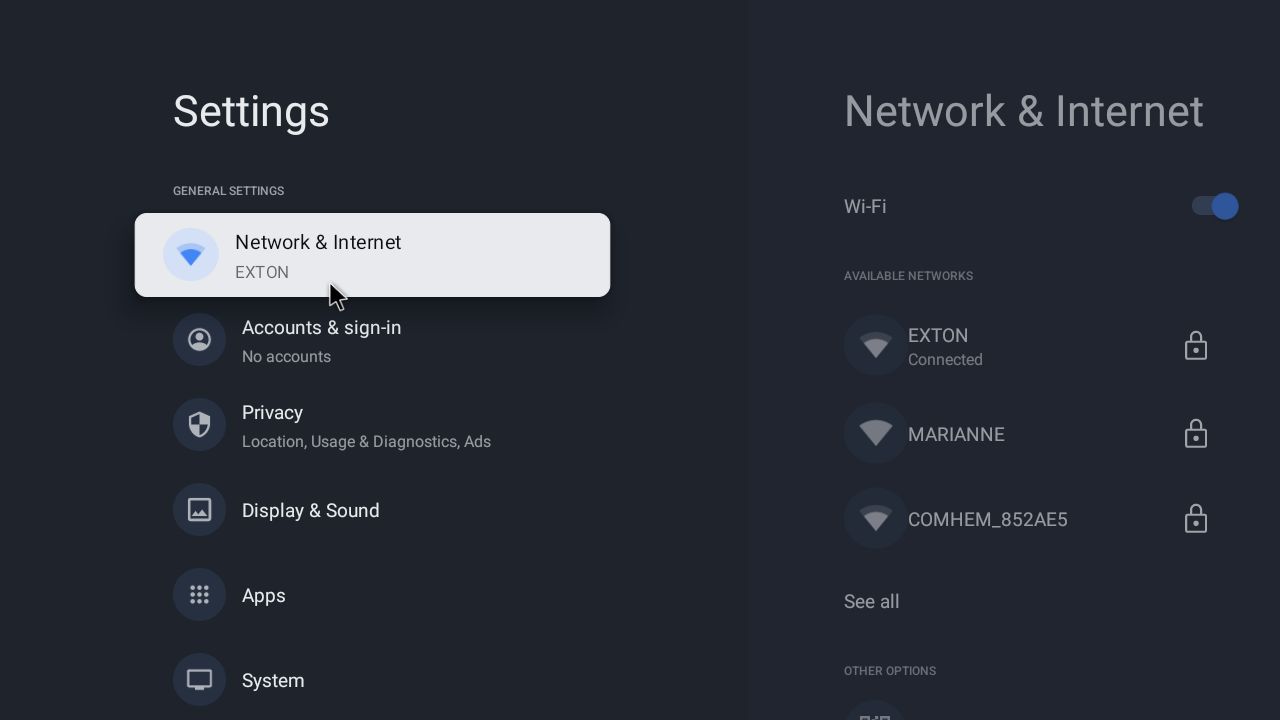
2. Open Settings after boot – you must choose to set up your Network WiFi connection
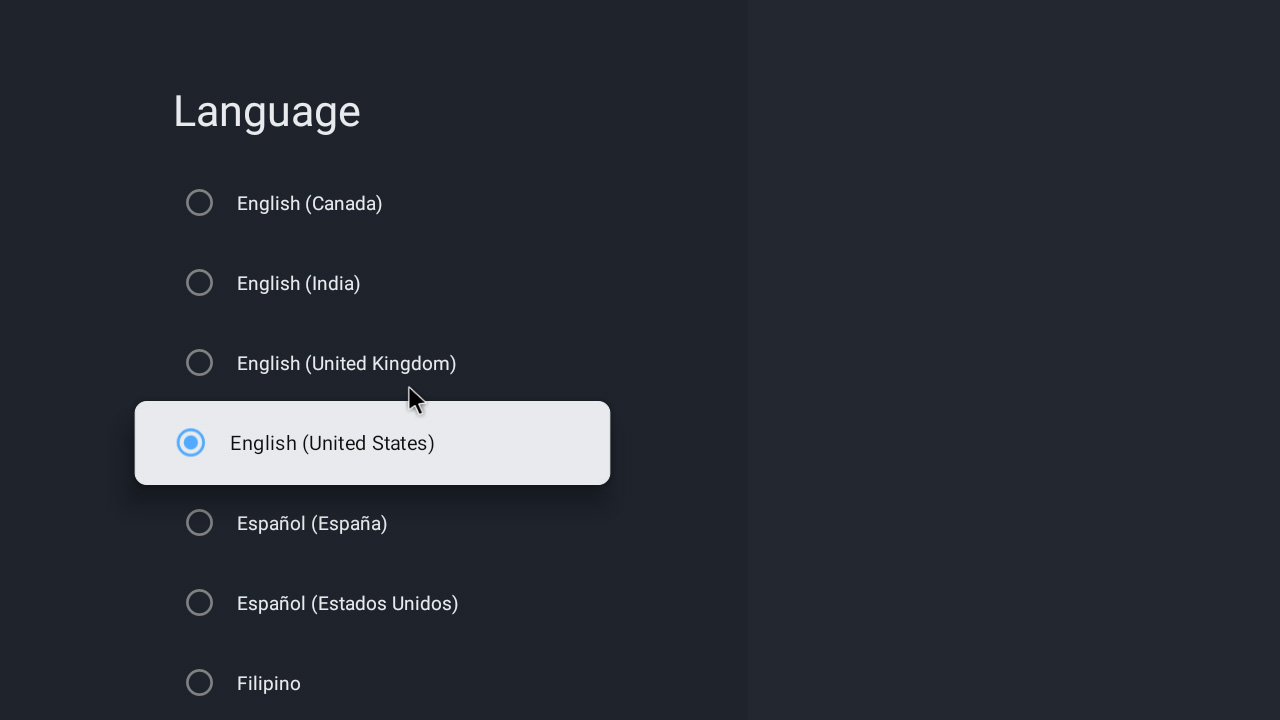
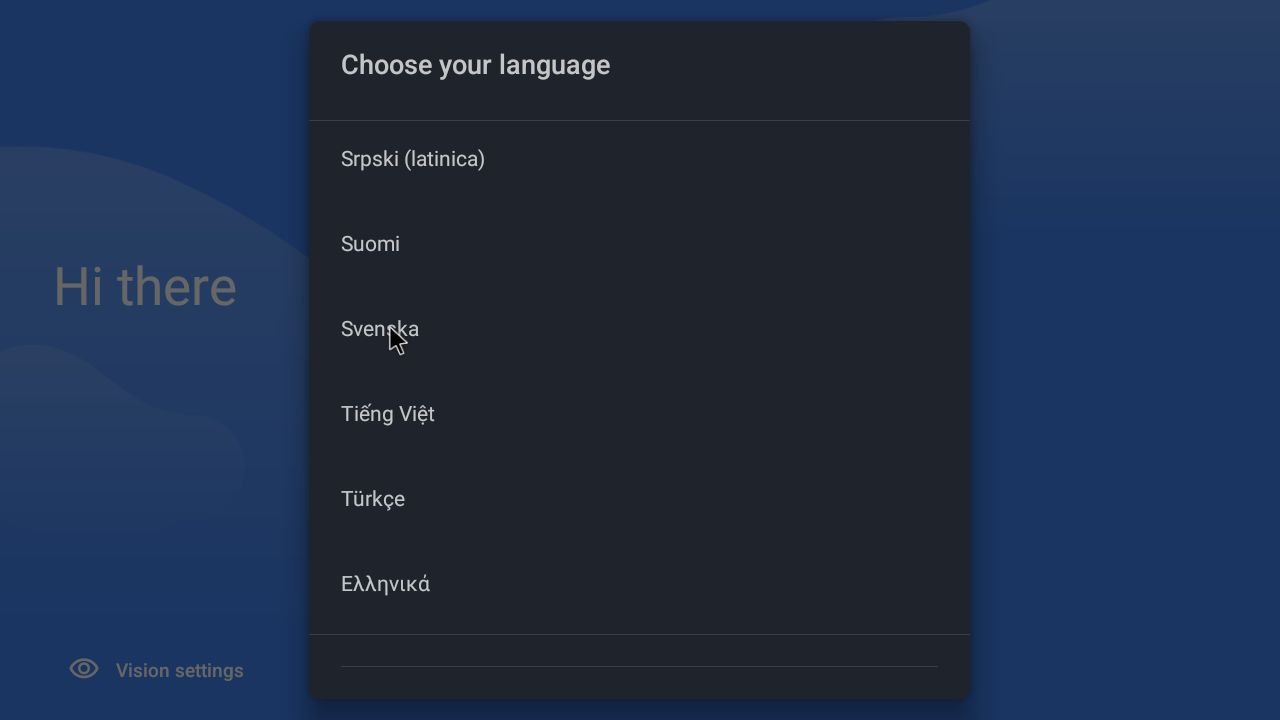
3. Your third screen after boot – choose your language (works very well)
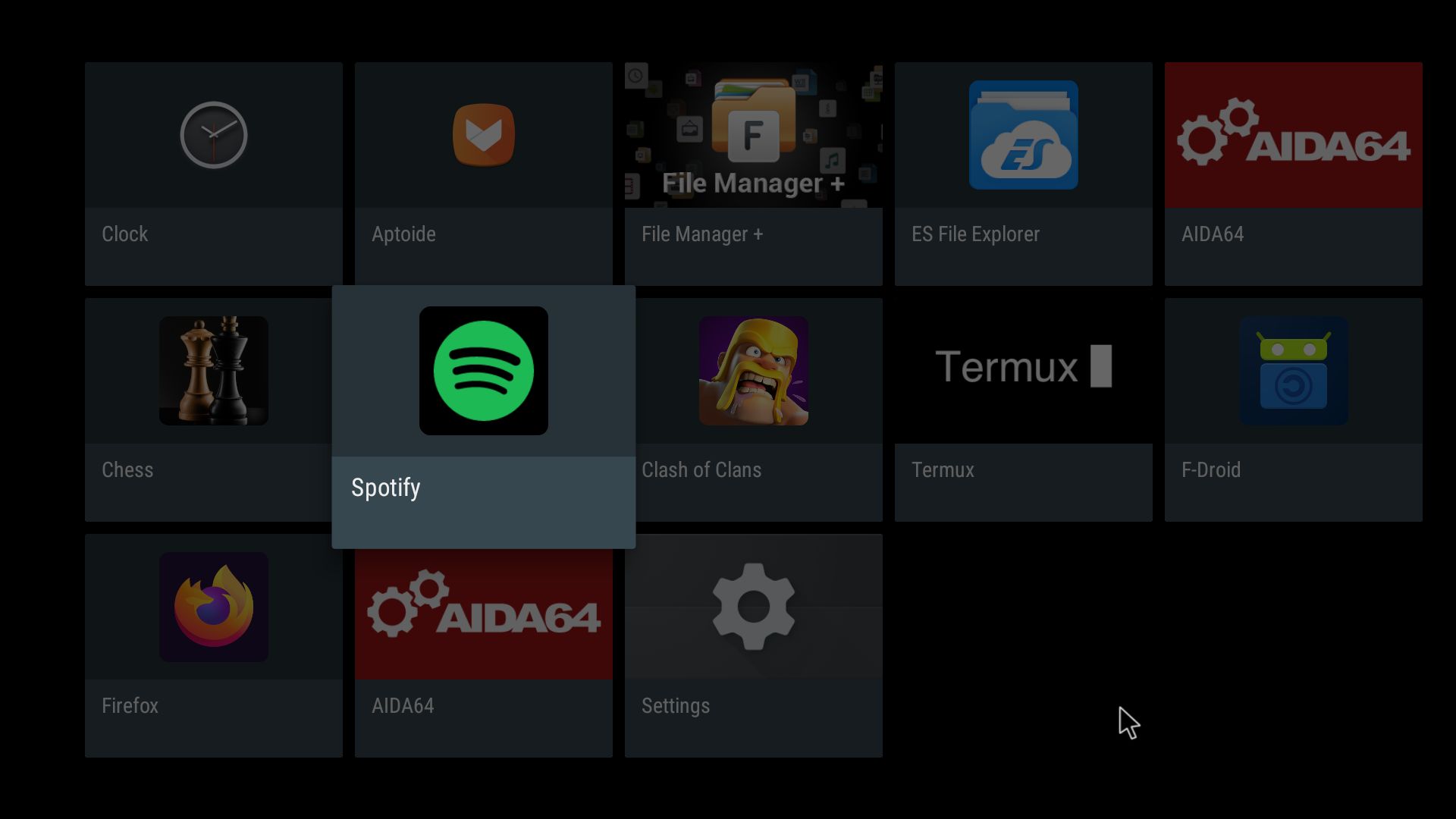
4. The Desktop with all pre-installed apps
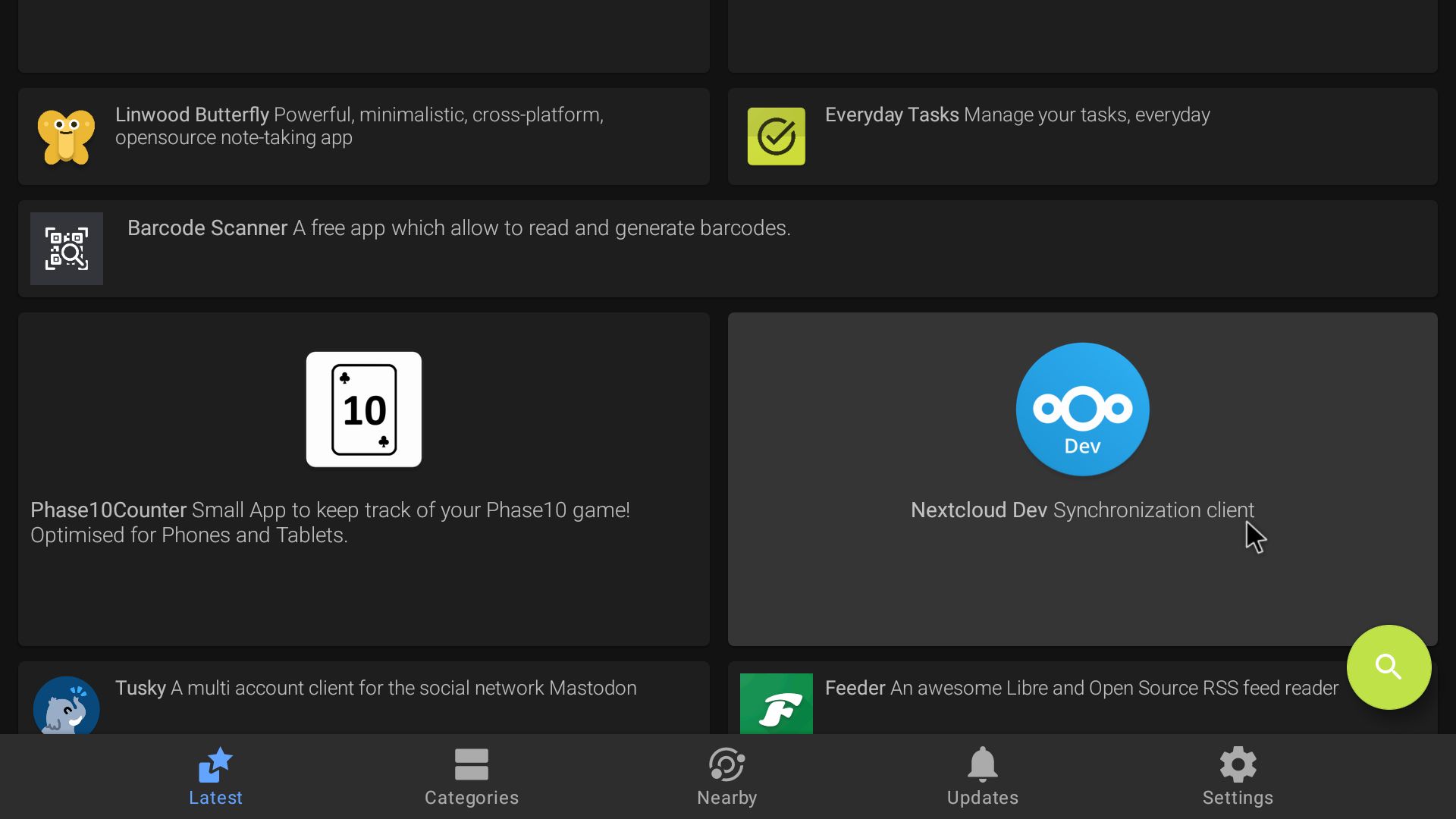
5. F-Droid running
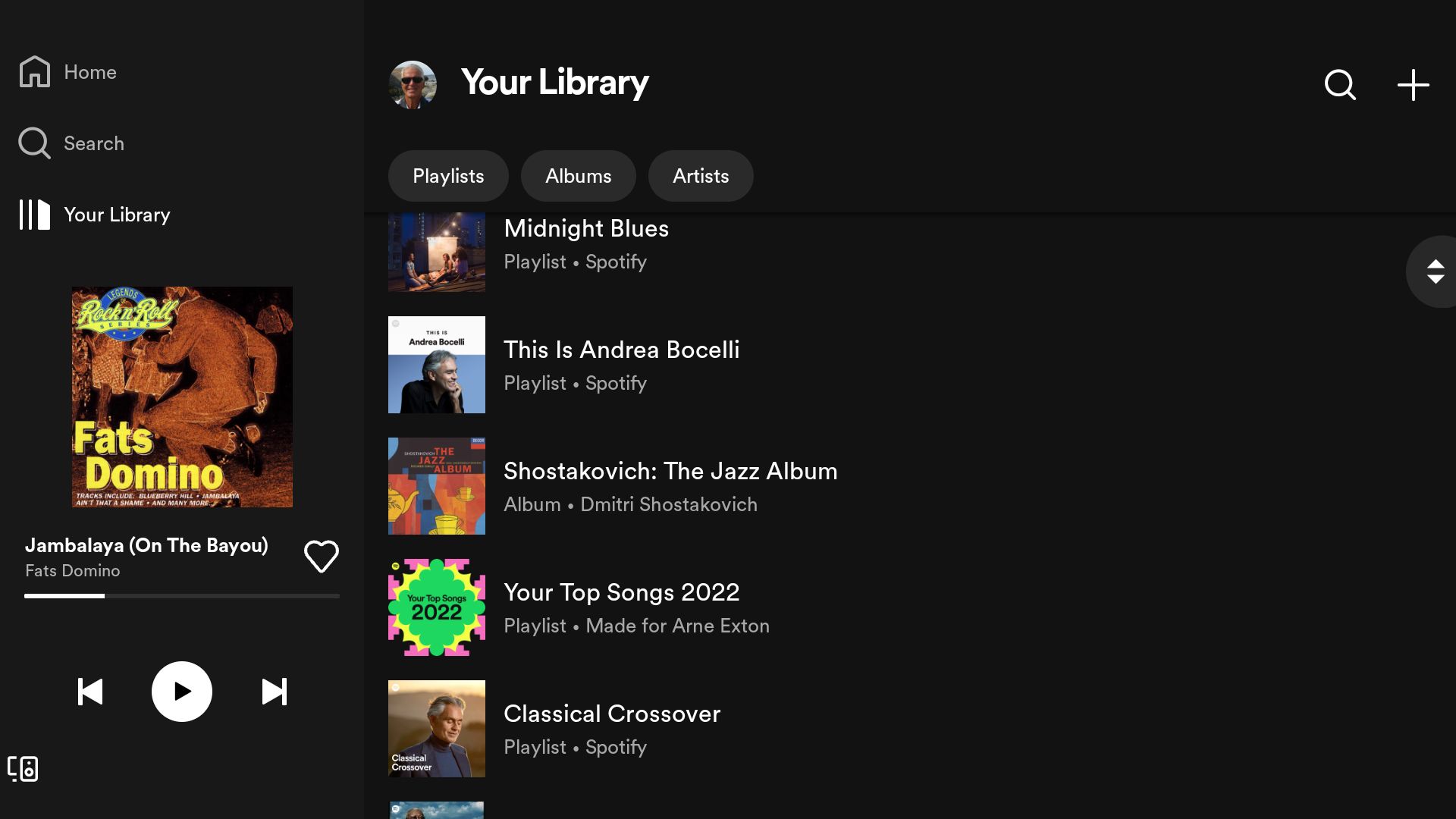
6. Spotify running
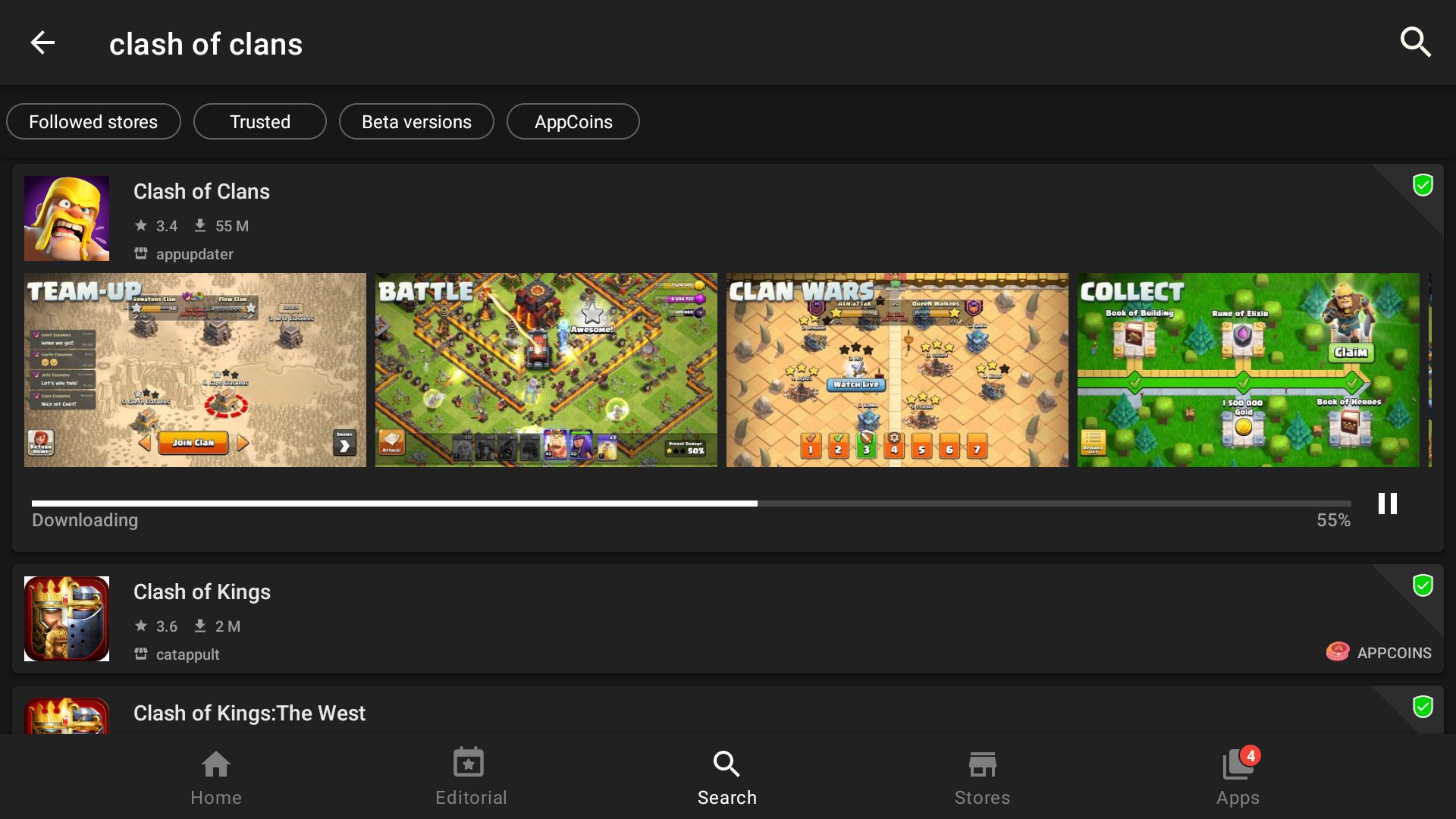
7. Clash of Clans running
8. A Chess game running
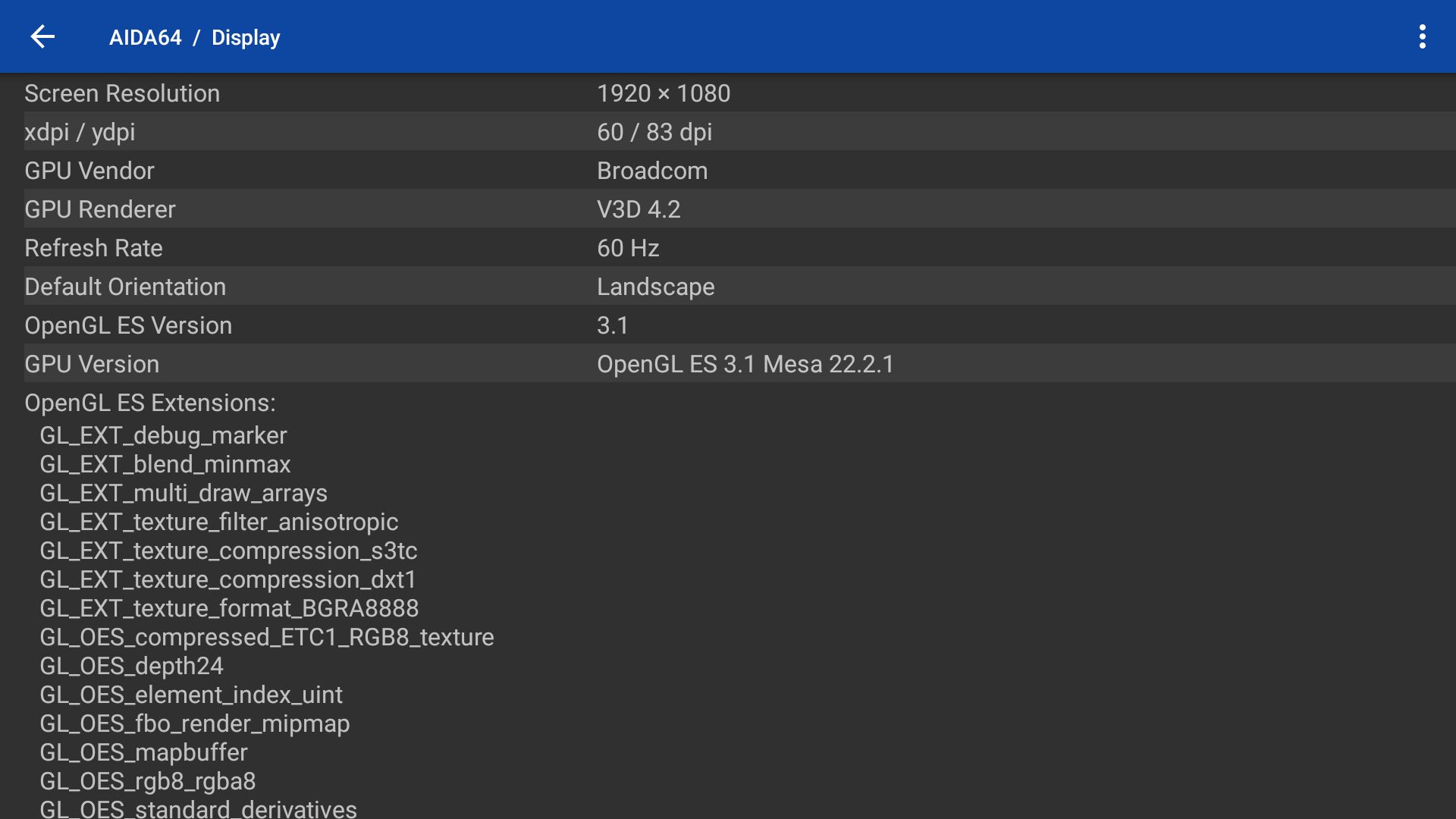
9. AIDA64 running and showing the system features
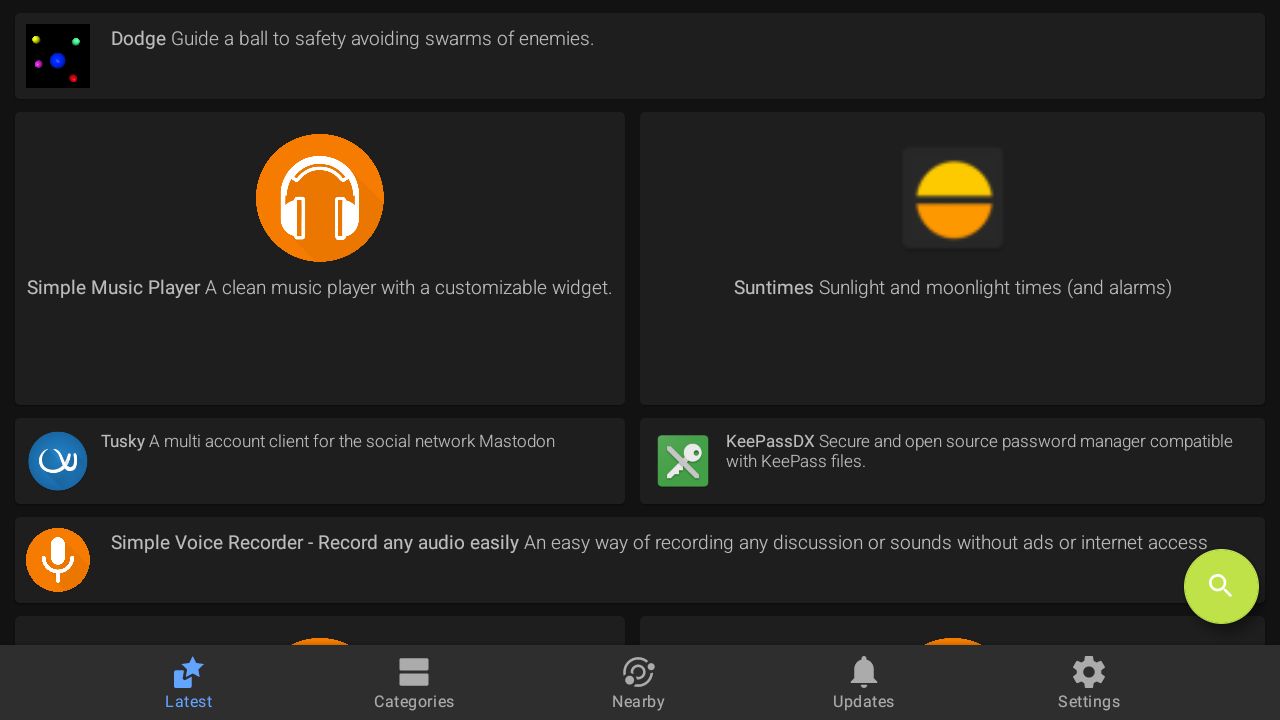
10. Aptoide App Store running

READ MORE…

Read about my Android-x86 Systems – 11, 10, Pie, Oreo, Nougat, Marshmallow, Lollipop and KitKat at
andex.exton.net – latest is AndEX 11 (with GAPPS), AndEX 10 (with GAPPS) and AndEX Pie 9.0 (also with GAPPS)!
and
about my Android 13, 12, 11, 10, Pie, Oreo, Nougat, Marshmallow and Lollipop versions for Raspberry Pi 4 and 3/2 at
raspex.exton.se
– latest is RaspAnd 13 and 12 (without GAPPS), RaspAnd 11 (with GAPPS) and RaspAnd Oreo 8.1 (also with GAPPS)!

RaspArch Rpi4 Build 221127 :: Run Arch Linux on your new Raspberry Pi 4 computer :: Install it using Rufus 3.20, Win32 Disk Imager or Etcher in Windows!

rasparch-logoRaspArch Build 221127 especially for the new Raspberry Pi 4 released in May 2020
This version (221127) is especially made for
the “new” Raspberry Pi 4, but it can of course also be used on a Raspberry Pi 3 Model B+, Raspberry Pi 3 Model B and Raspberry Pi 2 Model B.

NEWS 221202
I have uploaded a new version of RaspArch after I’ve discovered a better way to configure the system. I.e. I’ve replaced /boot/config.txt with this file. The new configuration makes the system automatically choose the best possible resolution for your monitor. Watch this screenshot when I’m using a 3440×1440 (Ultrawide) monitor.
NOTE: If you already have installed RaspArch Build 221127 you don’t have to reinstall. Just replace /boot/config.txt with the one I’ve provided – see above. Then reboot. You will probably notice a big difference.

RaspArch is a “remaster” of Arch Linux ARM. The original compressed system is of about 230 MB. After I have added the LXDE Desktop environment, PulseAudio, Firefox, Yay, Gimp and NetworkManager the system has increased a lot. RaspArch is a “ready-to-go” ARM system. It must be installed on a Raspberry Pi 4, Raspberry Pi 3 Model B+, Raspberry Pi 3 Model B or Raspberry Pi 2 Model B computer.

More about RaspArch
When you have installed RaspArch to your Micro SD Card you can use the system like any other Arch Linux system. I.e. install new programs etc. Arch motto is KISS (Keep It Simple Stupid). RaspArch uses kernel 5.15.79-2-rpi-ARCH and the LXDE Desktop environment.

WHO should run Arch Linux/RaspArch?
My answer: The system fits the “advanced” Linux user/enthusiast, who would be willing to run an occasional command from time to time.

SCREENSHOTS

Screenshot 1 of RaspArch’s Desktop – logged in as archpi
Screenshot 2 of RaspArch’s Desktop – logged in as root
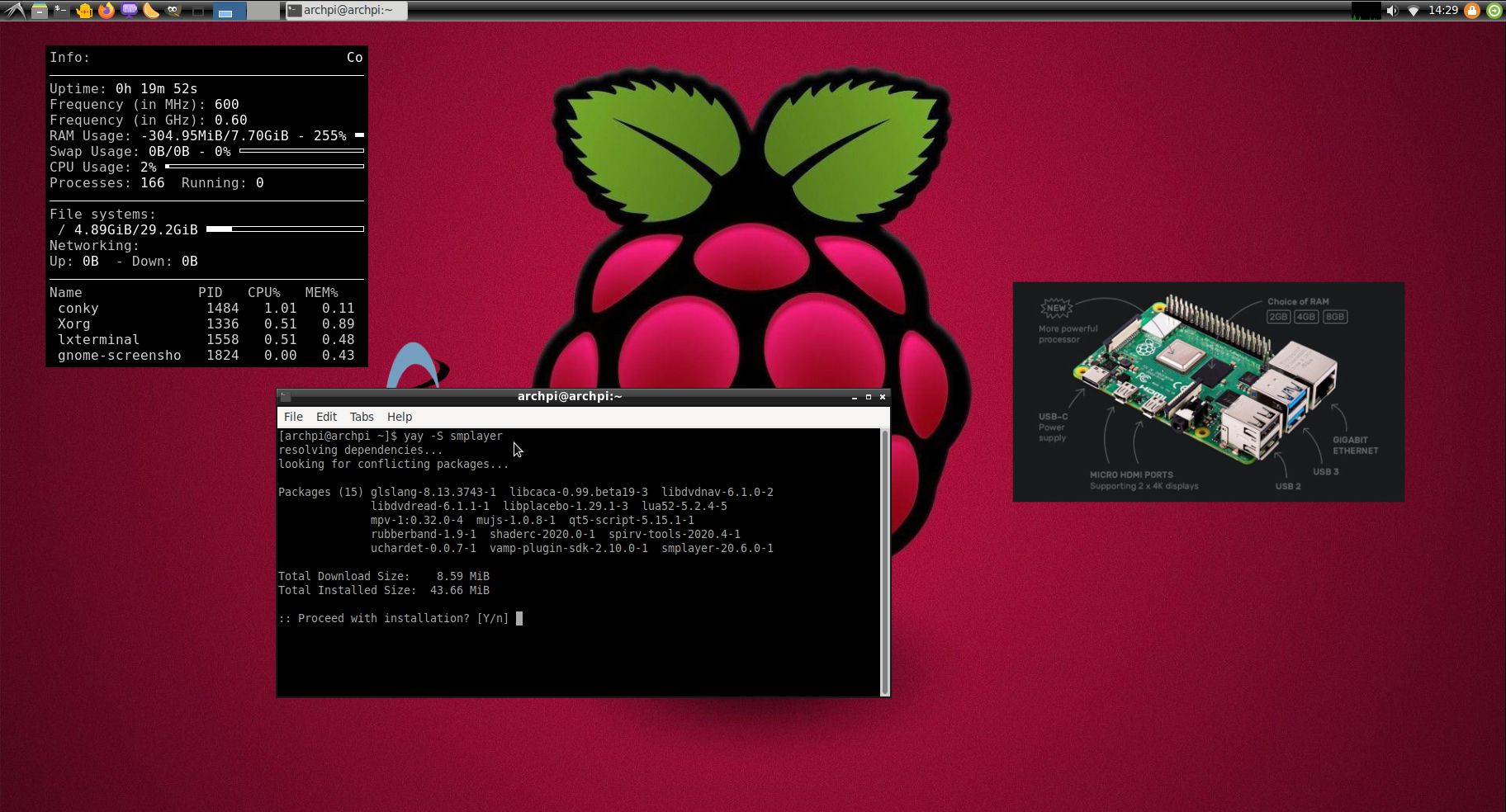
Screenshot 3 – Using Yay (while installing SMPlayer)
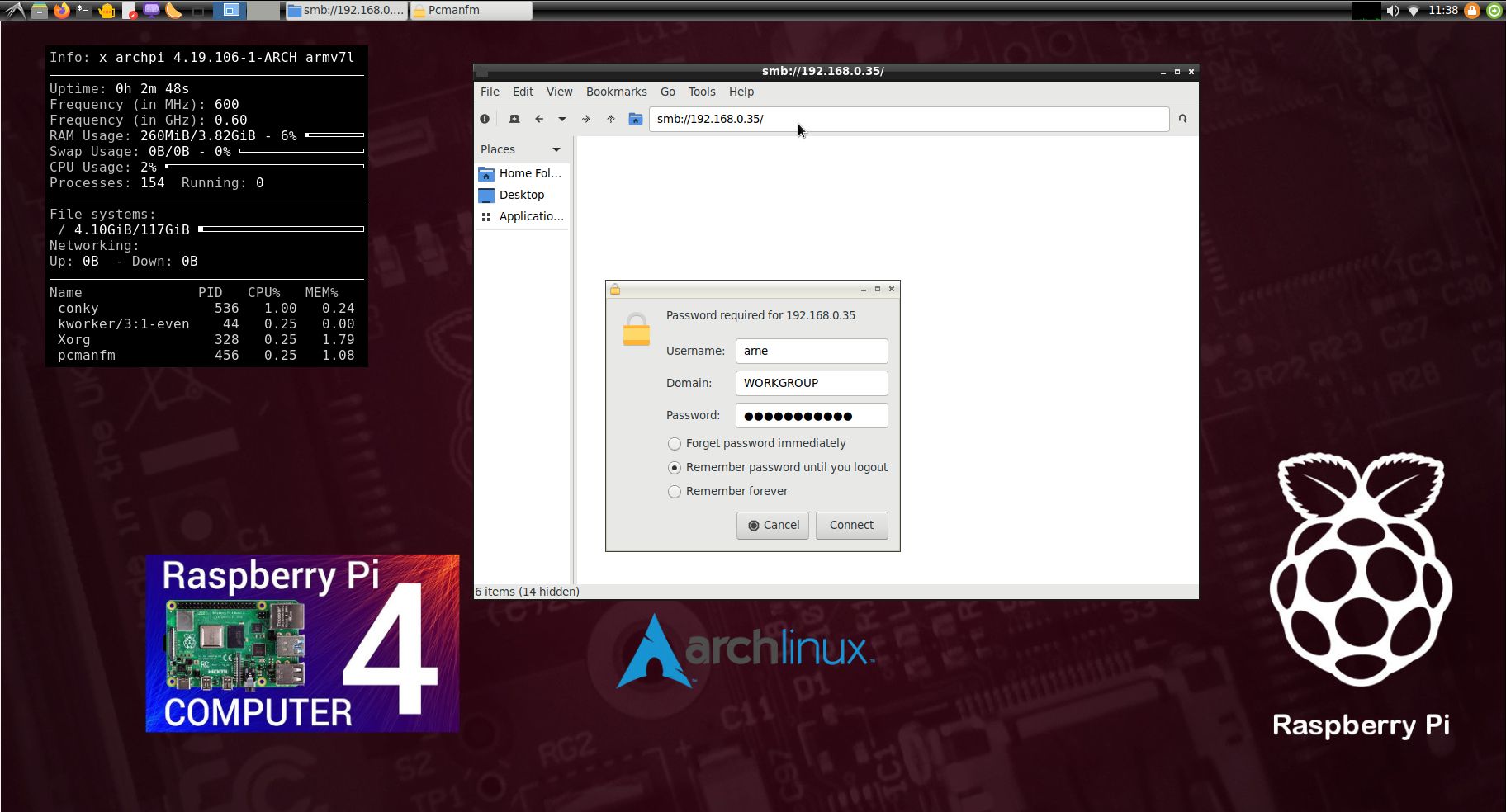
Screenshot 4 – Samba connection to a Windows computer
Screenshot 5 – showing that you can watch 4K videos using Firefox

READ MORE…

Read about my Android-x86 Systems – 11, 10, Pie, Oreo, Nougat, Marshmallow, Lollipop and KitKat at
andex.exton.net – latest is AndEX 11 (with GAPPS), AndEX 10 (with GAPPS) and AndEX Pie 9.0 (also with GAPPS)!
and
about my Android 12, 11, 10, Pie, Oreo, Nougat, Marshmallow and Lollipop versions for Raspberry Pi 4 and 3/2 at
raspex.exton.se
– latest is RaspAnd 12 (without GAPPS), RaspAnd 11 (with GAPPS) and RaspAnd Oreo 8.1 (also with GAPPS)!

RaspAnd 12 (Android 12) for Raspberry Pi 4 with Google Play Services, Spotify, Bluetooth, F-Droid Store, AIDA64, Firefox and Clash of Clans pre-installed :: Build 220419

ABOUT RaspAnd 12 – Build 220419
RaspAnd 12 runs very well on a Raspberry Pi 4. I.e. the system is pretty responsive if you use a micro SD card of good quality. RaspAnd 12 has the following apps pre-installed: Google Play Services (and some other Google apps), Spotify, Firefox Browser (so you can watch YouTube), F-Droid (Free and Open Source App Repository), Clash of Clans and Aida64. You’ll need Google Play Services for some games to work. Among them Clash of Clans.

ABOUT Android 12, which was released 211004…
Read also an article about The Evolution of Android – List of Android Versions and Release Dates.

PLEASE NOTE that you must be aware of the fact that the Raspberry Pi 4 computer has its limitations and that Android 12 is a very advanced Linux system. Having said that I must also say that the apps I have included in this Build (see above) work very well.

SCREENSHOTS
1. Your first screen after boot
2. Your second screen after boot – you must choose to set up your Network connection offline
3. Your third screen after boot – choose your language (works very well)
4. The Desktop with all pre-installed apps
5. F-Droid running
6. Spotify running
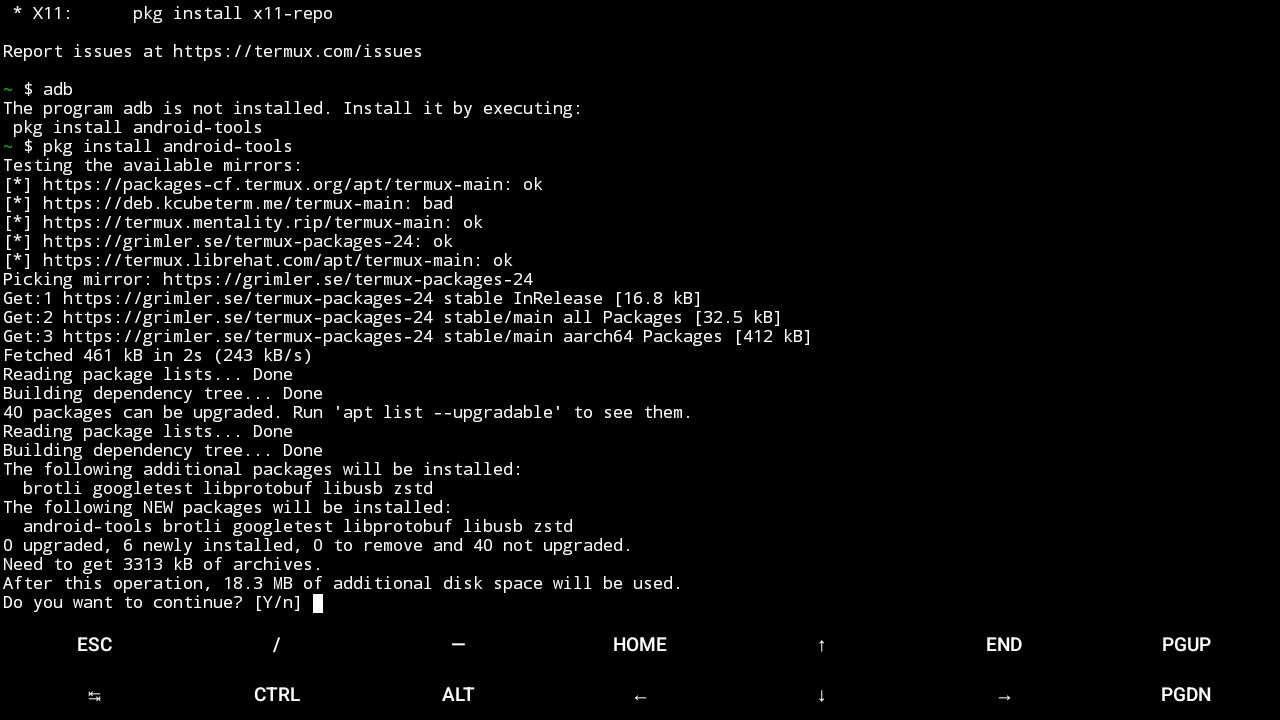
7. Termux running (installing Android Debug Bridge – adb/Android Tools)
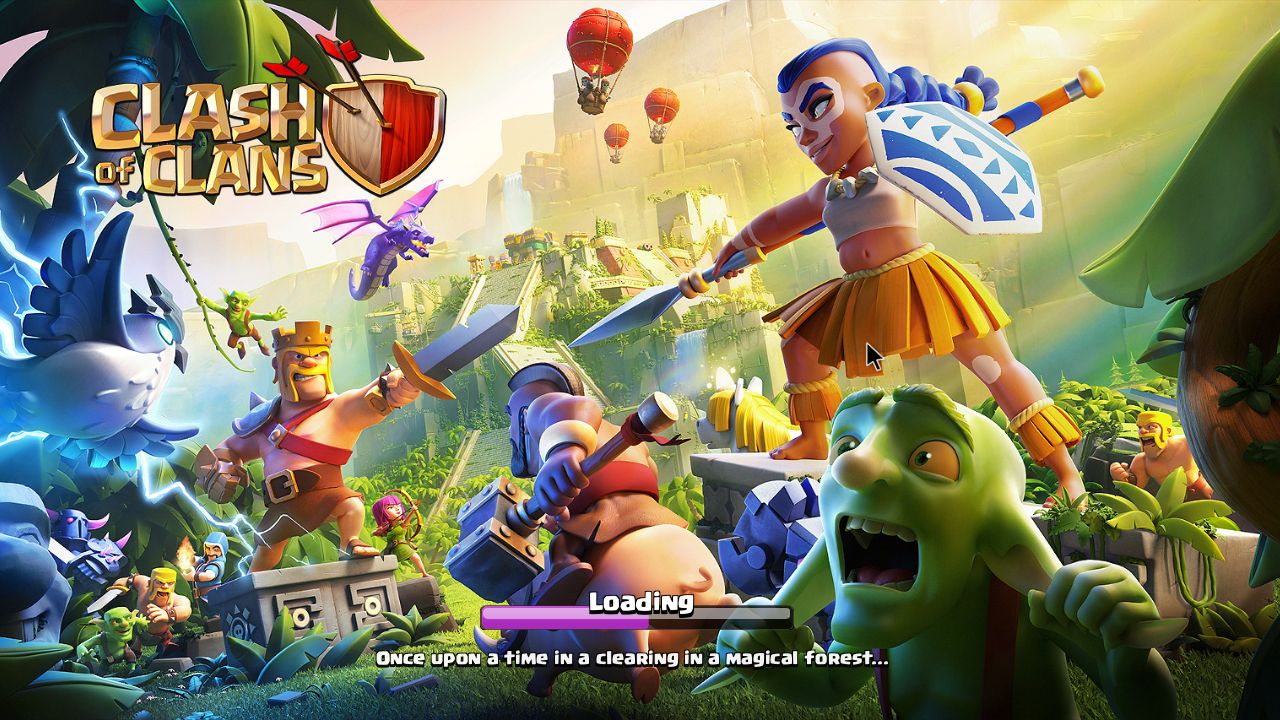
8. Clash of Clans running
9. A Chess game running
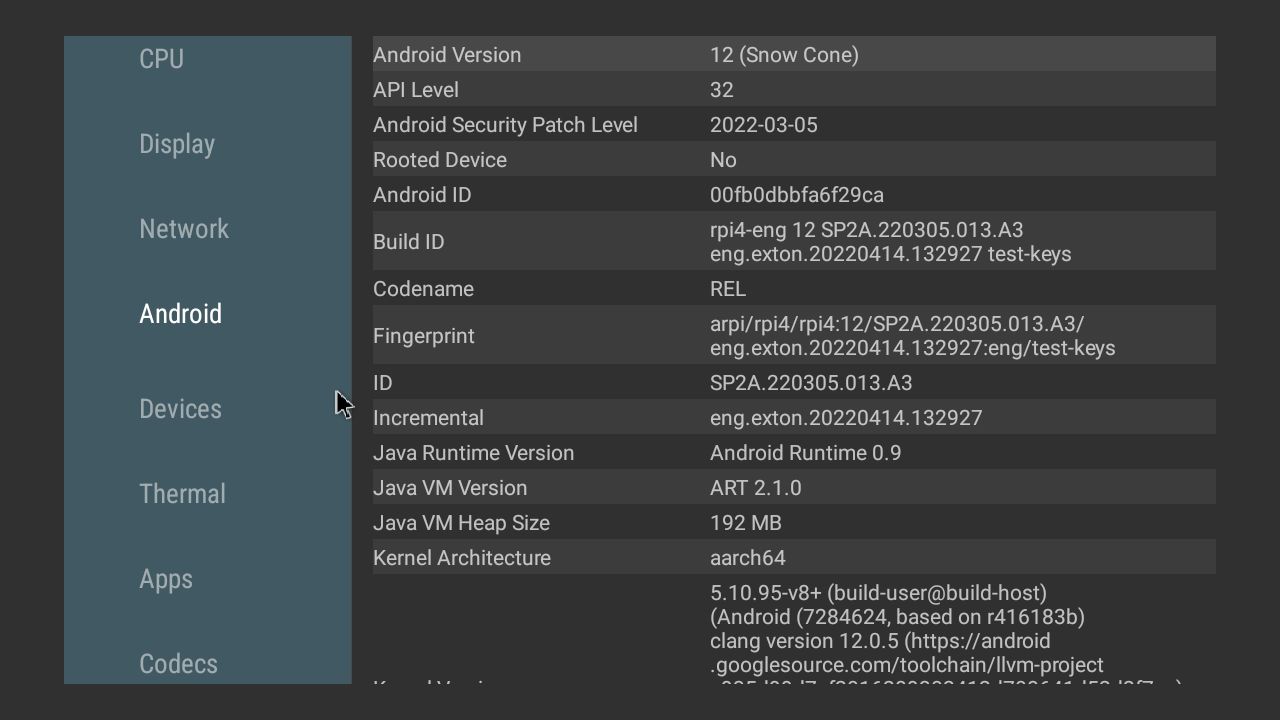
10. AIDA64 running and showing the system features

READ MORE…

Read about my Android-x86 Systems – 10, Pie, Oreo, Nougat, Marshmallow, Lollipop and KitKat at
andex.exton.net – latest is AndEX 10 (with GAPPS) and AndEX Pie 9.0 (also with GAPPS)!
and

about my Android 12, 11, 10, Pie, Oreo, Nougat, Marshmallow and Lollipop versions for Raspberry Pi 4 and 3/2 at
raspex.exton.se
– latest is RaspAnd 12 (without GAPPS), RaspAnd 11 (with GAPPS) and RaspAnd Oreo 8.1 (also with GAPPS)!