EXTON OpSuS (openSUSE) Tumbleweed with KDE Plasma 6.5.2, Refracta Snapshot and kernel 6.17.4-amd64-exton :: Build 251122

EXTON OpSuS Tumbleweed is based on openSUSE Tumbleweed, which is a rolling distribution. I.e. no need for new installations. Just run the command sudo zypper dup and you will always get the latest stable packages/kernels. The ISO files are of 2640MB (GNOME version) respectively 3030 MB (KDE version). Both versions will thus run very fast from a DVD or a USB stick. Even in VirtualBox/VMware directly from the ISO file.

ABOUT Tumbleweed
With Tumbleweed you don’t have to take difficult decisions about things you value, either freedom or safety, either control or security, technology or stability — Tumbleweed lets you have your cake and eat it too.
READ MORE…

EXTON OpSuS Tumbleweed with KDE Plasma 6.5.2 Desktop Environment Build 251122
This OpSuS version uses kernel 6.17.4-amd64-exton. Installed programs: Among many other programs, Firefox, NetworkManager, GParted and a lot of special KDE packages. You’ll run the system as the normal user user or as root. The password for user is live. Root’s password is root. EXTON OpSuS KDE can easily be installed to hard drive (of those who so desire). For that you shall use Refracta Installer. All packages have been updated to the latest available version as of November 22, 2025.
NOTE1
:  When the boot process is ready you will end up at LightDM’s login screen. You can log in to the KDE Plasma Desktop as user with password live or as root with password root. You will see this first screen when logged in to KDE as the normal user user.
NOTE2: When logged in as root you won’t have sound. Watch a screenshot of the KDE Desktop for root.
NOTE3: Version 251122 of EXTON OpSuS can run on really old computers. As an example I could run it on my 19 years old laptop Acer Aspire 5102 WLMi.
NOTE4: Use Refracta Snapshot to build your very own version of EXTON OpSuS/openSUSE. I.e. you can change everything to you liking and quickly create a new ISO file. Your own.
NOTE5:
Kernel 6.17.4-amd64-exton is used when running EXTON OpSuS LIVE. When running the System from hard drive you can use openSUSE’s kernel. Right now version 6.17.8.
NOTE6: To be able to use Refracta Snapshot you’ll have to keep “my” kernel 6.17.4-amd64-exton in /boot and also the links to said kernel in /. (/vmlinuz and /initrd.img).
NOTE7: The KDE version 251122 works very well in VirtualBox and VMware. Version 251120 did not work so well in VirtualBox. That is the main reason for the new Build of 251122.
NOTE8: The KDE version works very well on all “normal” computers. I could run the system on my six different computers. If you have at least 6GB RAM (maybe just 4GB) you can choose boot alternative 2 – “Load to RAM”. (The best way to run any Linux system). Watch this screenshot.
NOTE9: EXTON OpSuS is a LIVE system, which means that you can try it before you install it. The official openSUSE distribution must be installed immediately.
NOTE 10: When logging in to the KDE Plasma Desktop you can choose between the X11 server and Wayland – screenshot. Wayland is the modern, more secure, and efficient replacement for the older X11 display server.

SCREENSHOTS
1. The Desktop for the normal user user
2. The Desktop for root
3. Refracta Installer has started
4. Refracta Installer has completed
5. Setting screen resolution in VirtualBox
6. Using Samba

READ MORE…

Read about my Android-x86 Systems – 11, 10, Pie, Oreo, Nougat, Marshmallow, Lollipop and KitKat at andex.exton.net – latest is AndEX 11 (with GAPPS), AndEX 10 (with GAPPS) and AndEX Pie 9.0 (also with GAPPS)!
and
about my Android 16, 15, 14, 13, 12, 11, 10, Pie, Oreo, Nougat, Marshmallow and Lollipop versions for Raspberry Pi 5, Pi 4 and  Pi 3/2 at raspex.exton.se – latest is RaspAnd 16 (with GAPPS), RaspAnd 15 (also with GAPPS), RaspAnd 14 (also with GAPPS), 13 and 12 (without GAPPS), RaspAnd 11 (with GAPPS) and RaspAnd Oreo 8.1 (also with GAPPS)!



Follow me on Facebook…

EXTON OpSuS Tumbleweed LXQt 2.2.0-1.1 64 bit UEFI Linux Live System with Refracta Snapshot – Build 250515

EXTON OpSuS Tumbleweed is based on openSUSE Tumbleweed, which is a rolling distribution. I.e. no need for new installations. Just run the command sudo zypper dup and you will always get the latest stable packages/kernels. The ISO file is of 3070 MB. The LXQt version will thus run very fast from a DVD or a USB stick. Even in VirtualBox/VMware directly from the ISO file.

ABOUT Tumbleweed
With Tumbleweed you don’t have to take difficult decisions about things you value, either freedom or safety, either control or security, technology or stability — Tumbleweed lets you have your cake and eat it too. READ MORE…

NOTE ABOUT EXTON OpSuS Deepin from 240807
The Deepin DE is no longer maintained by openSUSE due to packaging policy violations and various security issues. I have therefore deleted the ISO file from 240807, which used Deepin 20.6 as Desktop Environment.

ABOUT EXTON OpSuS for PC’s
EXTON OpSuS Tumbleweed with LXQt 2.2.0-1.1 uses kernel 6.14.6-amd64-exton. Installed programs: Among many other programs, Firefox, NetworkManager, GParted and VLC . You’ll run the system as the normal user user. The password for user is live. Root’s password is root. EXTON OpSuS can easily be installed to hard drive (of those who so desire). For that you shall use Refracta Installer. All packages have been updated to the latest available version as of May 15, 2025.
NOTE1
:  When the boot process is ready you will end up at SDDM login screen. You can only log in to the LXQt Desktop as user with password live. You will see this first screen when logged in to LXQt.
NOTE2: If you want to run the system as root you shall press Ctrl Alt F1 simultaneously to leave X. Log in as root with password root. Then run the command startx. You will then enter the LXQt 2.2.0 Desktop. When logged in as root you won’t have sound. Watch a screenshot of the Desktop for root.
NOTE3: Version 250515 of EXTON OpSuS can run on really old computers. As an example I could run it on my 17 years old laptop Acer Aspire 5102 WLMi.  
NOTE4: Use Refracta Snapshot to build your very own version of EXTON OpSuS/openSUSE.

Is EXTON OpSuS LXQt Build 250515 unique?
If you have a look at openSUSE’s official Download site you can see that there is no live LXQt version available. EXTON OpSuS Build 250515 is most certainly UNIQUE in one respect. There is no other distro based on openSUSE containing Refracta Snapshot!

Why should someone choose EXTON OpSuS/openSUSE?

READ MORE…

Read about my Android-x86 Systems – 11, 10, Pie, Oreo, Nougat, Marshmallow, Lollipop and KitKat at andex.exton.net – latest is AndEX 11 (with GAPPS), AndEX 10 (with GAPPS) and AndEX Pie 9.0 (also with GAPPS)!
and
about my Android 15, 14, 13, 12, 11, 10, Pie, Oreo, Nougat, Marshmallow and Lollipop versions for Raspberry Pi 5, Pi 4 and  Pi 3/2 at raspex.exton.se – latest is RaspAnd 15 (with GAPPS), RaspAnd 14 (also with GAPPS), 13 and 12 (without GAPPS), RaspAnd 11 (with GAPPS) and RaspAnd Oreo 8.1 (also with GAPPS)!


Follow me on Facebook…

CruxEX 3.8 Linux Live System based on CRUX 3.8 released 250421 :: Build 250427

CruxEX 2025 64 bit Linux Live System is based on CRUX 3.8 (latest version, released 250421), which is all Linux enthusiasts/nerds favorite OS. (CRUX is a lightweight Linux distribution for the x86_64 architecture targeted at experienced Linux users. The primary focus of this distribution is keep it simple, which is reflected in a straightforward tar.gz-based package system, BSD-style initscripts, and a relatively small collection of trimmed packages. The secondary focus is utilization of new Linux features and recent tools and libraries. CRUX also has a ports system which makes it easy to install and upgrade applications). CruxEX 3.8 2025 uses the LXDE Desktop environment. I have replaced the original CRUX kernel with “my” special kernel 6.14.2-amd64-exton with support for “extra everything”.

Unique
CruxEX 3.8 Build 250427 is – as my previous CRUX-remasters – unique in the world. I.e. there is no other CRUX Live CD/USB (as far as I know). In any case, not for downloading. The good thing with CruxEX is that it is a live system (which CRUX original isn’t) and that you can run CruxEX super fast from RAM. Also that you can install CruxEX to hard drive in about 5 minutes and then have a ready-to-go CRUX desktop system. You can after that install any (extra) desktop environment you like. Note also: To make CRUX original ready for everyday use will normally take 2 – 3 days!

ABOUT Refracta Snapshot
With Refracta Snapshot you can very easy create you own CRUX Live Installable System. I mean change everything to your liking and then create a new ISO. That can be done after a hard drive installation using Refracta Installer. If you have plenty of RAM you can even create a new ISO while running CruxEX live!

Study ALL INSTALLED packages in CruxEX 3.8.

Watch this enthusiastic YouTube VIDEO ABOUT CruxEX 3.7…

SCREENSHOTS
1. The LXDE Desktop for the live user in Build 250427
2. The LXDE Desktop for root in Build 250427
3. Installing Grub in VirtualBox
4. The Live boot screen

READ MORE

Read about my Android-x86 Systems – 11, 10, Pie, Oreo, Nougat, Marshmallow, Lollipop and KitKat at andex.exton.net – latest is AndEX 11 (with GAPPS), AndEX 10 (with GAPPS) and AndEX Pie 9.0 (also with GAPPS)!
and
about my Android 15, 14, 13, 12, 11, 10, Pie, Oreo, Nougat, Marshmallow and Lollipop versions for Raspberry Pi 5, Pi 4 and  Pi 3/2 at raspex.exton.se – latest is RaspAnd 15 (with GAPPS), RaspAnd 14 (also with GAPPS), 13 and 12 (without GAPPS), RaspAnd 11 (with GAPPS) and RaspAnd Oreo 8.1 (also with GAPPS)!


Follow me on Facebook…

ArchEX (Arch Linux) Live System with MATE 1.28.2-2 DE and kernel 6.11.7-arch :: Build 241117

ABOUT ArchEX Build 241117
I’ve made a new extra version of ArchEX with the MATE Desktop environment. This ArchEX version replaces version 240101, which had Pantheon as DE. At the moment (241117) Pantheon doesn’t work in Arch Linux. After a full system upgrade the Pantheon menu is gone and you can’t get it back.

ABOUT MATE: The MATE Desktop Environment is the continuation of GNOME 2. It provides an intuitive and attractive desktop environment using traditional metaphors for Linux and other Unix-like operating systems. MATE is under active development to add support for new technologies while preserving a traditional desktop experience.


IMPORTANT NOTE: ArchEX with MATE works very well when running live on my six computers.
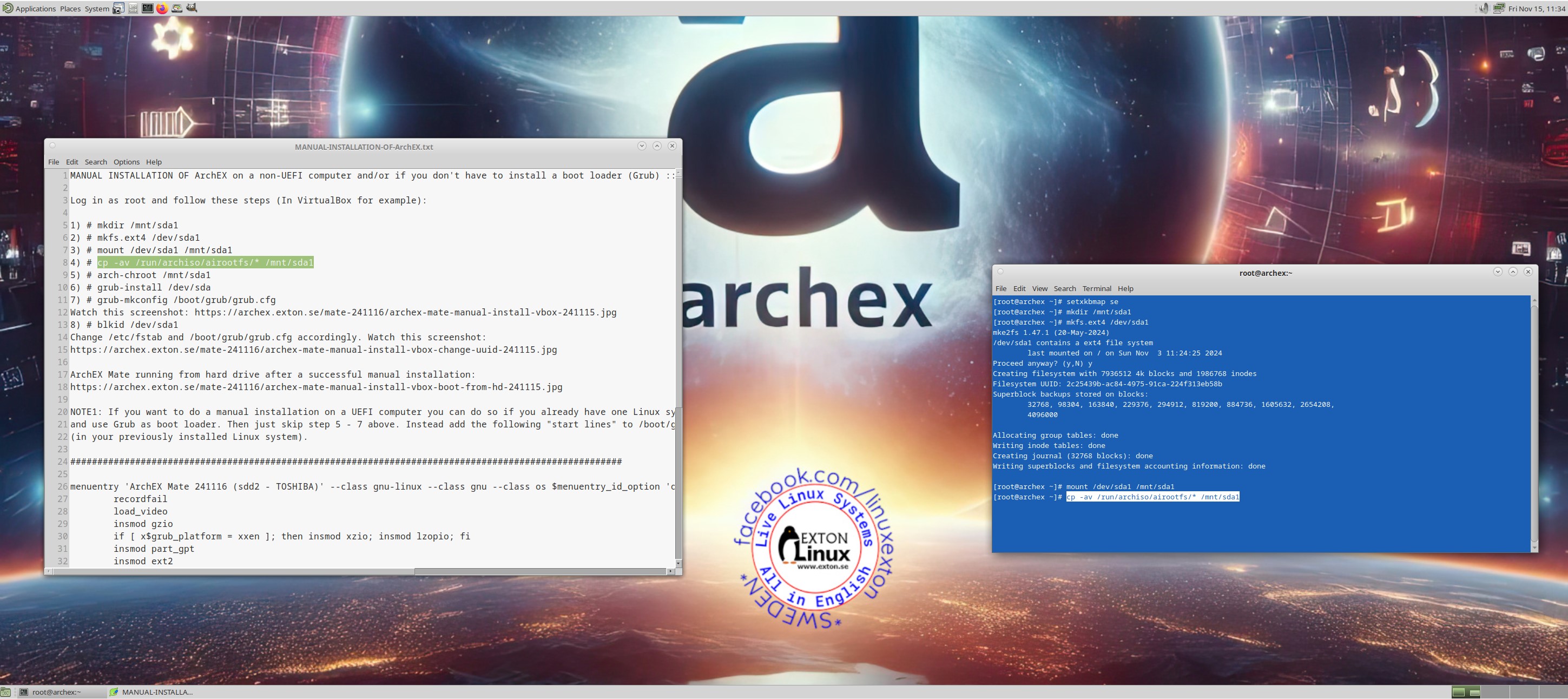
Calamares Installer is not installed in Build 241117. You can nevertheless install ArchEX Build 241117 to hard drive if you follow my instructions…
It is quite simple. Basically only ONE command is needed.

Study all installed packages in Build 241117…

SCREENSHOTS
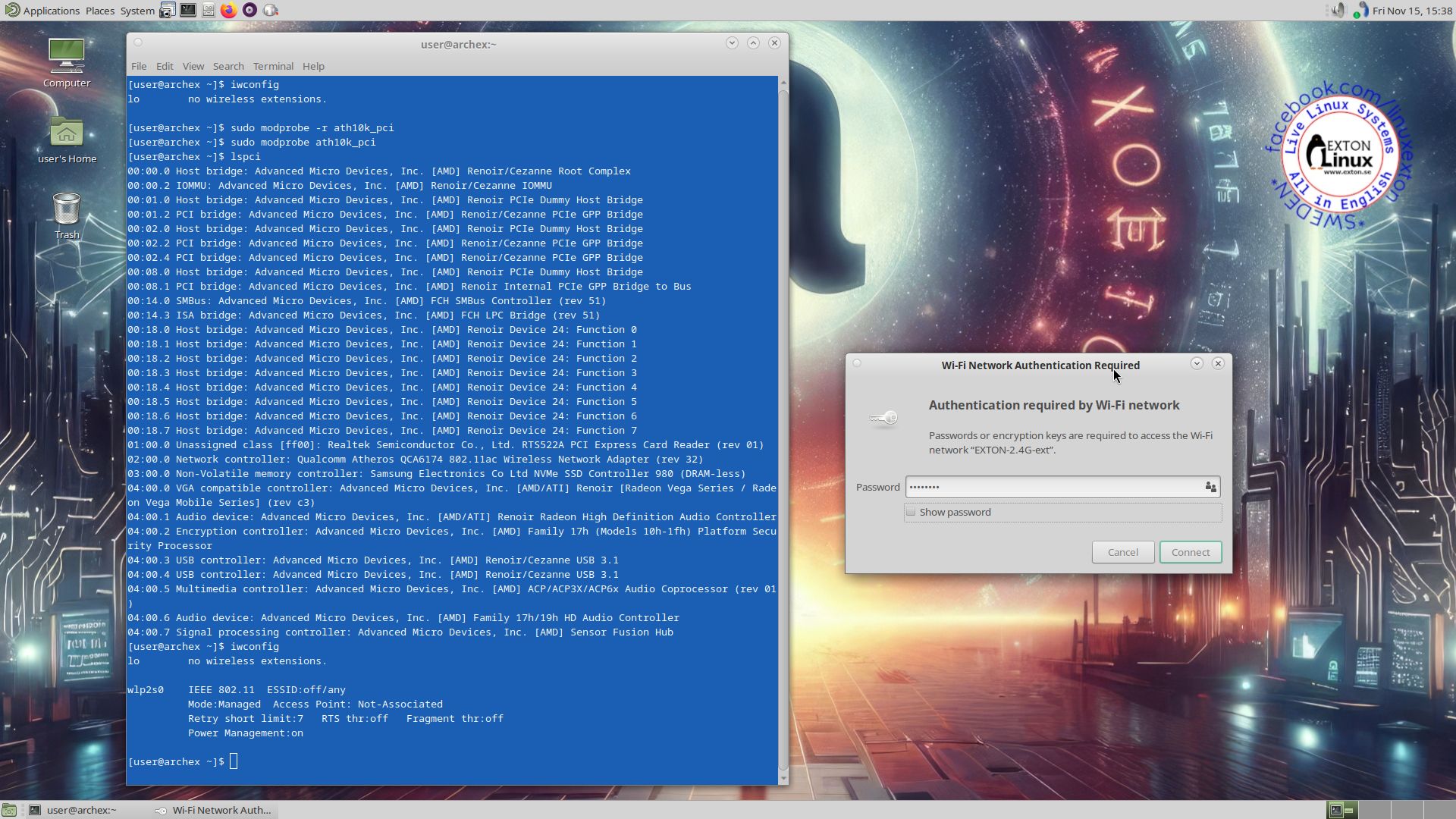
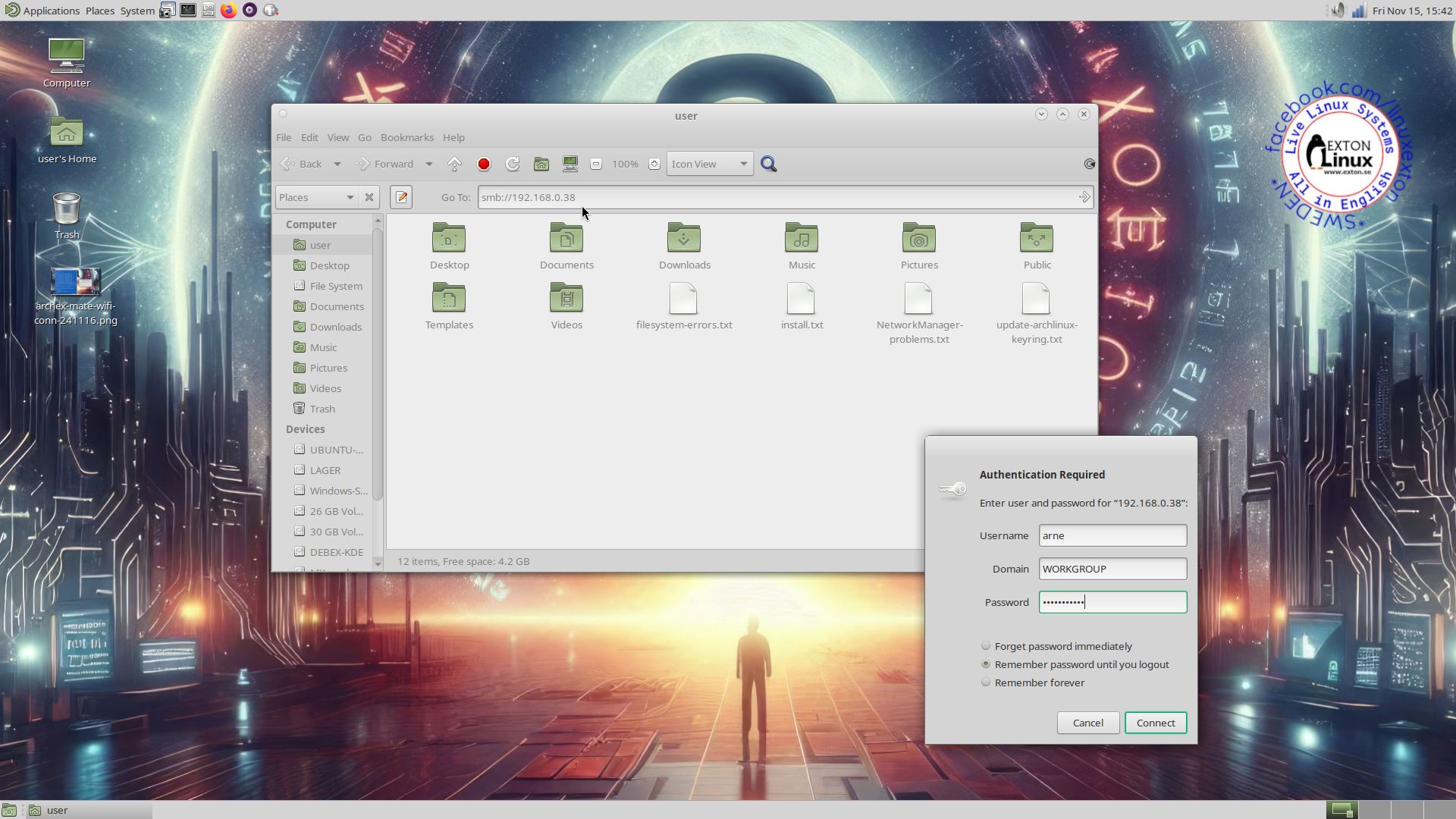
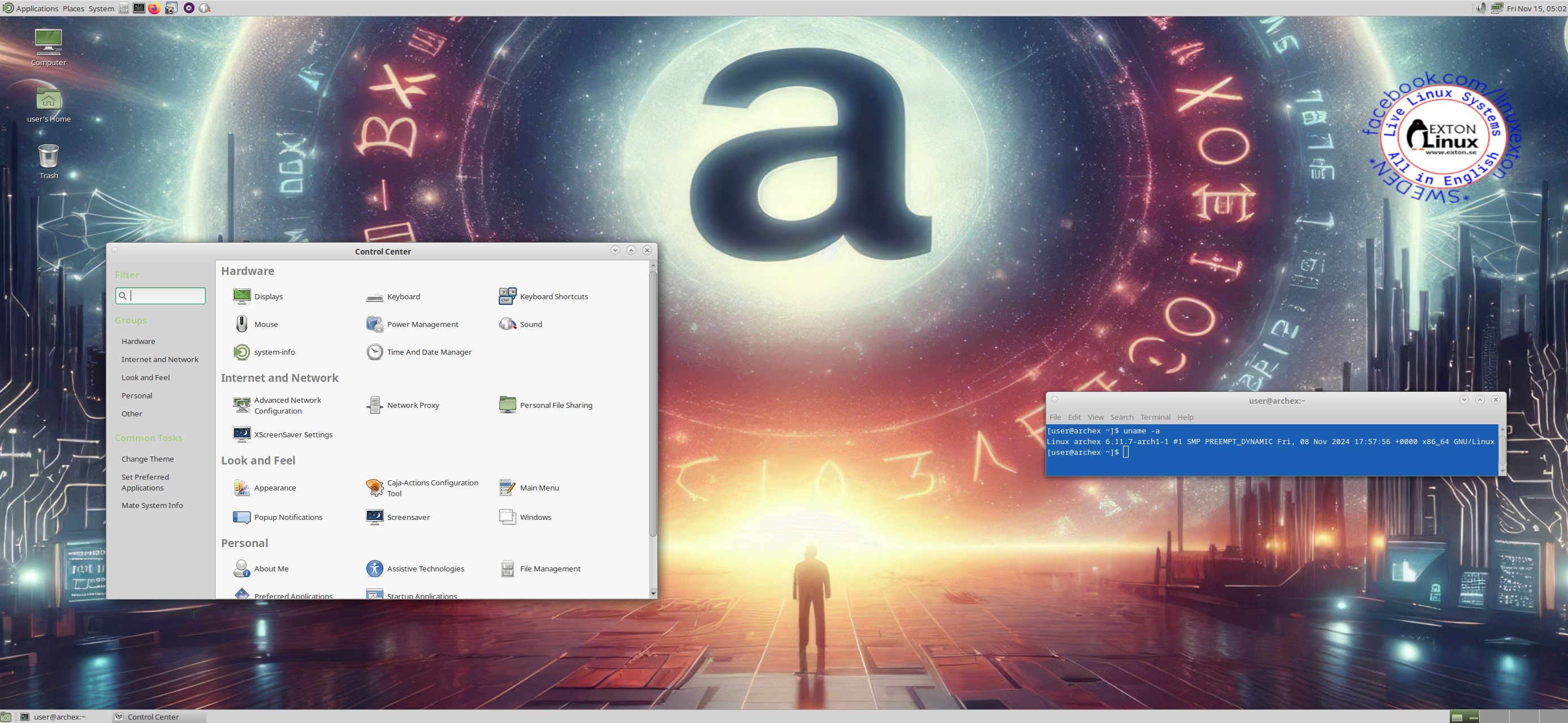
1. The MATE Desktop for the ordinary user user
2. Showing a WiFi connection
3. Showing a Samba connection
4. Showing a manual installation of ArchEX in VirtualBox

READ MORE…

Read about my Android-x86 Systems – 11, 10, Pie, Oreo, Nougat, Marshmallow, Lollipop and KitKat at
andex.exton.net – latest is AndEX 11 (with GAPPS), AndEX 10 (with GAPPS) and AndEX Pie 9.0 (also with GAPPS)!
and
about my Android 14, 13, 12, 11, 10, Pie, Oreo, Nougat, Marshmallow and Lollipop versions for Raspberry Pi 5, Pi 4 and  Pi 3/2 at
raspex.exton.se
– latest is RaspAnd 14 (with GAPPS), 13 and 12 (without GAPPS), RaspAnd 11 (with GAPPS) and RaspAnd Oreo 8.1
(also with GAPPS)!

PuppEX (Puppy Linux) Bookworm64 with Xfce4 as DE :: Build 240928

NEWS ABOUT PuppEX Bookworm64 Build 240928
My new Puppy Linux derivative (made just for fun) is built using the Bookworm Build Script. The latest script from 240924. The system is compatible with Debian Bookworm – Debian 12. This version of PuppEX uses Xfce4 as Desktop environment (DE). It is for UEFI computers and non-UEFI computers. This PuppEX version runs very well in VirtualBox/VMware. You can run it in full screen in VirtualBox, since VirtualBox Guest Additions are pre-installed. You can also drop files from PuppEX running in VirtualBox to (for example) your Windows 11 Desktop.

SPECIAL NOTE ABOUT PuppEX Bookworm64 Xfce4 BUILD 240928
Normally you run all Puppy Linux versions as root. I.e. you will automatically be logged in as root to the desktop. Not as regards Build 240928 though. When the boot process is ready you will end up at SLiM Login Manager site. Log in as the ordinary user puppy with password puppex. Watch this screenshot. You will then enter the Xfce4 Desktop. You can’t log in to Xfce4 as root. While logged in as puppy you can of course use Sudo to become root. Example commands: sudo su and sudo pcmanfm.

Debian 12
Compatible with Debian 12
means that you can use the apt command. (apt update, apt upgrade, apt install MyUsefulPackage etc) and Synaptic for installing thousands of new Debian packages in PuppEX. All three PuppEX Bookworm64 versions can easily be installed manually to hard drive if you have at least one Linux system installed. You must also use Grub as boot loader. Read more about how to do that at the INFO site.

SCREENSHOTS
1. Connection to a wireless network
2. puppy’s Desktop – Xfce4

READ MORE …

Read about my Android-x86 Systems – 11, 10, Pie, Oreo, Nougat, Marshmallow, Lollipop and KitKat at
andex.exton.net – latest is AndEX 11 (with GAPPS), AndEX 10 (with GAPPS) and AndEX Pie 9.0 (also with GAPPS)!
and
about my Android 14, 13, 12, 11, 10, Pie, Oreo, Nougat, Marshmallow and Lollipop versions for Raspberry Pi 5, Pi 4 and  Pi 3/2 at
raspex.exton.se
– latest is RaspAnd 14 (with GAPPS), 13 and 12 (without GAPPS), RaspAnd 11 (with GAPPS) and RaspAnd Oreo 8.1
(also with GAPPS)!
DSL-e based on DSL (Damn Small Linux) 2024 rc3 – 32 bit – with LXDE DE and kernel 6.6.15-exton :: Build 240417

NEWS 240417 ABOUT DSL-e
I’ve made a remaster of Damn Small Linux 2024 rc3– 32 bit. My first remaster of DSL 2024 is from 240207. The New DSL 2024 has been reborn as a compact Linux distribution tailored for low-spec x86 computers. It packs a lot of applications into a small package. All the applications are chosen for their functionality, small size, and low dependencies. DSL 2024 also has many text-based applications that make it handy to use in a term window or TTY.

The original DSL was of 50MB many years ago. DSL 2024 rc3 is of 700MB. The reason for that: A 50MB distribution, was a lot of fun and one of the things I am most proud of as a personal accomplishment. However, as a concept, it was in the right place at the right time, and the computer industry has changed a lot since then. While it would be possible to make a bootable Xwindows 50MB distribution today, it would be missing many drivers and have only a handful of very rudimentary applications. People would find such a distribution a fun toy or something to build upon, but it would not be usable for the average computer user out of the gate.

My remaster of DSL 2024 rc3 is of 1100MB. The reason for that is that I’ve added some real useful packages:
1. Firefox (a good Web Browser is a must I think)
2. Changed Desktop DE from Fluxbox to LXDE, which is more useful
3. GParted
4. PulseAudio and Pavucontrol (for sound to work)
5. Synaptic (a really useful package manager)
6. VLC (a Multimedia Player)
7. Changed kernel from 5.10.188-antix to 6.6.15-exton.
8. VirtualBox Guest Additions are pre-installed so you can always run DSL-e in full screen in VirtualBox!
9. Samba is installed so that you can reach your Windows computers in your home network
10. I’ve arranged so that you can run DSL-e also on UEFI computers. I.e. you can boot DSL-e both in UEFI and Legacy mode.
Note1:I could run and install DSL-e without problems on my oldest computer. An Acer Aspire 5102WLMi from the year 2006. So now you too can bring back life to your (very) old computer!
NOTE2VirtualBox Guest Additions are pre-installed, which means that you can run DSL-e in full screen in VirtualBox. Watch this screenshot…
NOTE3: You can’t watch Netflix using Firefox in DSL-e: That’s because Google no longer support Widevine on 32 bit systems.
NOTE4: To use Samba you shall run this command:
sudo mount -t cifs //IP-number(for your Windows computer)/SHARED-FOLDER /mnt/samba -o user=username(in Windows)
Example: sudo mount -t cifs //192.168.0.38/LINUX /mnt/samba -o user=arne
Watch this screenshot…

Study all installed packages in DSL-e…

LOGIN to DSL-e
Log in from Slim to LXDE as user exton with password linux. You can’t log in as root from Slim. The password for root is root. Watch this screenshot…
If you want to run DSL-e as root you shall close X by pressing Ctrl Alt F2 simultaneously. Log in as root with password root and run the command startx.

INSTALL DSL-e to hard drive
It is really simple. Just click on the INSTALLER icon on the desktop and follow the instructions. Watch this screenshot…

KNOWN ISSUE
After logging in to LXDE you may have to restart X on some computers. That is if you can’t open any apps. Restart X by pressing  Ctrl Alt F2 simultaneously. Then log in as user exton with password linux. Finally run the command startx to enter X/LXDE again. Now everything should work. The error is probably due to the way my remaster is made.

SCREENSHOTS
1. Running in VirtualBox in full screen
2. Running in VMware
3. Running in Qemu in Linux (the best way to run any Linux system virtually)
4. The Slim Login Screen
5. The boot picture (splash) after a hard drive installation using Grub
6. The Installer running and installing Grub
7. VLC running

READ MORE…

Read about my Android-x86 Systems – 11, 10, Pie, Oreo, Nougat, Marshmallow, Lollipop and KitKat at
andex.exton.net – latest is AndEX 11 (with GAPPS), AndEX 10 (with GAPPS) and AndEX Pie 9.0 (also with GAPPS)!
and
about my Android 13, 12, 11, 10, Pie, Oreo, Nougat, Marshmallow and Lollipop versions for Raspberry Pi 4 and 3/2 at raspex.exton.se – latest is RaspAnd 13 and 12 (without GAPPS), RaspAnd 11 (with GAPPS) and RaspAnd Oreo 8.1 (also with GAPPS)!

Follow me on Facebook…

DSL-e based on DSL (Damn Small Linux) 2024 – 32 bit – with LXDE DE and kernel 6.6.15-exton :: Build 240207

NEWS 240207 ABOUT DSL-e
I’ve made a remaster of Damn Small Linux 2024 – 32 bit. DSL 2024 is based on Debian 12 (bookworm) and antiX. The New DSL 2024 has been reborn as a compact Linux distribution tailored for low-spec x86 computers. It packs a lot of applications into a small package. All the applications are chosen for their functionality, small size, and low dependencies. DSL 2024 also has many text-based applications that make it handy to use in a term window or TTY.

The original DSL was of 50MB many years ago. DSL 2024 is of 700MB. The reason for that: A 50MB distribution, was a lot of fun and one of the things I am most proud of as a personal accomplishment. However, as a concept, it was in the right place at the right time, and the computer industry has changed a lot since then. While it would be possible to make a bootable Xwindows 50MB distribution today, it would be missing many drivers and have only a handful of very rudimentary applications. People would find such a distribution a fun toy or something to build upon, but it would not be usable for the average computer user out of the gate.

My remaster of DSL 2024 is of 1110MB. The reason for that is that I’ve added some real useful packages:
1. Firefox (a good Web Browser is a must I think)
2. Changed Desktop DE from Fluxbox to LXDE, which is more useful
3. GParted
4. PulseAudio and Pavucontrol (for sound to work)
5. Synaptic (a really useful package manager)
6. VLC (a Multimedia Player)
7. Changed kernel from 5.10.188-antix to 6.6.15-exton.
NOTE1: I could run and install DSL-e without problems on my oldest computer. An Acer Aspire 5102WLMi from the year 2006. So now you too can bring back life to your (very) old computer!
NOTE2: VirtualBox Guest Additions are pre-installed, which means that you can run DSL-e in full screen in VirtualBox. Watch this screenshot…
NOTE3: You can’t watch Netflix using Firefox in DSL-e: That’s because Google no longer support Widevine on 32 bit systems.

Study all installed packages in DSL-e…  

SCREENSHOTS
1. Running in VirtualBox in full screen
2. Running in VMware
3. Running in Qemu in Linux (the best way to run any Linux system virtually)
4. The Slim Login Screen
5. The boot picture (splash) after a hard drive installation using Grub
6. The Installer running and installing Grub
7. VLC running

READ MORE…

Read about my Android-x86 Systems – 11, 10, Pie, Oreo, Nougat, Marshmallow, Lollipop and KitKat at
andex.exton.net – latest is AndEX 11 (with GAPPS), AndEX 10 (with GAPPS) and AndEX Pie 9.0 (also with GAPPS)!
and
about my Android 13, 12, 11, 10, Pie, Oreo, Nougat, Marshmallow and Lollipop versions for Raspberry Pi 4 and 3/2 at raspex.exton.se – latest is RaspAnd 13 and 12 (without GAPPS), RaspAnd 11 (with GAPPS) and RaspAnd Oreo 8.1 (also with GAPPS)!

Follow me on Facebook…

SlackEX (Slackware 15.0) with Enlightenment 0.25.4, Xfce 4.16.1, Refracta Snapshot and kernel 6.0.10-exton :: Build 221210

Slackware is the first widely-used Linux system, which is still developing. Slackware has existed since 1993. In comparison with for example Ubuntu and Linux Mint, many people believe that Slackware is “difficult”. Any novice can quickly learn to use Ubuntu they say. My remaster of Slackware Current (15.0), which I call SlackEX 15.0 Current 64 bit Linux Live DVD, is however just as easy to use as Ubuntu and/or Linux Mint. Some tend to complain that the Program Management in Slackware is awkward. That was perhaps earlier the case, but not anymore.

NEWS ABOUT SlackEX 15.0 stable Build 221210 with the Enlightenment 0.25.4 and Xfce 4.16.1 Desktops
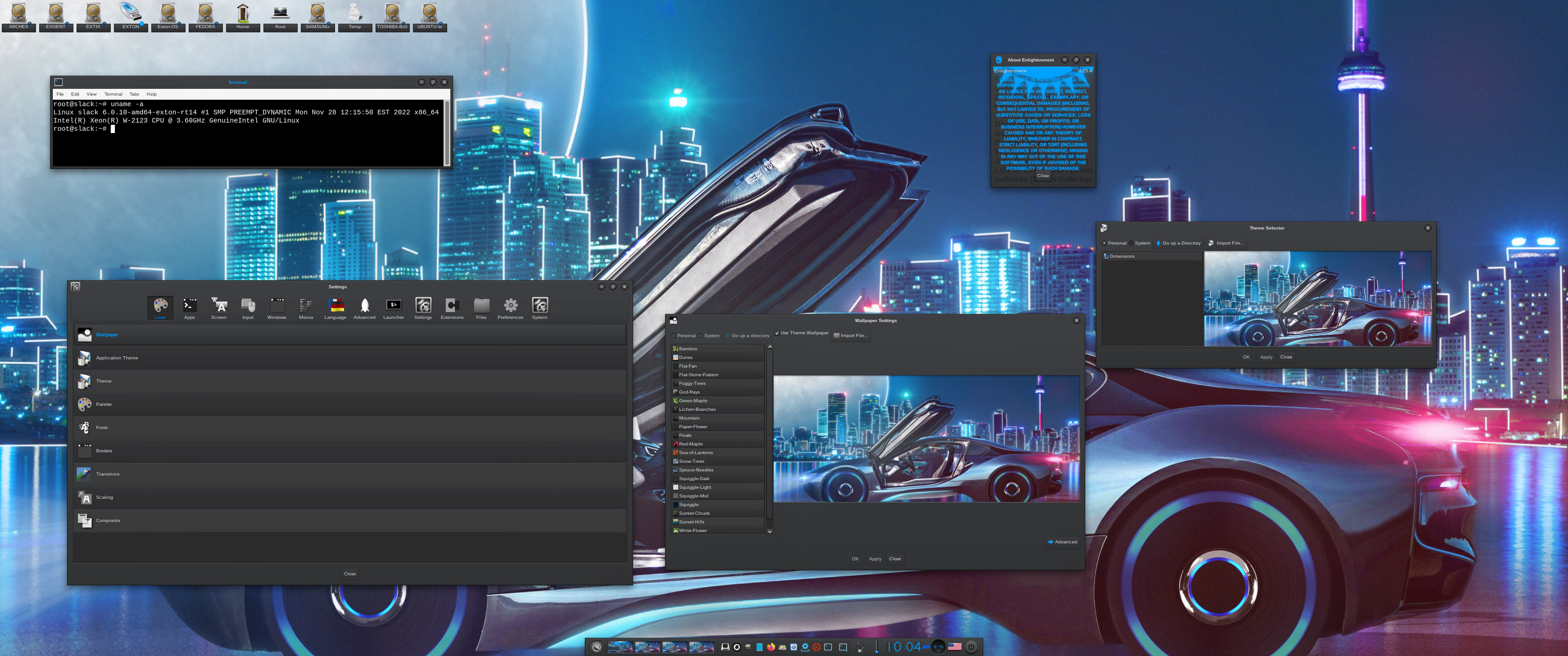
A new extra version of SlackEX is ready. It is based on Slackware 15.0 stable released 220203. In this version I’ve installed Enlightenment 0.25.4 (latest version) and Xfce4. I’ve also replaced kernel 5.16.0-exton with kernel 6.0.10-amd64-exton-rt14. This version of SlackEX is unique. You can’t find another Linux system with the latest Enlightenment version. (Except for ExLight). When installing version 0.25.4 in SlackEX I had to do it from source. The whole thing was very time consuming since a lot of dependencies had to be satisfied. The most important package installed is Refracta Snapshot. With that you can build your own Slackware distribution with Enlightenment 0.25.4. When a new version of Enlightenment is ready you too should be able to install it from source. Xfce4 is one of Slackware’s official Desktop environments. The other one is KDE. You can easily switch from Enlightenment to Xfce4 by editing /root/.xinitrc. Then log out and back again. That can of course also be done when running SlackEX live. (From a DVD or a USB stick). This Build of SlackEX replaces version 220117.
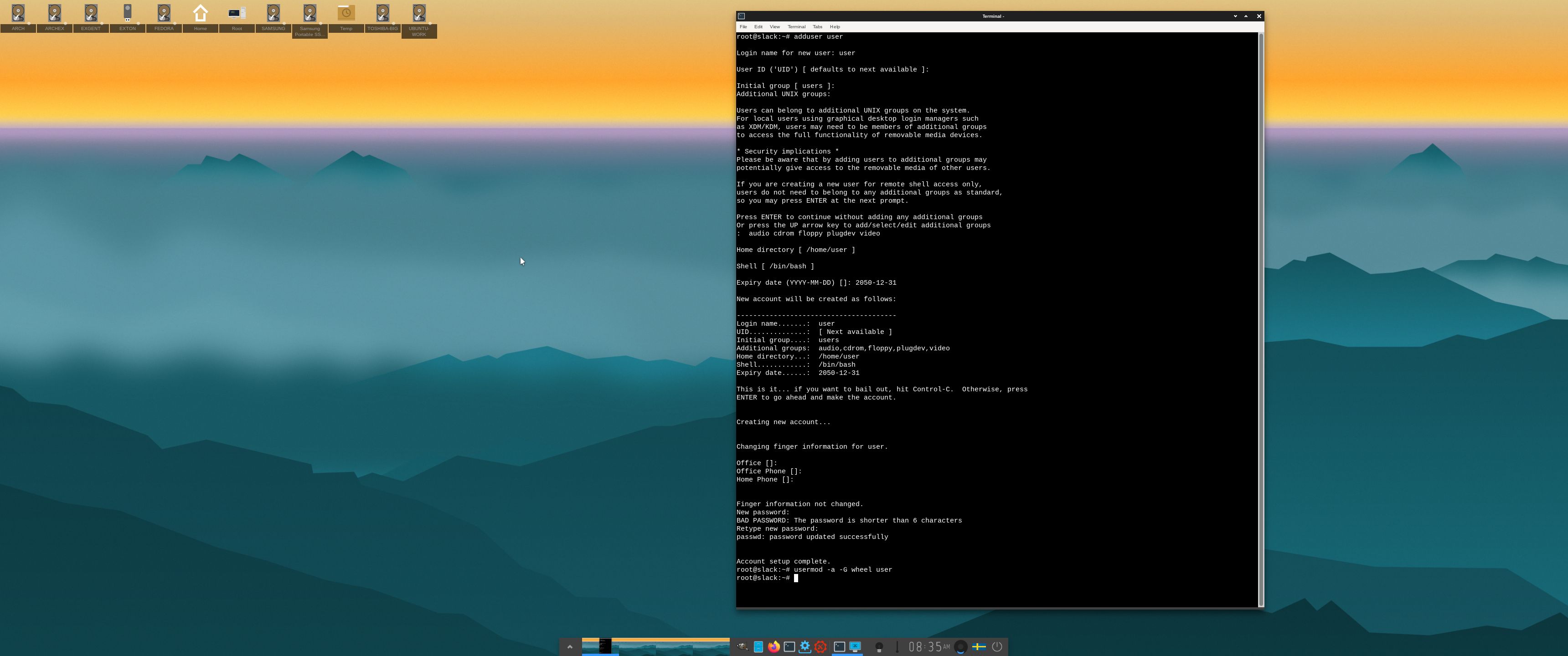
NOTE1: You’ll run SlackEX Build 221210 as root. The password for root is root. If you don’t like to run a Linux system as root you can create a “normal” user. Watch this screenshot.
NOTE2: You can’t login to Enlightenment 0.25.4 if you use older computers. It’s the same problem as in ExLight. You’ll have to use a fairly new computer if you want to see the Enlightenment Desktop. If you can’t login to Enlightenment (because your computer is too old) you can always switch to Xfce4. Press Ctrl Alt F1 simultaneously. Then edit .xinitrc with Nano. Command: nano .xinitrc. After that run the command startx and you will enter the Xfce4 Desktop.
NOTE3: You can run SlackEX Build 221210 on UEFI and non-Uefi computers. You can also run SlackEX live super fast from RAM.
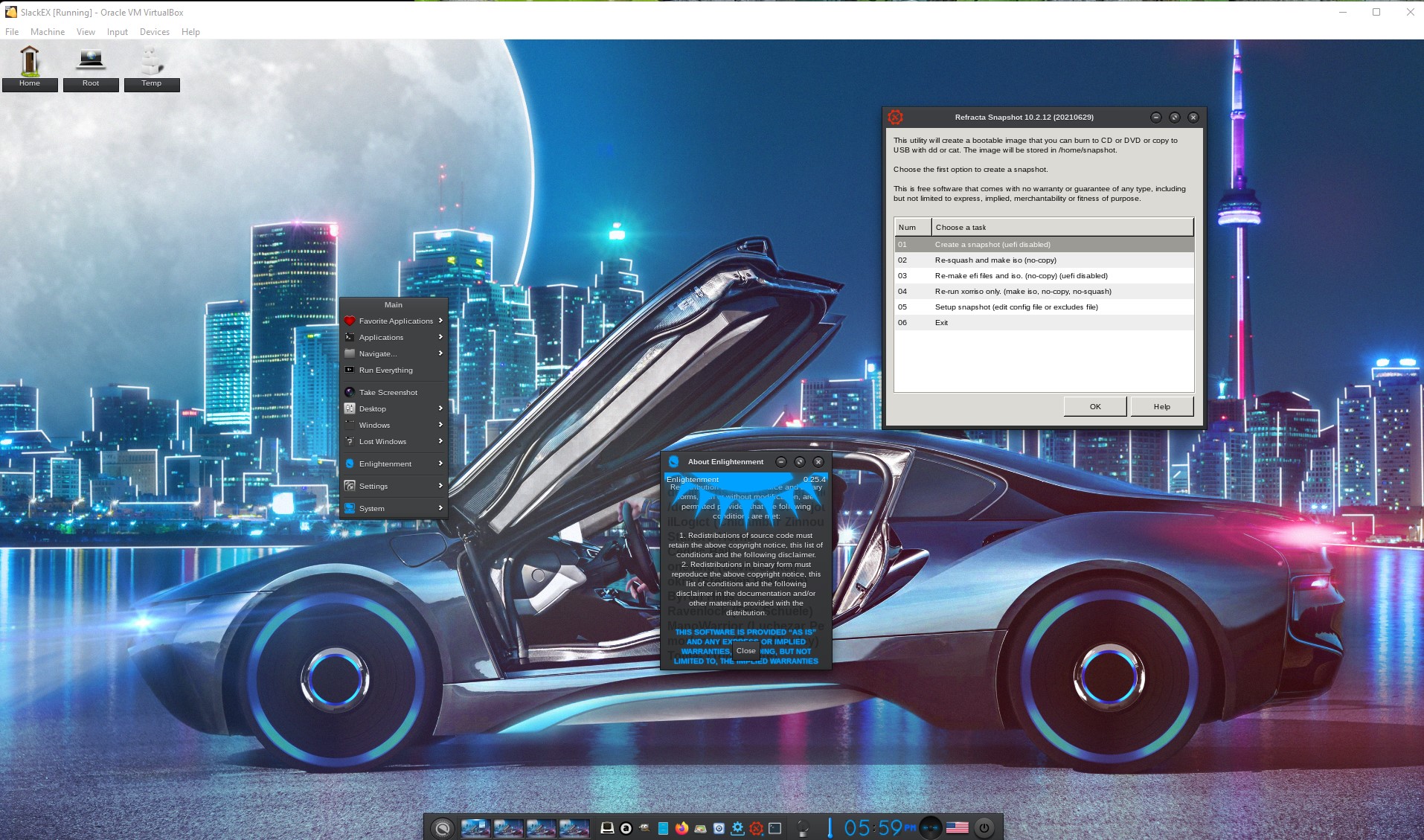
NOTE4: VirtualBox Guest Additions and are pre-installed, which means that you can run SlackEX in full screen in VirtualBox.

SCREENSHOTS
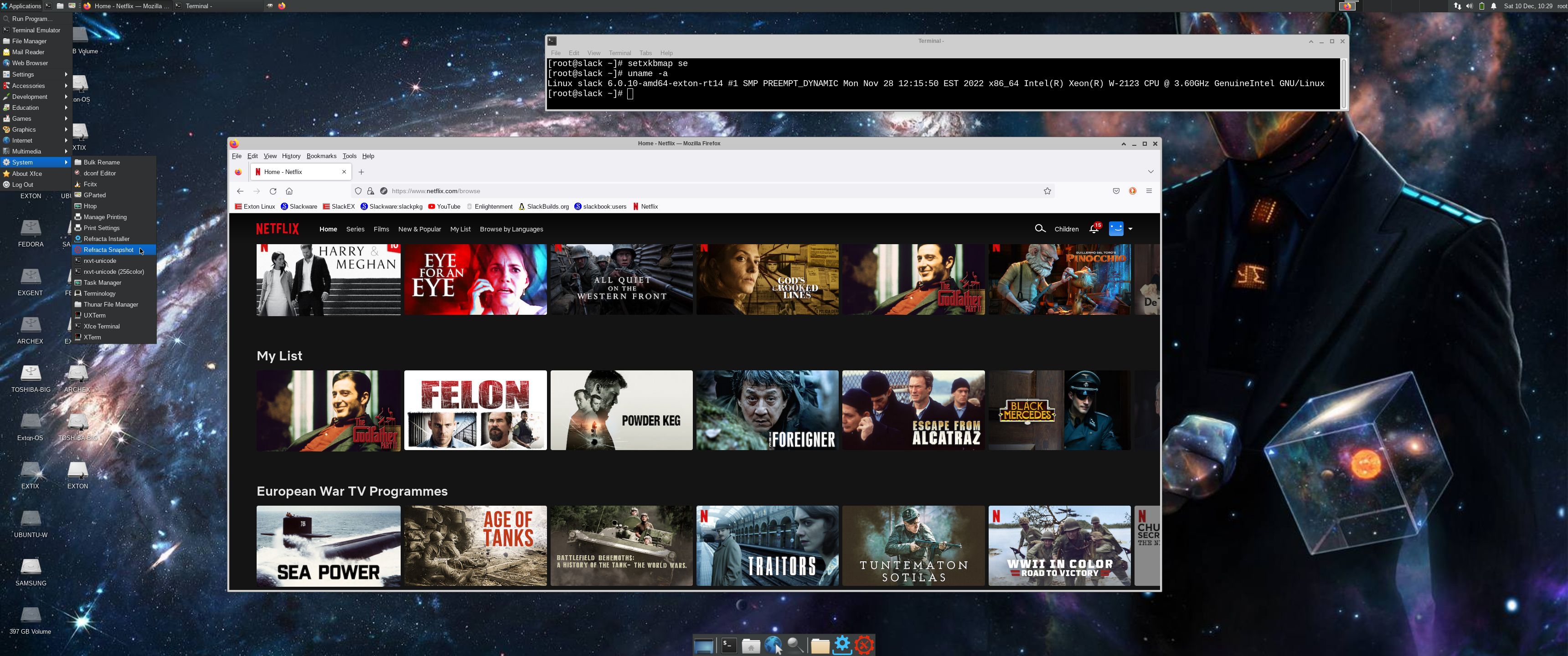
Screenshot 1 – root’s Desktop – Enlightenment 0.25.4
Screenshot 2
root’s Desktop with Xfce4 as DE
Screenshot 3 – SlackEX running in full screen in VirtualBox

READ MORE…

Read about my Android-x86 Systems – 11, 10, Pie, Oreo, Nougat, Marshmallow, Lollipop and KitKat at
andex.exton.net – latest is AndEX 11 (with GAPPS), AndEX 10 (with GAPPS) and AndEX Pie 9.0 (also with GAPPS)!
and
about my Android 12, 11, 10, Pie, Oreo, Nougat, Marshmallow and Lollipop versions for Raspberry Pi 4 and 3/2 at
raspex.exton.se
– latest is RaspAnd 12 (without GAPPS), RaspAnd 11 (with GAPPS) and RaspAnd Oreo 8.1 (also with GAPPS)!

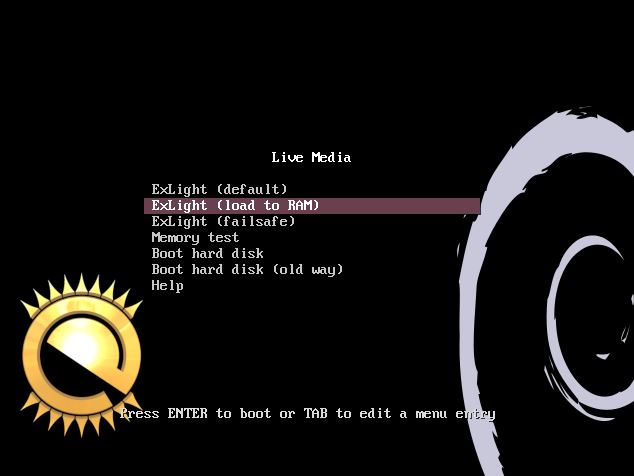
ExLight 64bit UEFI, Build 221130, based on Debian “Sid” (unstable/development) with Enlightenment 0.25.4 (latest) as DE, Refracta Snapshot and Calamares Installer

NEWS 221130 ABOUT ExLight
I’ve made a new version of ExLight with the Enlightenment 0.25.4 Desktop environment, Refracta Snapshot (create your own Debian Sid System) and Calamares 3.2.61-1 Installer Framework. The very nice Enlightenment theme e25 Neonz is used.

New sources 221130
This new version of ExLight is based on Debian Sid (unstable/development). Build 221130 is a total rebuild of ExLight. The ISO file size is of only 1850 MB, which means that you’ll need about 3GB RAM to run ExLight even faster from RAM. I.e. load to RAM – screenshot. You can remove the DVD or USB stick when ExLight has booted.

KERNEL
ExLight Build 221130 uses kernel 6.0.10-amd64-exton-rt14 built from Debian kernel sources with Debian patches.

What’s new in kernel 6.0?

Installed packages
Study all installed packages in ExLight Build 221130.

THE REAL McCoy
ExLight is a pure Debian system. I.e. no traces of Ubuntu, Kubuntu etc. New releases of Ubuntu are always based on Debian Sid. So is ExLight.

KNOWN ISSUE
You can’t login to the Enlightenment 0.25.4 Desktop unless you use a “fairly new” computer. Not older that about eight (8) years according to my experience. Read more about the problem…

READ MORE…

Read about my Android-x86 Systems – 11, 10, Pie, Oreo, Nougat, Marshmallow, Lollipop and KitKat at
andex.exton.net – latest is AndEX 11 (with GAPPS), AndEX 10 (with GAPPS) and AndEX Pie 9.0 (also with GAPPS)!
and
about my Android 12, 11, 10, Pie, Oreo, Nougat, Marshmallow and Lollipop versions for Raspberry Pi 4 and 3/2 at
raspex.exton.se
– latest is RaspAnd 12 (without GAPPS), RaspAnd 11 (with GAPPS) and RaspAnd Oreo 8.1 (also with GAPPS)!

SlackEX (Slackware) 15.0 RC2 with LXQt, Refracta Installer and Refracta Snapshot (so you can create your own Slackware 15.0 system) ::: Build 220110

NEWS ABOUT SlackEX 15.0 RC2 with LXQT
Because I like Slackware so much I’ve made a new extra version of SlackEX 15.0 RC2. This time with LXQt as Desktop environment. LXQt is a lightweight Qt desktop environment. It will not get in your way. It will not hang or slow down your system. It is focused on being a classic desktop with a modern look and feel. LXQt is not included in Slackware’s repositories. I’ve built the LXQt packages following the instructions at Gitlab.com. If you already have Slackware/SlackEX installed to hard drive you can do the same. (If you want LXQt). It’s very easy if you have KDE installed. Otherwise you’ll have to install some KDE/LXQt dependencies. Not that difficult though. So SlackEX Build 220110 is a live remaster of Slackware 15.0 RC2. It was released 211118. You can install SlackEX to hard drive and also use Refracta Snapshot for creating your very own live installable Slackware 15.0 system. Kernel 5.15.5-exton-amd64-rt21 is used. You can (of course) install Slackware’s latest kernel 5.15.13 if you want. But to be able to create your own Slackware 15.0 system you will have to use (boot up with) kernel 5-15-5-exton-amd64-rt21. Study all pre-installed packages in Build 220110…

Slackware is the first widely-used Linux system, which is still developing. Slackware has existed since 1993. In comparison with for example Ubuntu and Linux Mint, many people believe that Slackware is “difficult”. Any novice can quickly learn to use Ubuntu they say. My remasters of Slackware Current (15.0/14.2), which I call SlackEX 15.0/14.2/Current 64 bit Linux Live DVD, is however just as easy to use as Ubuntu and/or Linux Mint. Some tend to complain that the Program Management in Slackware is awkward. That was perhaps earlier the case, but not anymore.

NEW features in version 220110 of SlackEX
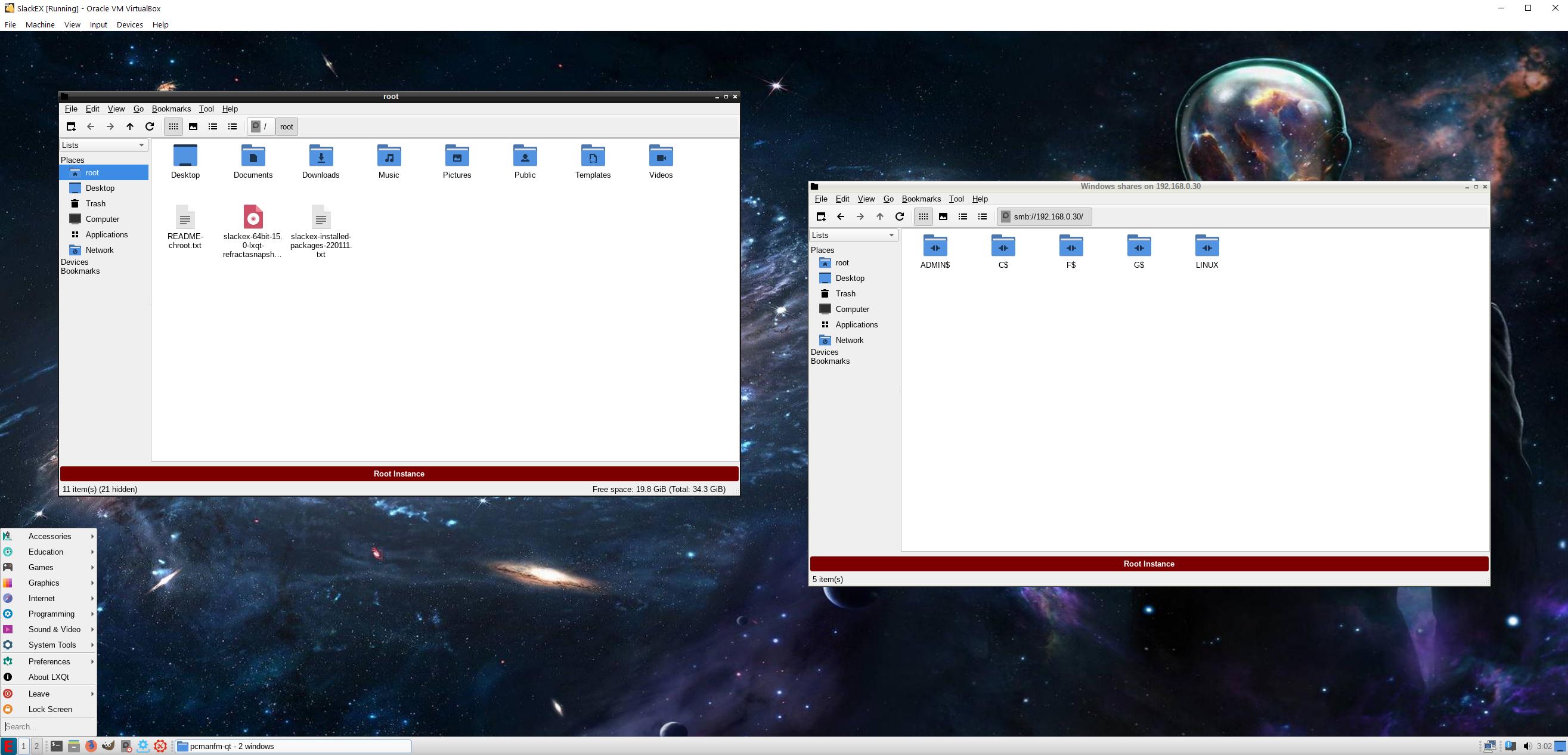
Kernel 5.15-5-exton-amd64-rt21 is used so that Refracta Snapshot can be used. Using Refracta Snapshot you can change everything and create your very own Slackware 15.0 system. Read more about Refracta Snapshot. LXQt is used as Desktop environment. Furthermore I have installed Grub2, which can be used as boot loader (if you want) after a hard drive install using Refracta Installer. A lot of other Slackware packages are pre-installed. Study the full package LIST. Log in to LXQt as the ordinary user user with password live or as root with password root. While running SlackEX LXQt in VirtualBox you can do so in full screen since VirtualBox Guest Additions are pre-installed. Watch this screenshot. Also showing a Samba connection in VirtualBox.

Why Slackware?
Slackware is grossly underestimated (in my opinion). This article give you ten (10) reasons to choose Slackware. And this article explains how Slackware works in 2021/2022.

SCREENSHOTS
Screenshot 1 – user’s Desktop – LXQt
Screenshot 2 – Showing a Samba connection – LXQt
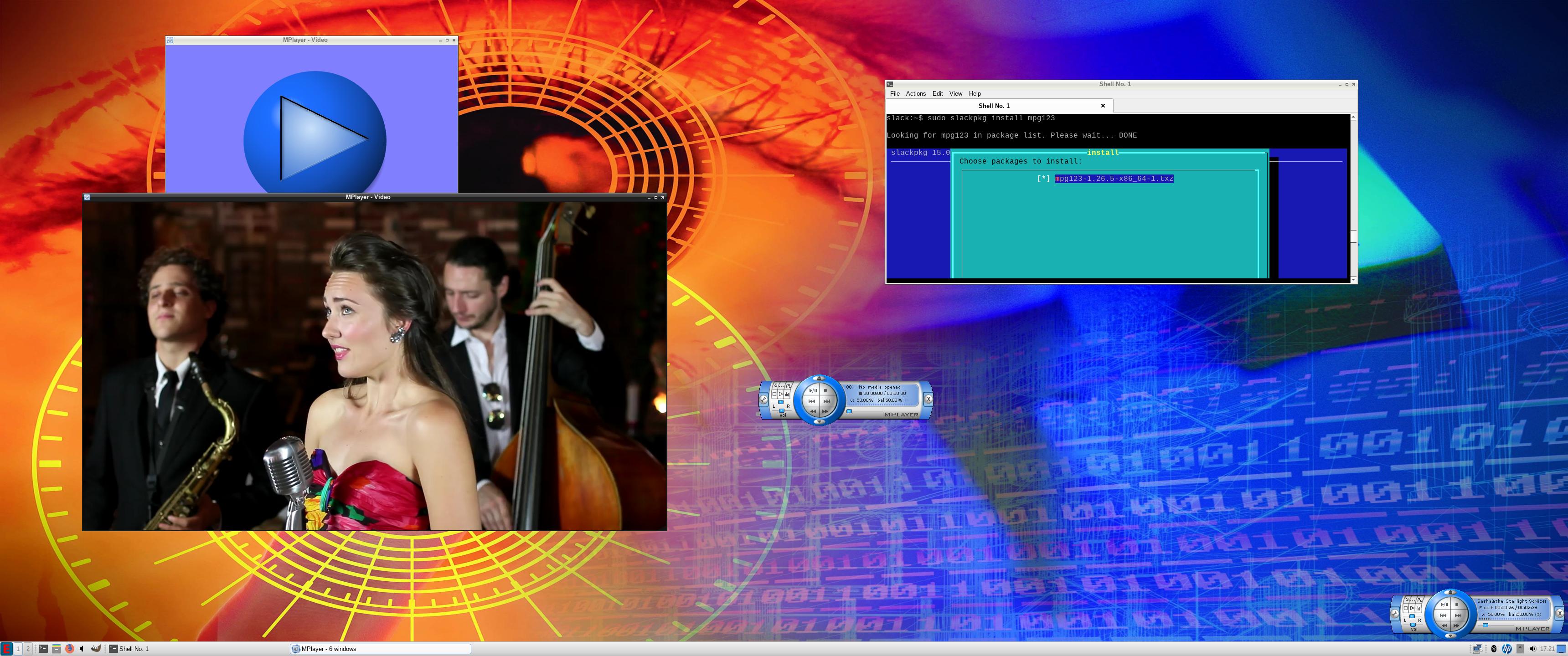
Screenshot 3 – MPlayer is running
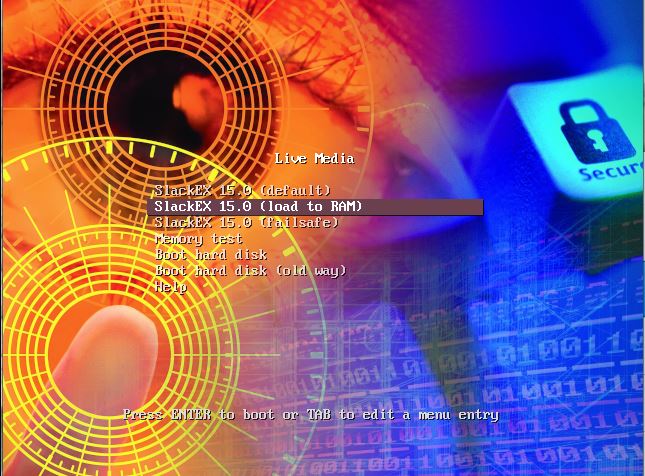
Screenshot 4 – The live boot screen

READ MORE…

Read about my Android-x86 Systems – 10, Pie, Oreo, Nougat, Marshmallow, Lollipop and KitKat at
andex.exton.net – latest is AndEX 10 (with GAPPS) and AndEX Pie 9.0 (also with GAPPS)!
and

about my Android 11, 10, Pie, Oreo, Nougat, Marshmallow and Lollipop versions for Raspberry Pi 4 and 3/2 at
raspex.exton.se
– latest is RaspAnd 11 (with GAPPS) and RaspAnd Oreo 8.1 (also with GAPPS)!