Exton|Defender fc43 (stable) with Cinnamon 6.4.1-4.fc43, Calamares Installer and Refracta Snapshot :: Build 251102

Exton|Defender SRS  (Super Rescue System) is a Linux system available as a Live System based on Fedora 43, 64bit. Fedora 43 was released on October 28, 2025. Exton|Defender is for administrating or repairing your system and data after a crash. Exton|Defender aims to provide an easy way to carry out admin tasks on your computer, such as creating and editing the hard disk partitions. It comes with a lot of Linux software such as system tools and basic tools (editors, Midnight Commander, network tools). Exton|Defender can, however, also be used as a normal Linux Desktop System. It requires no hard drive installation, but can easily be installed to hard drive if you want. Desktop environment: A special version of Cinnamon 6.4.1-4.fc43 developed by Fedora. NOTE: Just two days after I had released Exton|Defender – based on Fedora 42 stable – I found out that Fedora 43 was released (251028). I therefore simply HAD TO make an Exton|Defender version based on fc43.

SCREENSHOTS
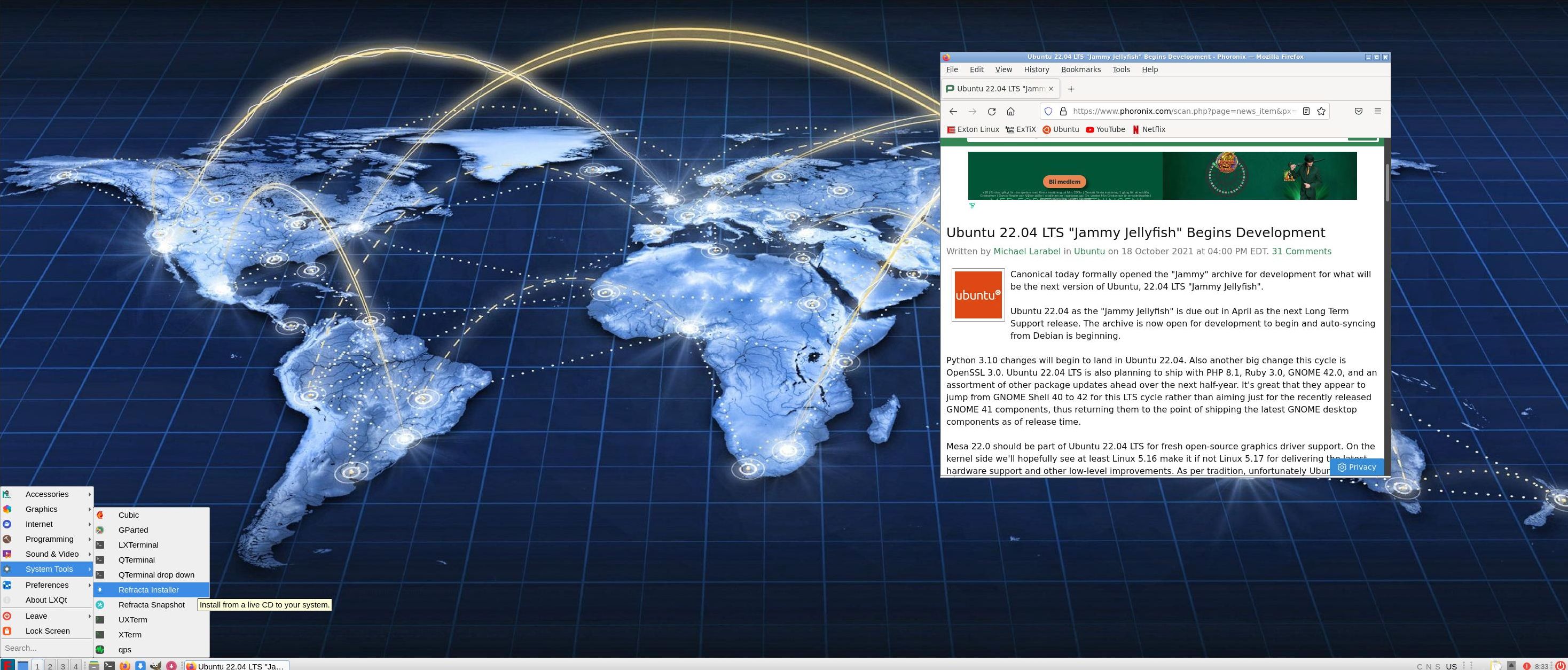
Screenshot 1 – Exton|Defender while logged in as root
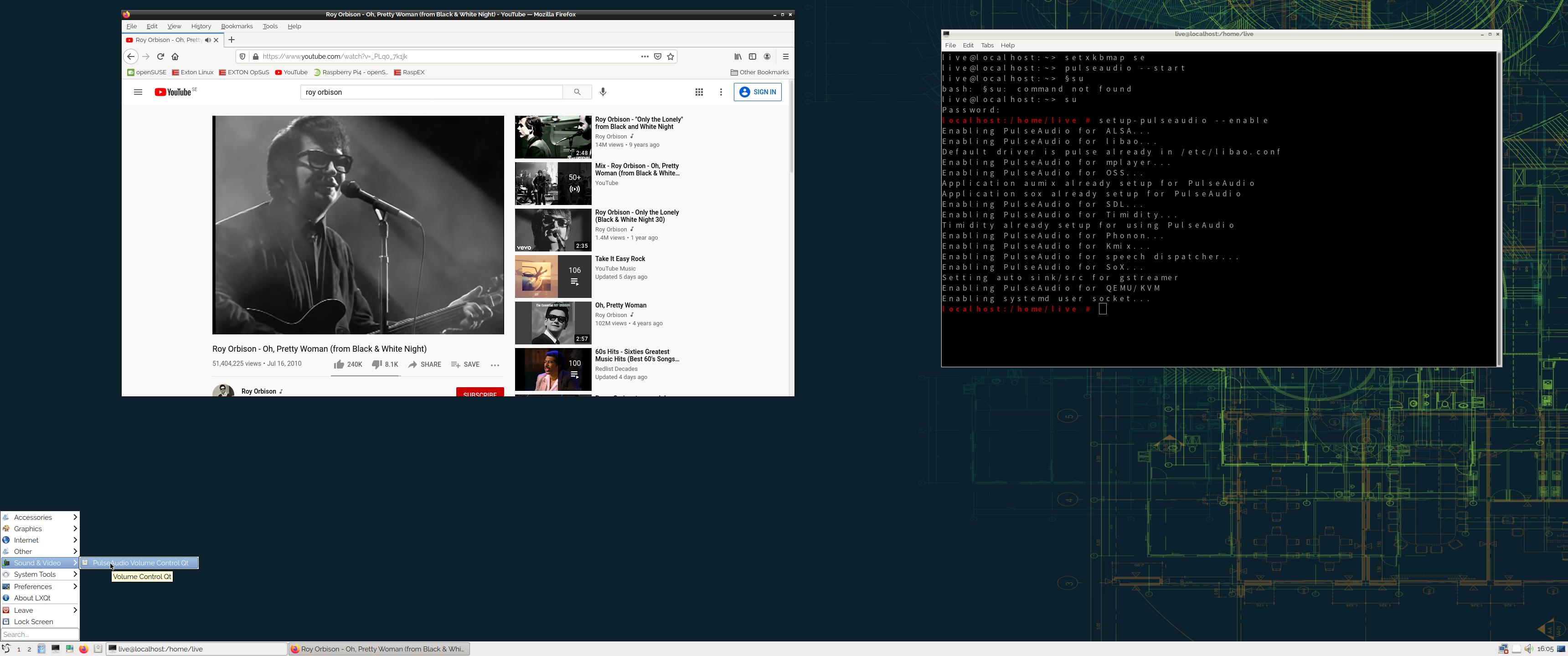
Screenshot 2 – The liveuser’s Desktop
Screenshot 3 – Running Samba

READ MORE…

Read about my Android-x86 Systems – 11, 10, Pie, Oreo, Nougat, Marshmallow, Lollipop and KitKat at andex.exton.net – latest is AndEX 11 (with GAPPS), AndEX 10 (with GAPPS) and AndEX Pie 9.0 (also with GAPPS)!
and
about my Android 16, 15, 14, 13, 12, 11, 10, Pie, Oreo, Nougat, Marshmallow and Lollipop versions for Raspberry Pi 5, Pi 4 and  Pi 3/2 at raspex.exton.se – latest is RaspAnd 16 (with GAPPS), RaspAnd 15 (also with GAPPS), RaspAnd 14 (also with GAPPS), 13 and 12 (without GAPPS), RaspAnd 11 (with GAPPS) and RaspAnd Oreo 8.1 (also with GAPPS)!



Follow me on Facebook…

A YouTube Video: “Five (5) Linux Distros to watch in 2023” by eBuzz Central

A YouTube Video: “Five (5) Linux Distros to watch in 2023” by eBuzz Central

eBuzz Central: A video covering 5 specific distros I believe we need to keep an eye on in 2023. They range everywhere from basic distros to gaming distros. I believe they will bring new possibilities to the Linux community.

Intro 0:00 – 2:19
Dahlia OS 2:20 – 13:21
ExTiX Linux 13:22-24:10
SteamOS (Arch Based) 24:11 – 38:35
Modicia OS 38:36 – 54:54
Vanilla OS 54:55 – 1:09:46

As you can see ExTiX (Build 221218) with Deepin 20.8 is among the five recommended Distros.

Watch the YouTube Video

READ MORE about ExTiX…

Read about my Android-x86 Systems – 11, 10, Pie, Oreo, Nougat, Marshmallow, Lollipop and KitKat at
andex.exton.net – latest is AndEX 11 (with GAPPS), AndEX 10 (with GAPPS) and AndEX Pie 9.0 (also with GAPPS)!
and
about my Android 12, 11, 10, Pie, Oreo, Nougat, Marshmallow and Lollipop versions for Raspberry Pi 4 and 3/2 at
raspex.exton.se
– latest is RaspAnd 12 (without GAPPS), RaspAnd 11 (with GAPPS) and RaspAnd Oreo 8.1 (also with GAPPS)!

Awards by SourceForge.net

ExTiX – The Ultimate Linux System– and many of my other Linux projects have just been recognized with the following awards by SourceForge:

Community Leader
Community Choice
Open Source Excellence
SourceForge Favorite
These honors are awarded only to select projects that have reached significant milestones in terms of downloads and user engagement from the SourceForge community. This is a big achievement (according to SourceForge), as my Linux projects have qualified for these awards out of over 500,000 open source projects on SourceForge. SourceForge sees nearly 30 million users per month looking for, and developing, open source software.
SourceForge.net – “Fast, secure and free downloads from the largest Open Source applications and software directory“.

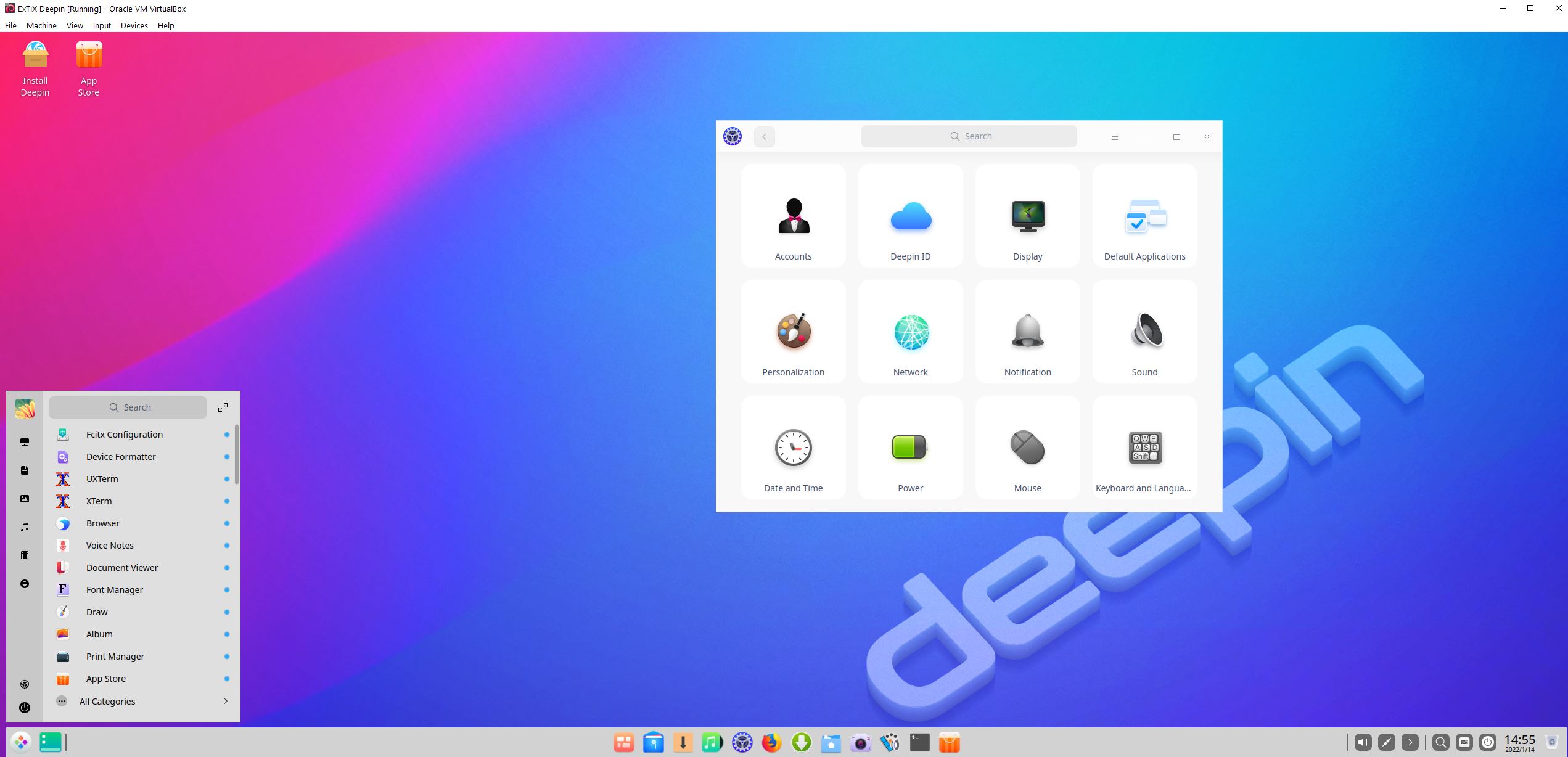
ExTiX Deepin 22.1 Live based on Deepin 20.3 (latest) with Skype, Spotify, Refracta Snapshot and kernel 5.16.0-exton :: Build 220114

NEWS 220114 ABOUT ExTiX Deepin
I’ve released a new version of ExTiX Deepin today (220114). This ExTiX Build is based on Deepin 20.3 released by Deepin Technology 211123.

NEW FUNCTIONS etc

1. You can run ExTiX from RAM. Use boot alternative 2 (load to RAM) or Advanced. A wonderful way to run Linux if you have enough RAM. Everything will be super fast. When ExTiX has booted up you can remove the DVD or USB stick.
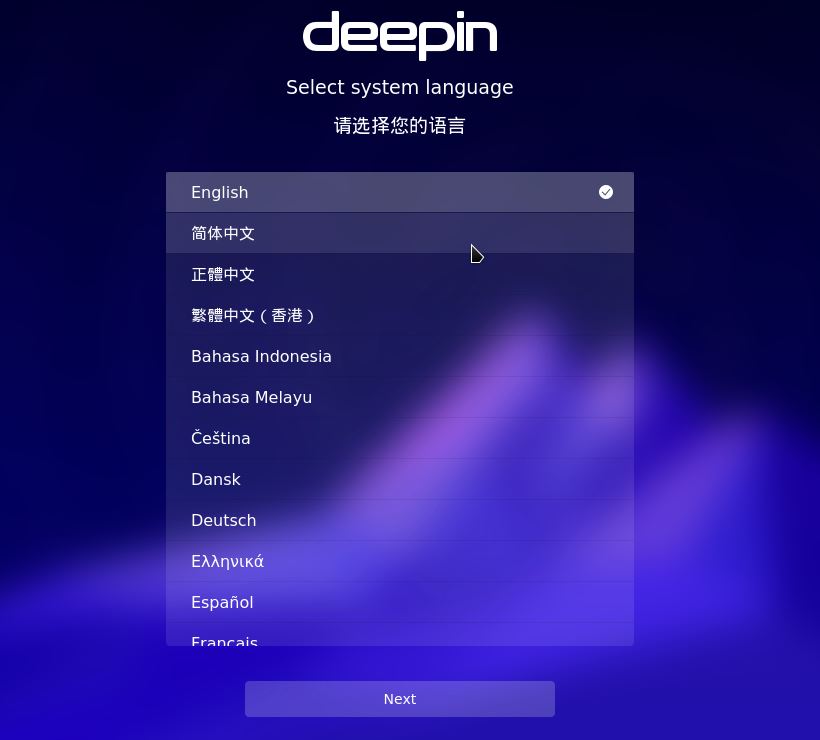
2. You will have the opportunity to choose language before you enter the Deepin 20.3 Desktop. All main languages are supported.
3. I have replaced Deepin Installer with the Reborn version of Deepin Installer. Works better in every way.
4. I have replaced kernel 5.14.2-exton with kernel 5.16.0-exton. Corresponding the latest available stable kernel from Kernel.org.
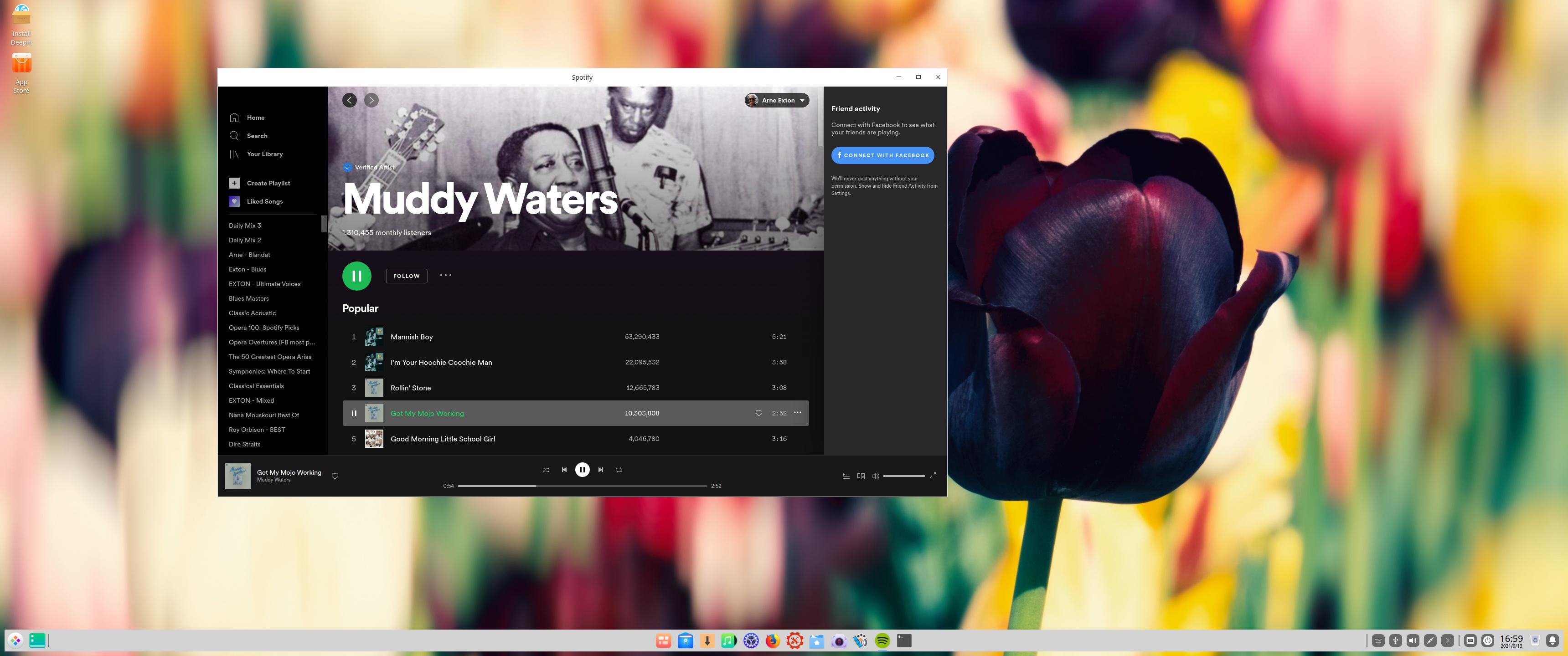
5. Spotify and Skype are pre-installed.
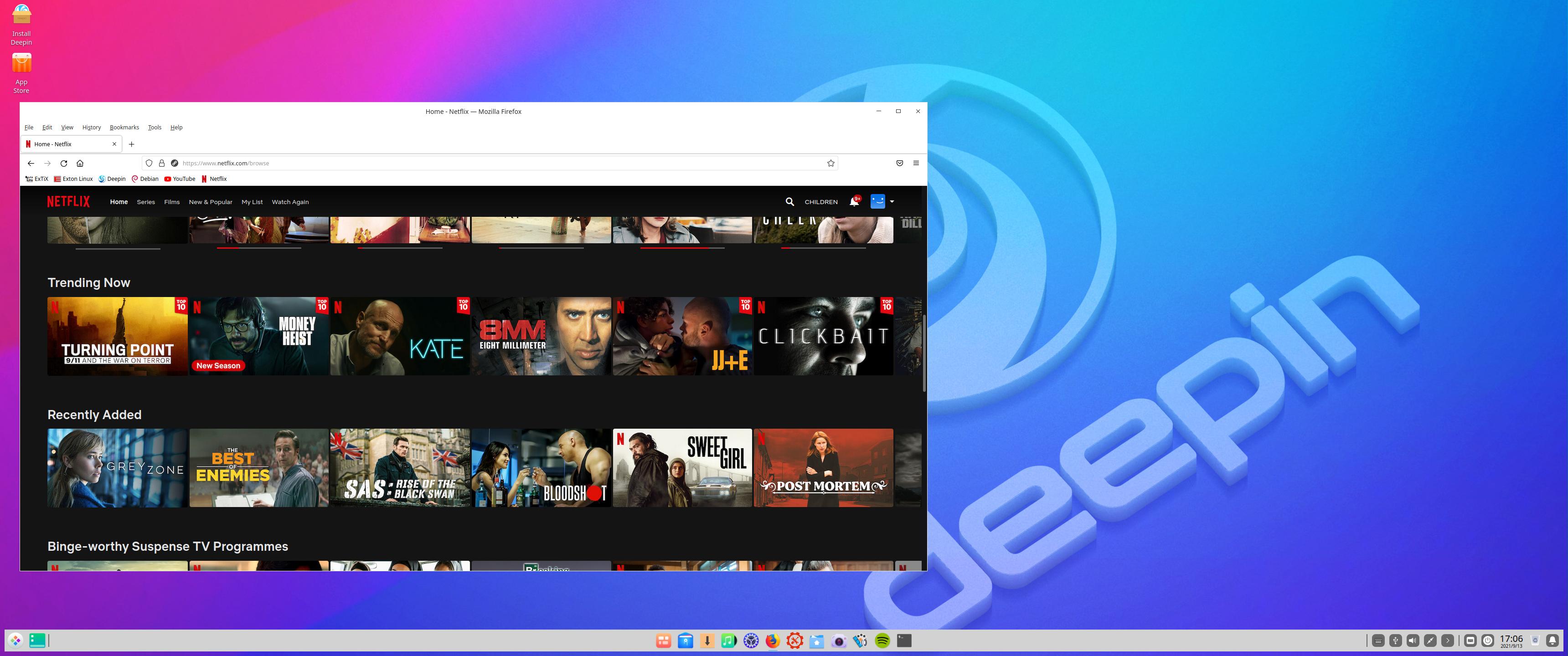
6. You can watch Netflix while running Firefox.
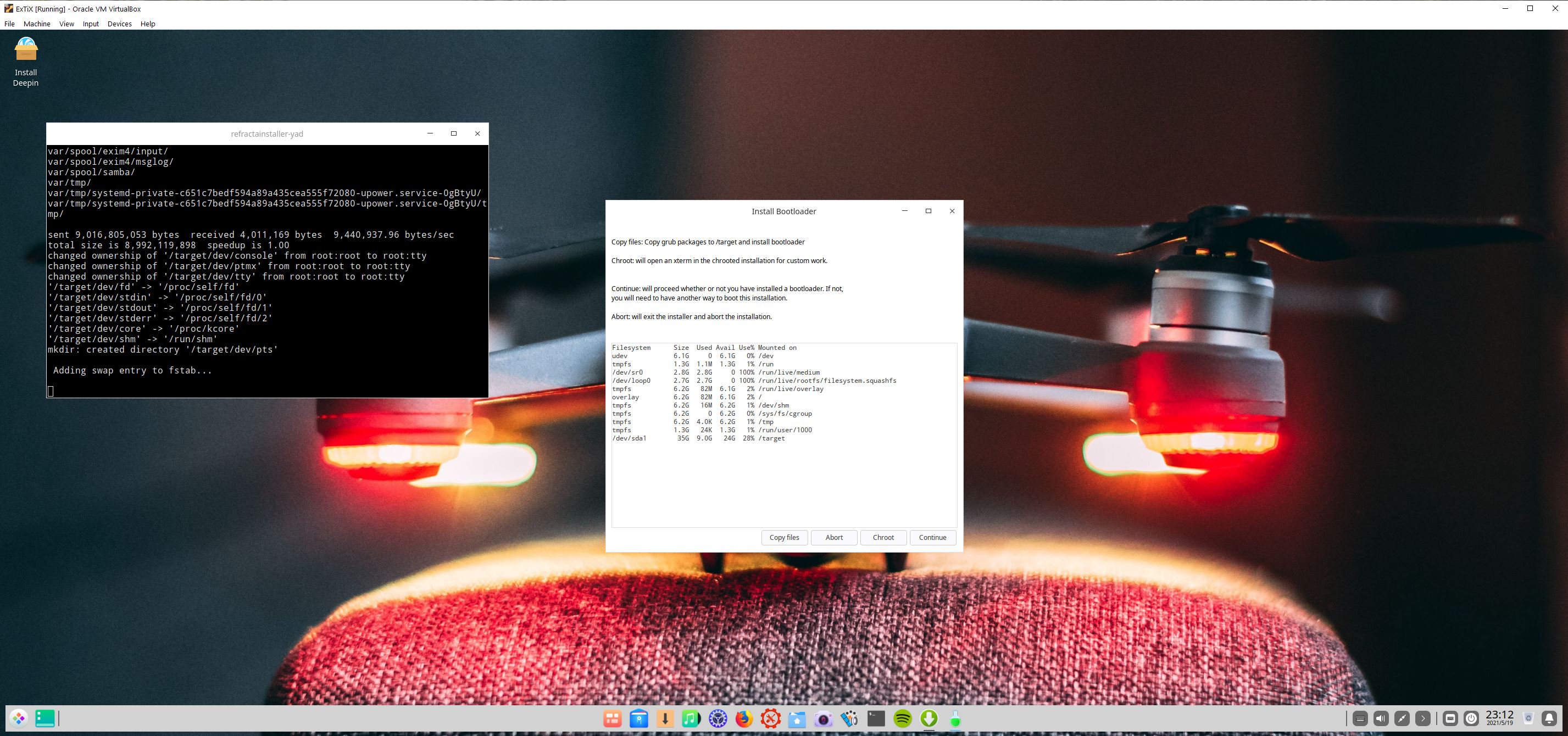
7. You can install ExTiX Deepin also in VirtualBox/VMware using Refracta Installer or Deepin Installer. (In previous versions you had to “chroot” into the install partition and install Grub).
8. As an alternative to Apt you can use the Cactus Package Manager. Example commands: cpm i mousepad and cpm s gimp. (Install Mousepad and search for Gimp). CPM works very well.
9. Install ExTiX to a USB stick preferably with Rufus 3.17 in Windows – see below how it looks.
10. In version 220114 I’ve also included Refracta Installer. Use it in VirtualBox if you want to have an exact copy of ExTiX Deepin installed. You don’t have to “chroot” to install Grub. Just choose to “Copy Grub files” when asked to. Watch this screenshot.
11. VirtualBox Guest Additions are pre-installed. With those installed you can run ExTiX in full screen in VirtualBox. Watch this screenshot.

UNIQUE
I may add that there is no other live version of Deepin 20.3.

SCREENSHOTS
1. ExTiX running in full screen in VirtualBox (VirtualBox Guest Additions are pre-installed)
2. Spotify is running
3. Netflix is running in Firefox
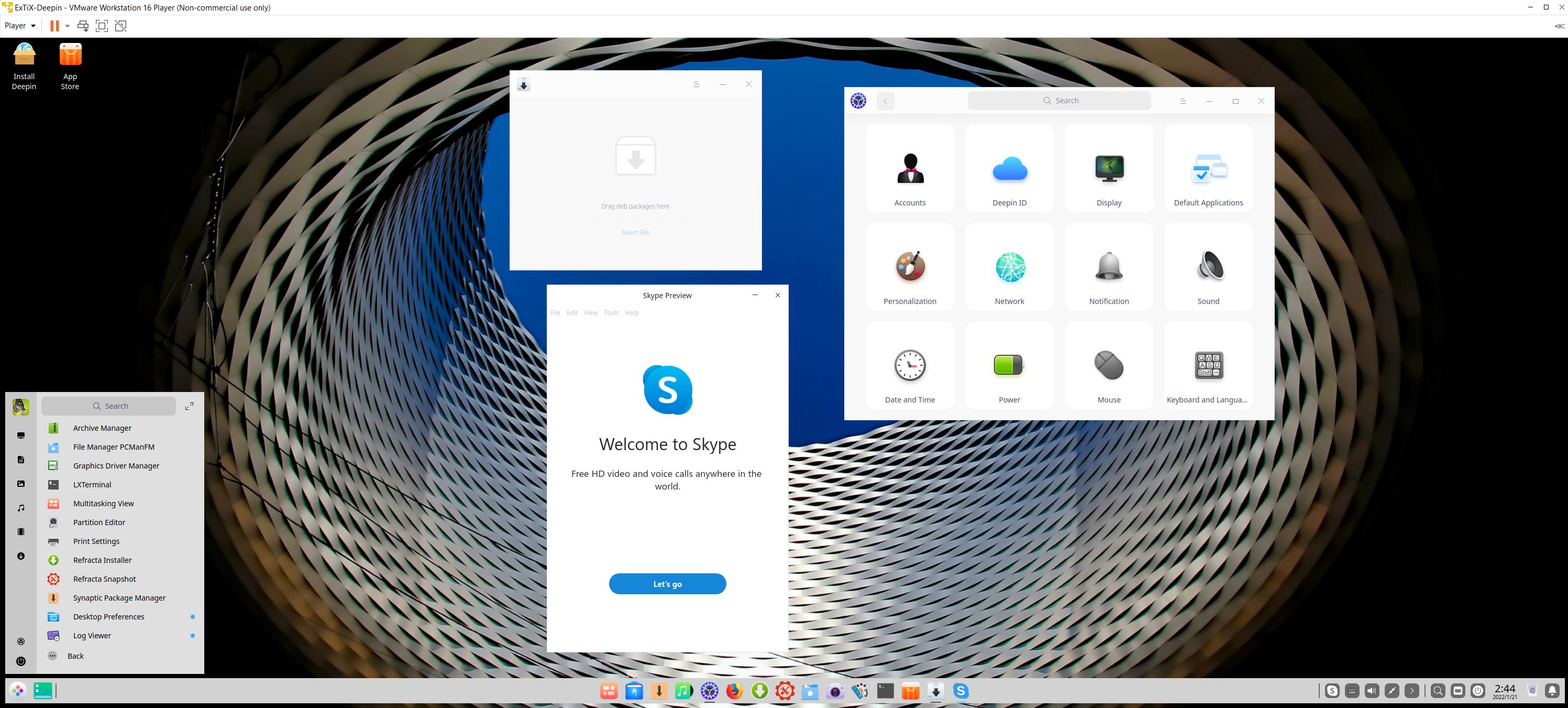
4. ExTiX running in VMware Workstation Player in Windows in full screen after VMware Tools have been installed
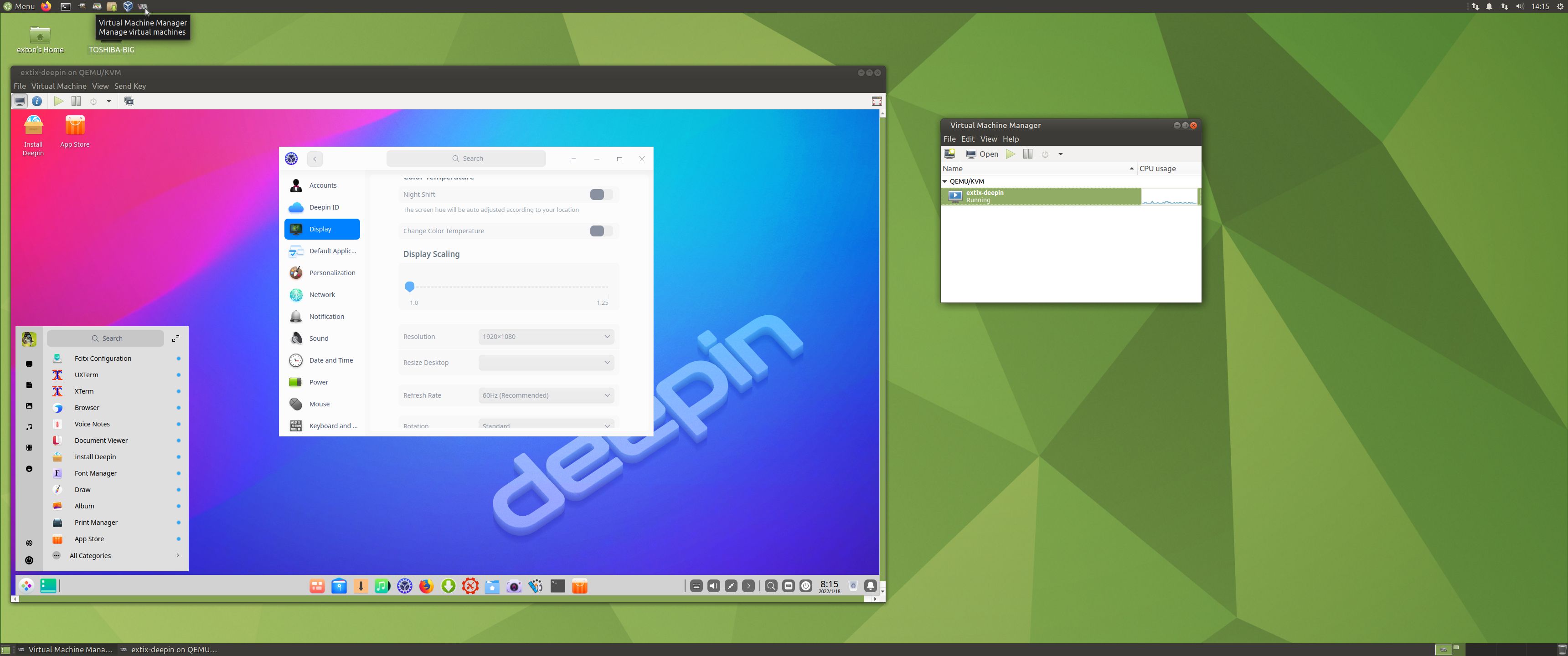
5. ExTiX running in Qemu in Linux (Ubuntu). NOTE: ExTiX Deepin (and other Linux systems) runs very fast in Qemu (in Linux). Qemu is a generic and open source machine emulator and virtualizer. Superior to VirtualBox…

READ MORE…

Read about my Android-x86 Systems – 10, Pie, Oreo, Nougat, Marshmallow, Lollipop and KitKat at
andex.exton.net – latest is AndEX 10 (with GAPPS) and AndEX Pie 9.0 (also with GAPPS)!
and

about my Android 11, 10, Pie, Oreo, Nougat, Marshmallow and Lollipop versions for Raspberry Pi 4 and 3/2 at
raspex.exton.se
– latest is RaspAnd 11 (with GAPPS) and RaspAnd Oreo 8.1 (also with GAPPS)!

ExTiX 21.11 – “The Ultimate Linux System” – based on Ubuntu 22.04 LTS with LXQt 0.17, Refracta Snapshot and kernel 5.14.12-exton-amd64 :: Build 211030

ExTiX 21.11 LXQt – Build 211030
I have made a new version of ExTiX – The Ultimate Linux System. I call it ExTiX 21.11 LXQt Live DVD. (The previous LXQt version was 21.5 from 210516). ExTiX 21.11 is based on a pre-release (not even BETA) of Ubuntu 22.04 LTS (Jammy Jellyfish)! Ubuntu 22.04 will be supported until 2027. The best thing with ExTiX 21.11 is that while running the system live (from DVD/USB) or from hard drive you can use Refracta Snapshot (pre-installed) to create your own live installable Ubuntu system. So easy that a ten year child can do it! One other very good thing with this version of ExTiX is that it is quite light. The ISO file is of only 1580 MB, which means that you can run the system super fast from RAM. When the boot process is ready you can eject the DVD or USB stick. Use Boot alternative 3 or Advanced options… >> load to RAM.

IMPORTANT NOTE: Since this version of ExTiX is based on a pre-release of Ubuntu you shouldn’t use it for sensitive work/business. Having said that I must also say that I haven’t found any “bugs” or so. Maybe it’s because ExTiX 21.11 uses the stable LXQt 0.17 DE (and not the more complicated Gnome DE or KDE DE).

ABOUT
ExTiX 21.11
LXQt DVD 64 bit is based on Debian Sid and upcoming Ubuntu 22.04 LTS. The original system includes the Desktop Environment Gnome. After removing Gnome I have installed LXQt 0.17. LXQt is the Qt port and the upcoming version of LXDE, the Lightweight Desktop Environment. It is the product of the merge between the LXDE-Qt and the Razor-qt projects: A lightweight, modular, blazing-fast and user-friendly desktop environment. NOTE: This ExTiX LXQt Build is for installation to UEFI-enabled computers. You shall use Refracta Installer for that.

Used KERNEL
My special kernel 5.14.12-exton-amd64 with all Debian patches.

SCREENSHOTS
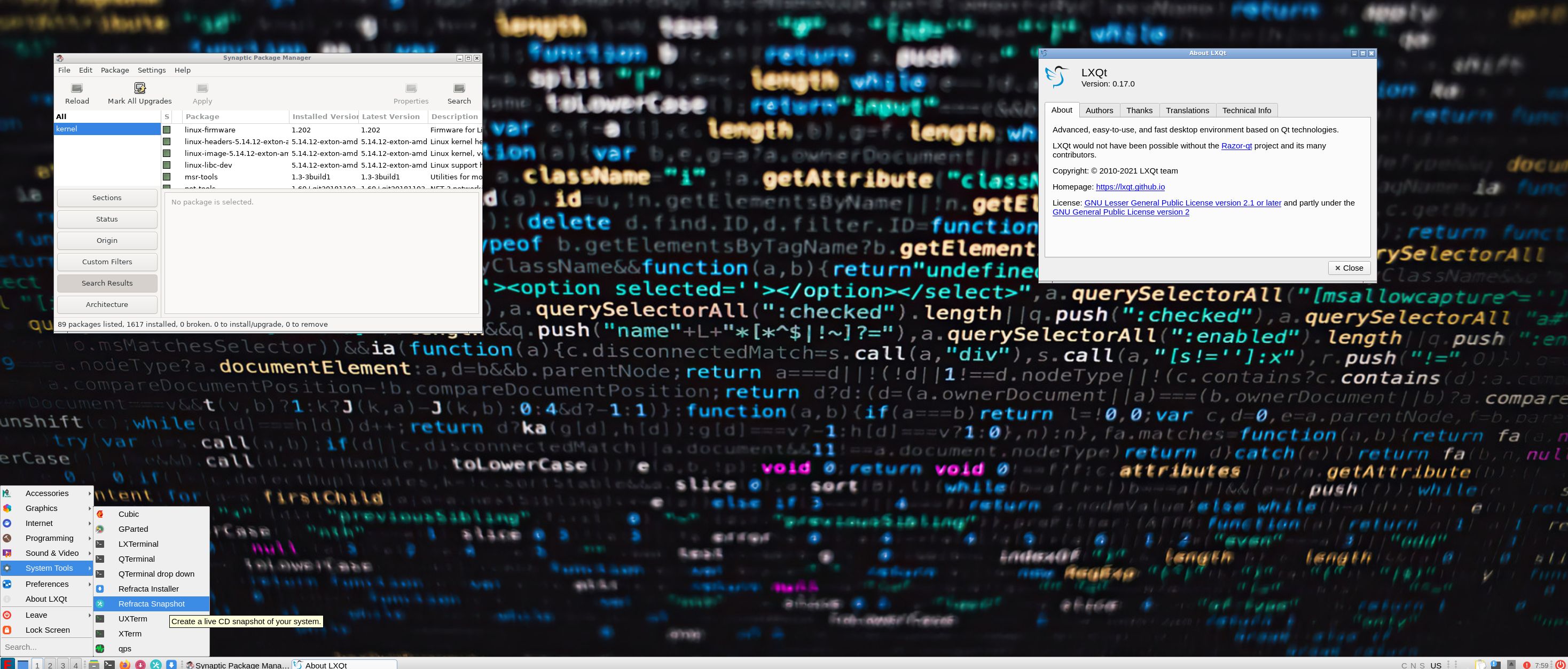
1. ExTiX LXQt – root’s Desktop
2. ExTiX LXQt – live’s Desktop
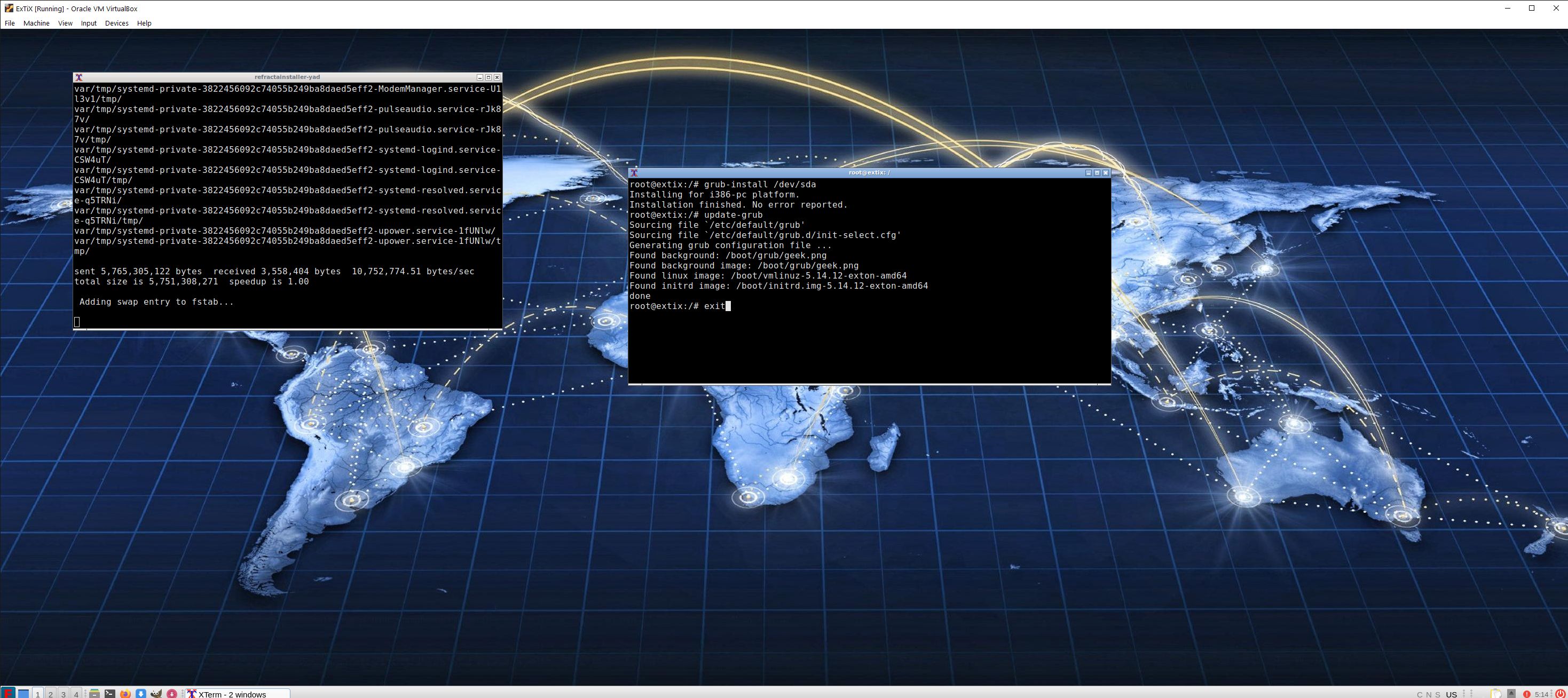
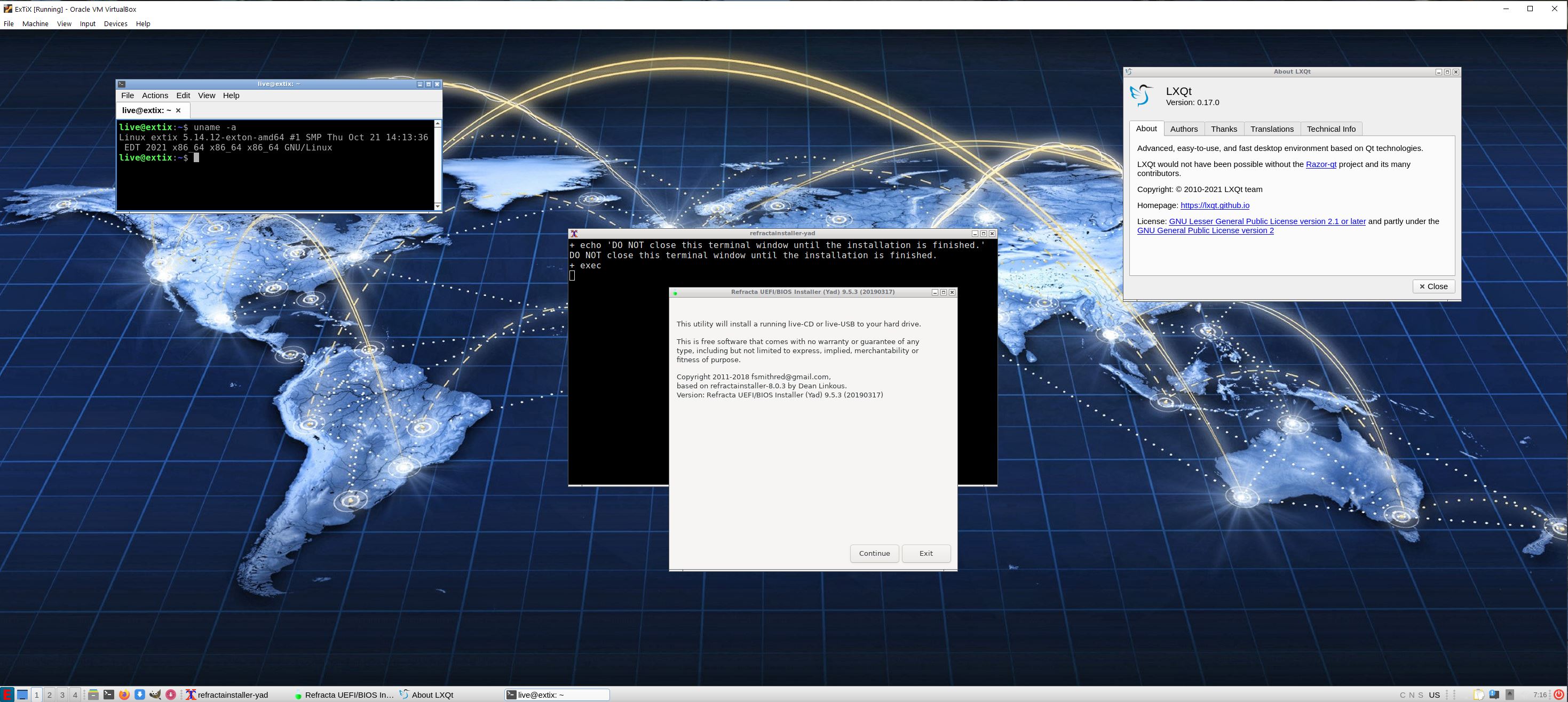
3. Using Refracta Installer – chroot for installing Grub
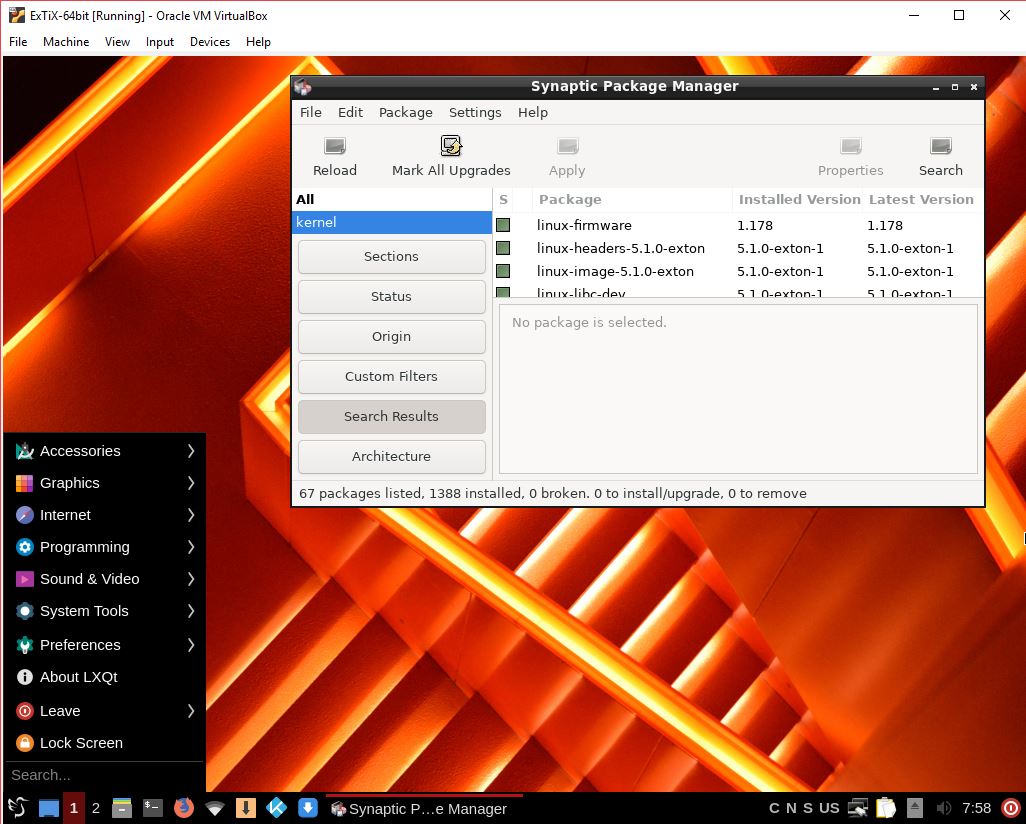
4. ExTiX 21.11 running in full screen in VirtualBox

READ MORE…

Read about my Android-x86 Systems – 10, Pie, Oreo, Nougat, Marshmallow, Lollipop and KitKat at
andex.exton.net – latest is AndEX 10 (with GAPPS) and AndEX Pie 9.0 (also with GAPPS)!
and

about my Android 11, 10, Pie, Oreo, Nougat, Marshmallow and Lollipop versions for Raspberry Pi 4 and 3/2 at
raspex.exton.se
– latest is RaspAnd 11 (with GAPPS) and RaspAnd Oreo 8.1 (also with GAPPS)!
Exton Linux YouTube Videos

I’ve discovered that people (not me!) have published a lot of YouTube videos about my different Linux builds. Below is a list of the most recent ones.
 
1. ChromX OS (Chrome OS Alternative) – Install ChromX on PC – 200912
 
2. ExTiX 20.1 – The Ultimate Linux System? Installation and Review – 200111
 
3. SlackEX: Distro (de Arne Exton) basada en Slackware 14.2 con Enlightenment 0.24.2 (in Spanish) – 201115
 
4. Linux distros of 2021 – 1 best linux distros for everyone 2020 | 2021 – extix 21.1 – 210106
 
5. RaspEX Raspberry Pi 4 Media Centre Netflix, YouTube – 200113
 
6. ExLight 07/2020 ( basda en Debian Bullseye con Enlightenment 0.23.1) ideal para equipos antiguos – 200710
 
7. Exlight 01.2021: Debian Bullseye + Enlightenment 0.24.2 (la última “obra” de Arne Exton) – 210130
 
Here is a complete list of all Exton Linux builds: http://www.exton.se/?page_id=2

EXTON OpSuS (openSUSE) Tumbleweed LXQt 64 bit non-efi Linux Live CD/USB – Build 210203

EXTON OpSuS Tumbleweed is based on openSUSE Tumbleweed, which is a rolling distribution. I.e. no need for new installations. Just run the command zypper dup and you will always get the latest stable packages/kernels. The ISO file is only of 657 MB so you will run the system very fast from a CD or a USB stick. Even in VirtualBox/VMware directly from the ISO file.

Run EXTON OpSuS with PERSISTENCE from a USB stick! You can install new programs and/or change the whole system to you liking. Everything you do will be saved directly on the USB stick.

ABOUT EXTON OpSuS for PC’s
EXTON OpSuS Tumbleweed with LXQt 0.16.1 uses kernel 5.10.9-1. Installed programs: Among many other programs, Firefox, NetworkManager, GParted and Calamares Installer. You’ll run the system as root from the beginning. Root’s password is linux. EXTON OpSuS can easily be installed to hard drive (of those who so desire). For that you shall use Calamares Installer. All programs have been updated to the latest available version as of February 3, 2021. The system language is English.

Installing to a USB stick with persistence and then to hard drive
After installing EXTON OpSuS Tumbleweed to a USB stick, you can change the system completely and then install the system to a hard drive (if you like). You can also continue to have it only on the USB stick. You will enjoy persistence if you use openSUSE Imagewriter for the USB installation. You can also use Etcher (and possibly also Rufus if you install in dd-mode) in Windows for the USB installation. If you install EXTON OpSuS on a large enough (and fast) USB stick, you can go ahead and install for example KDE, Mate or Xfce4 Desktop environments. All your system changes are automatically saved to the USB stick. Note that you’ll have to use a different/new USB stick if you want to run EXTON OpSuS on another computer. That’s because certain files necessary for the configuration will be destroyed after the first boot. I.e.: You’ll have to use the same USB stick on the same computer all the time. If you later on decide to install EXTON OpSuS to hard drive using Calamares all your system changes will follow.

Installation of EXTON OpSuS from a USB stick (or CD) to hard drive using Calamares Installer
Read about how to do that on the INFO site.

Is EXTON OpSuS LXQt Build 210203 unique?
If you have a look at openSUSE’s official Download site you can see that there is no live LXQt version available. Furthermore OpenSUSE’ live versions should not be used to install or upgrade Tumbleweed.

SCREENSHOTS
1. The LXQt Desktop
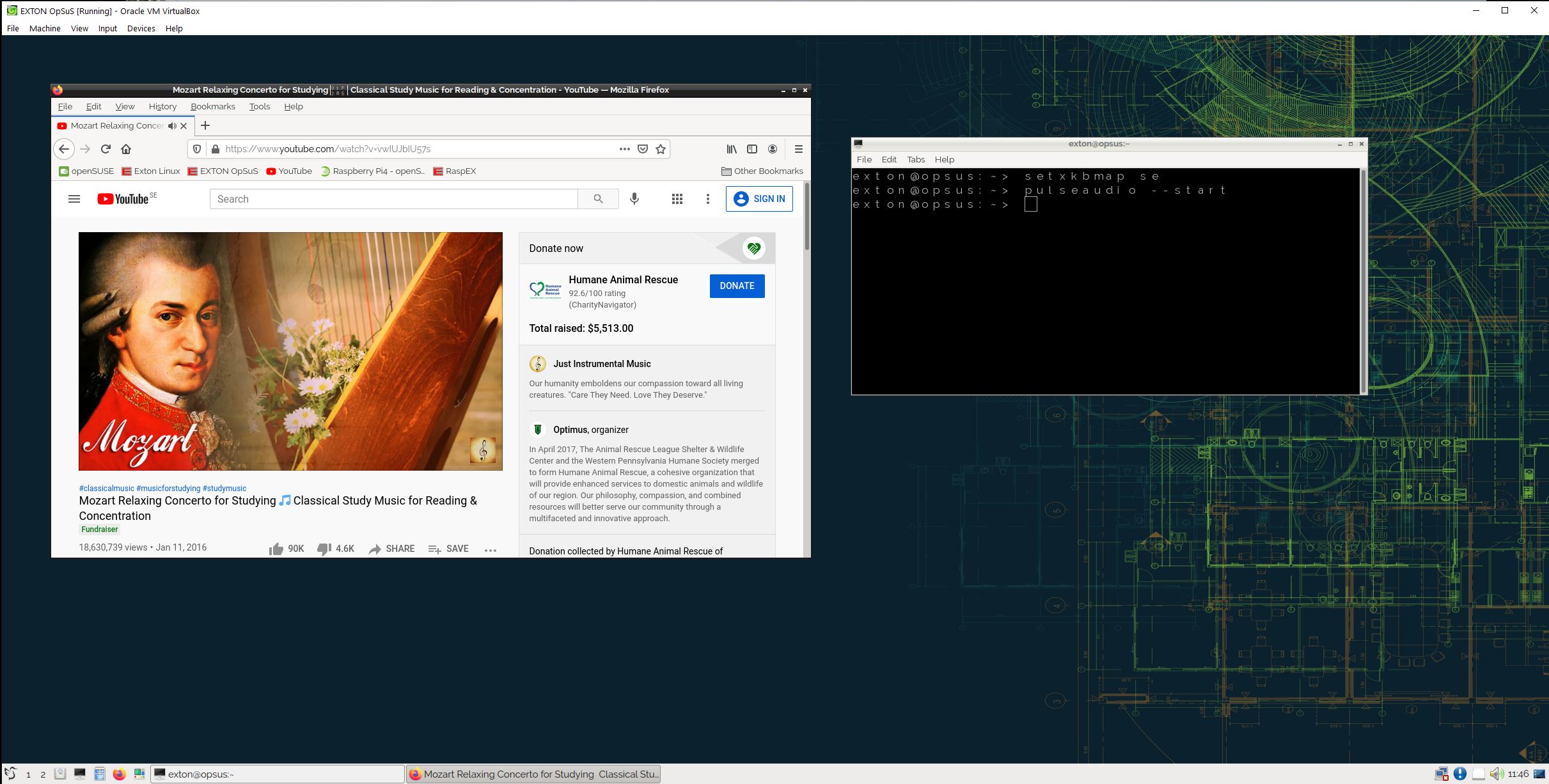
2. Running in VirtualBox in full screen
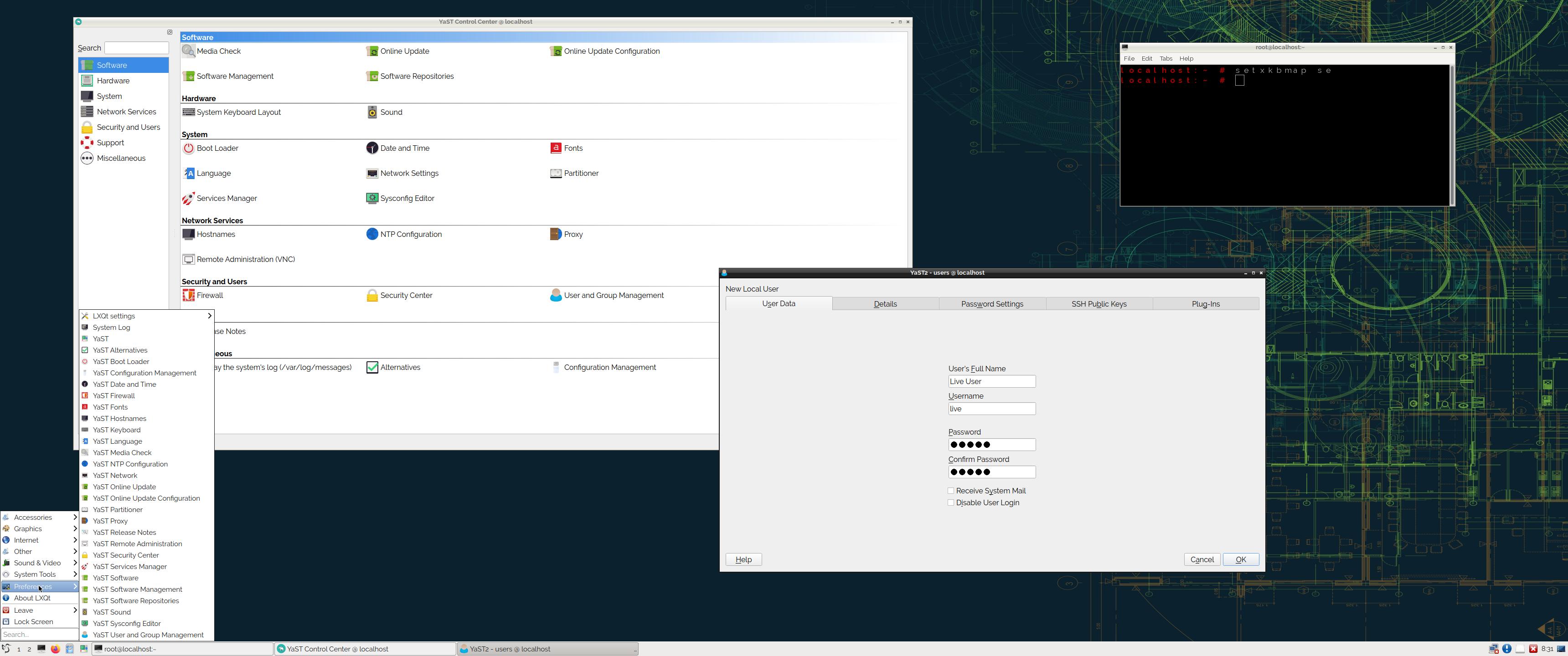
3. Showing YaST Control Center
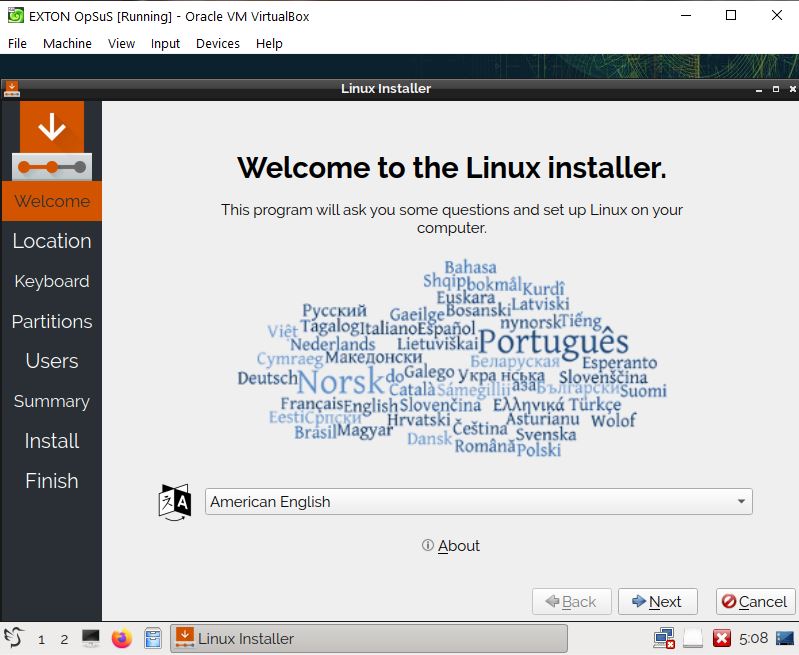
4. Calamares has started in VirtualBox
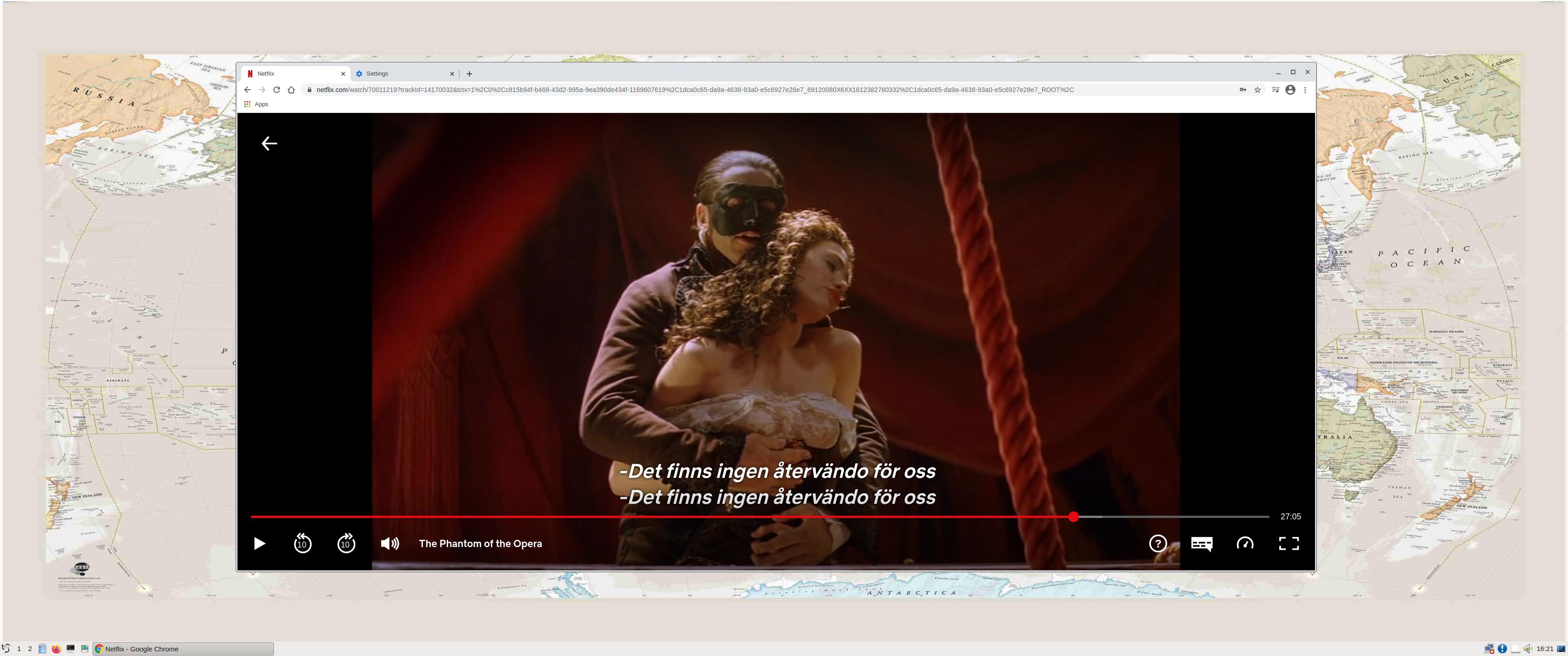
5. Running Netflix in Google Chrome (not pre-installed)

READ MORE…

Read about my Android-x86 Systems – 10, Pie, Oreo, Nougat, Marshmallow, Lollipop and KitKat at
andex.exton.net – latest is AndEX 10 (with GAPPS) and AndEX Pie 9.0 (also with GAPPS)!
and

about my Android 11, 10, Pie, Oreo, Nougat, Marshmallow and Lollipop versions for Raspberry Pi 4 and 3/2 at
raspex.exton.se
– latest is RaspAnd 11 (without GAPPS) and RaspAnd Oreo 8.1 (with GAPPS)!

exGENT (Gentoo) Rpi4 for Raspberry Pi 4 with LXDE, NetworkManager, Gimp, SMPlayer, Vivaldi Browser and kernel 4.19.113-exton-v8 :: Build 200410

ABOUT exGENT Rpi4
I’ve built a Gentoo system for Raspberry Pi 4. Just for fun, but it took me four days to compile everything from “scratch”. Six days if I include failed attempts to install Firefox and Chromium. exGENT Rpi4 is a full Gentoo/Linux Desktop system with LXDE (an extremely fast-performing and energy-saving desktop environment). Study all other included packages in exGENT Rpi4. The most important apps are NetworkManager, Gimp (photo editor), SMPlayer and the Vivaldi Browser –
From the creators of Opera, a browser that is fast, but also a browser that is rich in functionality, highly flexible and puts the user first.

Raspberry Pi 4: How much better is it than the Raspberry Pi 3 Model B+?

Compatibility :: April 2020
Unfortunately not all systems made for Raspberry Pi 3 and 2 will run on the new Raspberry Pi 4 computer. They need to be upgraded with a new kernel. I therefore have to upgrade the systems I distribute. I.e. RaspEX, RaspEX with OpenCPN, RaspEX Kodi, RaspAnd Marshmallow, RaspAnd Nougat 7.1.2, RaspAnd Oreo 8.1, RaspAnd Pie, EXTON OpSuS Rpi, FedEX Rpi3, exGENT Rpi4 and RaspArch. I have until now (200410) only upgraded RaspEX, RaspEX Kodi, RaspArch, exGENT Rpi4 and RaspEX with OpenCPN. Read about the new Raspberry Pi 4.

KERNEL
Kernel 4.19.113-exton-v8 is used.

SCREENSHOTS

Running Vivaldi and YouTube in exGENT Rpi4
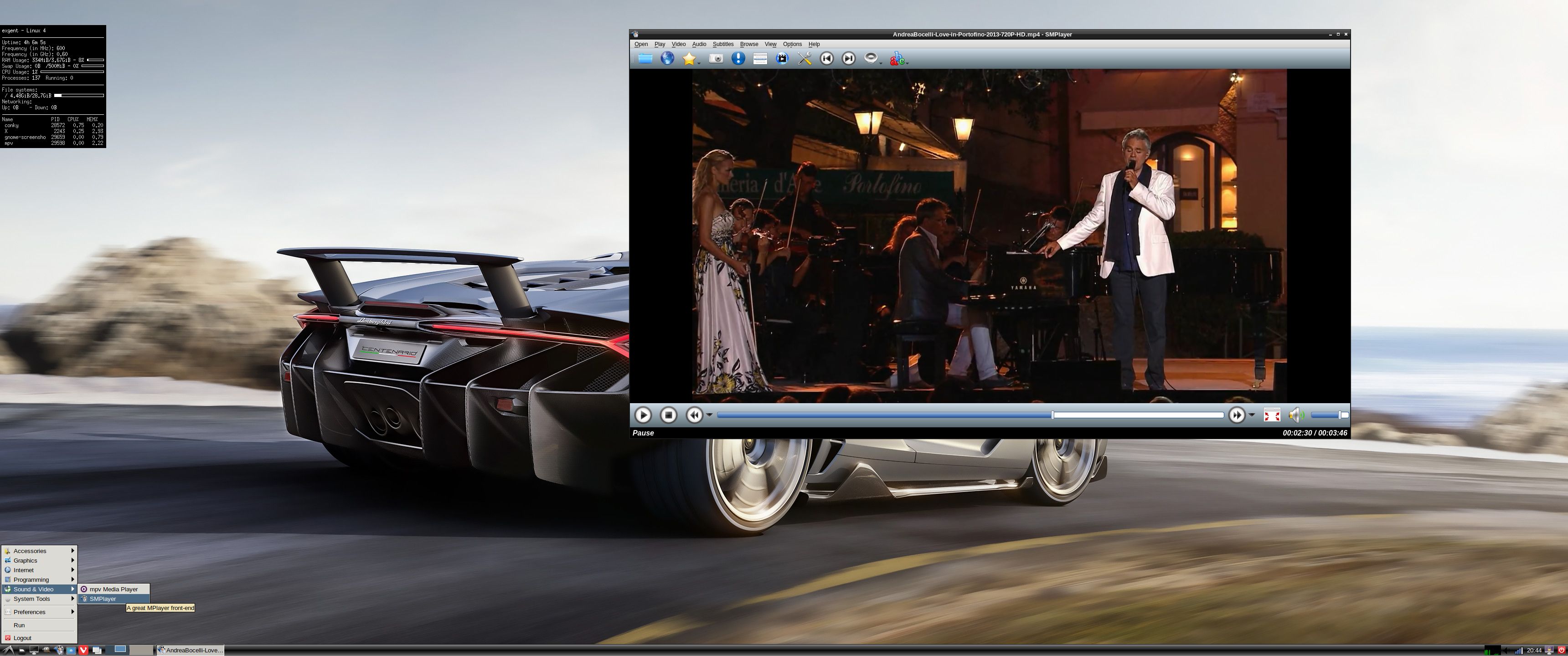
Running SMPlayer in exGENT Rpi4

READ MORE…

Read about my Android-x86 Systems – 10, Pie, Oreo, Nougat, Marshmallow, Lollipop and KitKat at

andex.exton.net – latest is AndEX 10 (with GAPPS) and AndEX Pie 9.0 (also with GAPPS)!
and
about my Pie, Oreo, Nougat, Marshmallow and Lollipop versions for Raspberry Pi 3/2 at

raspex.exton.se – latest is RaspAnd Pie 9.0 (without GAPPS) and RaspAnd Oreo 8.1 (with GAPPS)!

MeX Linux Build 190601 with Cinnamon 4.0, Refracta Snapshot and kernel 5.20-rc2-exton

NEWS/CHANGES 190601
Mex Linux is no longer based on Linux Mint. MeX Build 190601 is based only on Debian and Ubuntu 18.04.2 LTS (Long Term Support). I have replaced the original kernel with “my” special kernel 5.2.0-rc2-exton. Latest available kernel as of 190601. All packages in MeX Linux have been upgraded to the latest version by 190601. This version of MeX uses Cinnamon 4.0. Linux Mint “Tessa” 19.1 also uses Cinnamon 4.0 as Desktop environment. The very nice icon theme Papirus is installed and used. I haven’t changed the wallpapers since it’s hard to find nicer ones.

MORE MeX NEWS 190601
1. The MeX ISO is now a ISO-hybrid, which means that it can very easily be transferred (copied) to a USB pen drive.
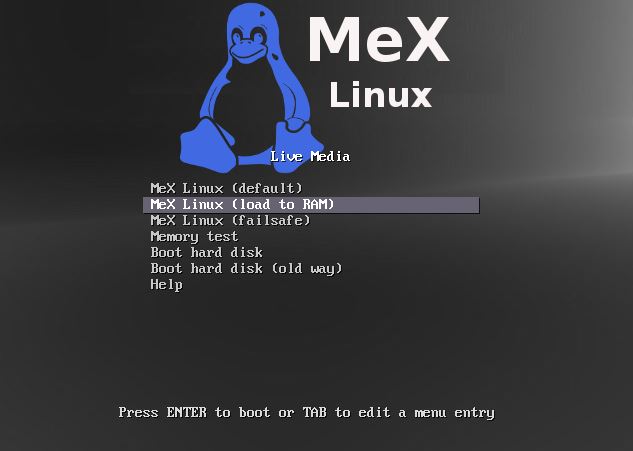
2. Another big improvement is that MeX now can run from RAM. Use Boot alternative 4 (load to RAM). When the system has booted up you can eject the disc (DVD)/USB stick. You’ll need at least 2 GB RAM to run MeX that way. The ISO file is of only 1020 MB so MeX will run superfast from RAM!
3. I have replaced Google Chrome with Firefox. Google Chrome is no longer needed to be able to run Netflix in Linux.
4. The best thing with this new MeX build – Create your own installable Ubuntu 18.04.2 LTS Live DVD with Refracta tools (pre-installed)! The whole “remasterprocess” is so simple that a 10 year old child can do it.

Used KERNEL
The best thing with kernel 5.2.0-rc2 is that it has better support for the open-source Nvidia driver Nouveau than any other older kernel.

What’s new in kernel 5.2?

Who can benefit from MeX?
All who like Debian/Ubuntu and want a system that is easy to use and maintain. And of course those who want to create their own Ubuntu system in a very simple way with Refracta Snapshot. Regarding MeX also those who want to run a Linux system super fast from RAM and/or like to run Linux from a USB flash drive. And those who want a new kernel – 5.2-0-rc2.

SCREENSHOTS
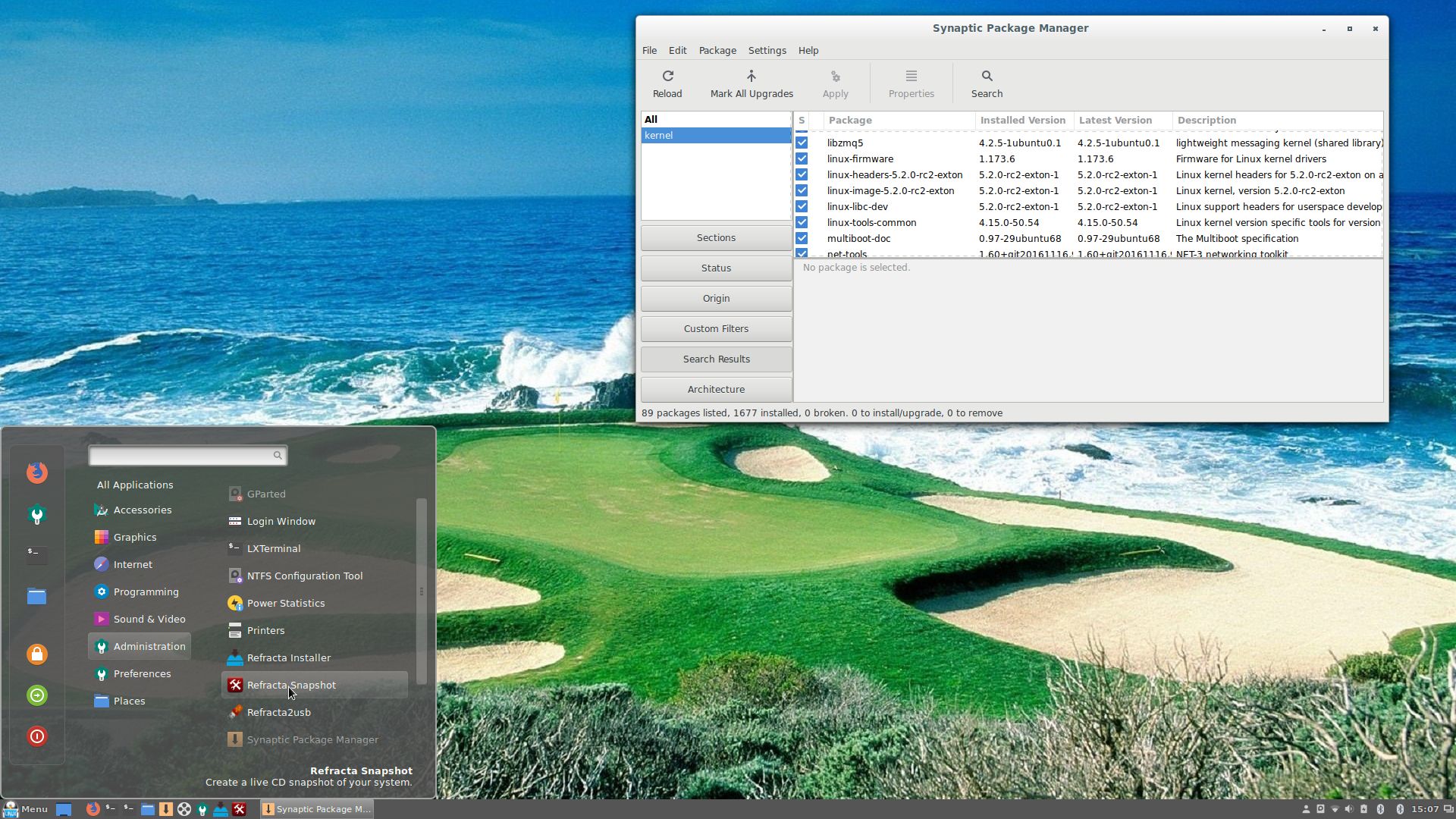
The Desktop with Synaptic running
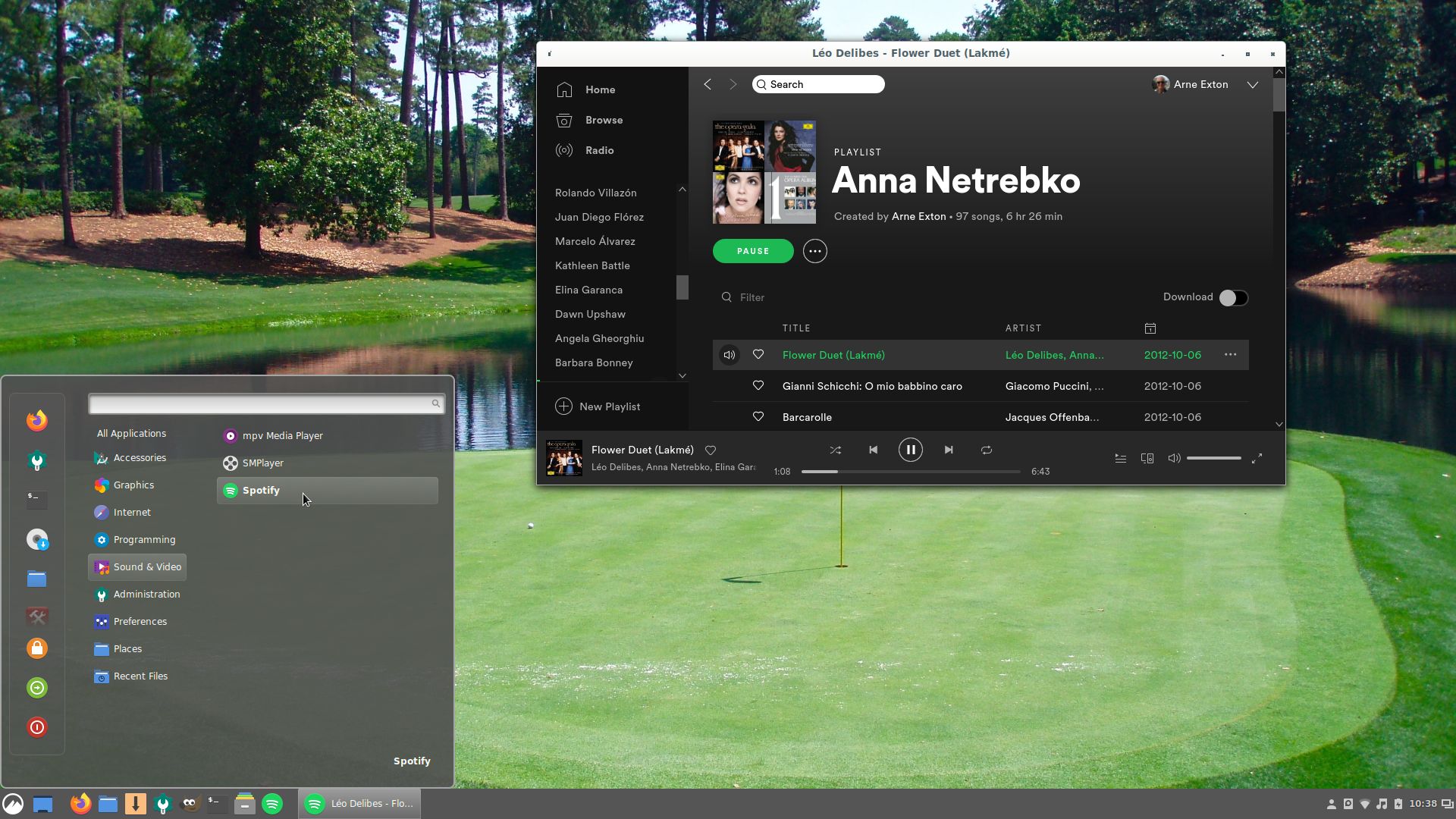
Spotify running

READ MORE…


Read about my Android-x86 Systems – Pie, Oreo, Nougat, Marshmallow, Lollipop and KitKat at
andex.exton.net – latest is AndEX Pie 9.0 (without GAPPS) and AndEX Oreo 8.1 (with GAPPS)!

and
about my Pie, Oreo, Nougat, Marshmallow and Lollipop versions for Raspberry Pi 3/2 at raspex.exton.se – latest is RaspAnd Pie 9.0 (without GAPPS) and RaspAnd Oreo 8.1 (with GAPPS)!

ExTiX 19.5, Build 190508, with LXQt 0.14.1, Kodi 19 “Matrix”, Refracta Snapshot, Nvidia 418.74 and kernel 5.1.0-exton

ExTiX 19.5 LXQt/Kodi – Build 190508
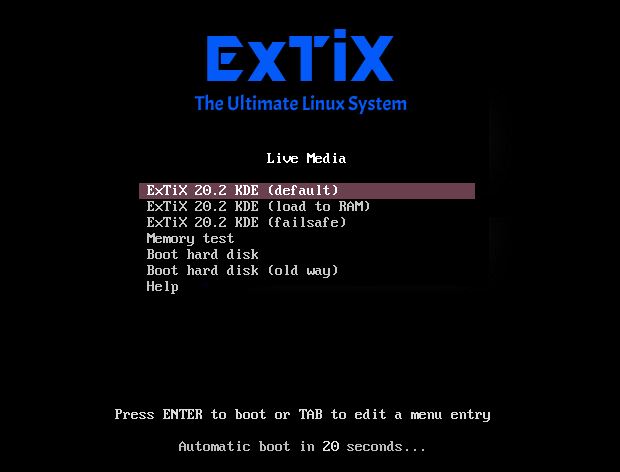
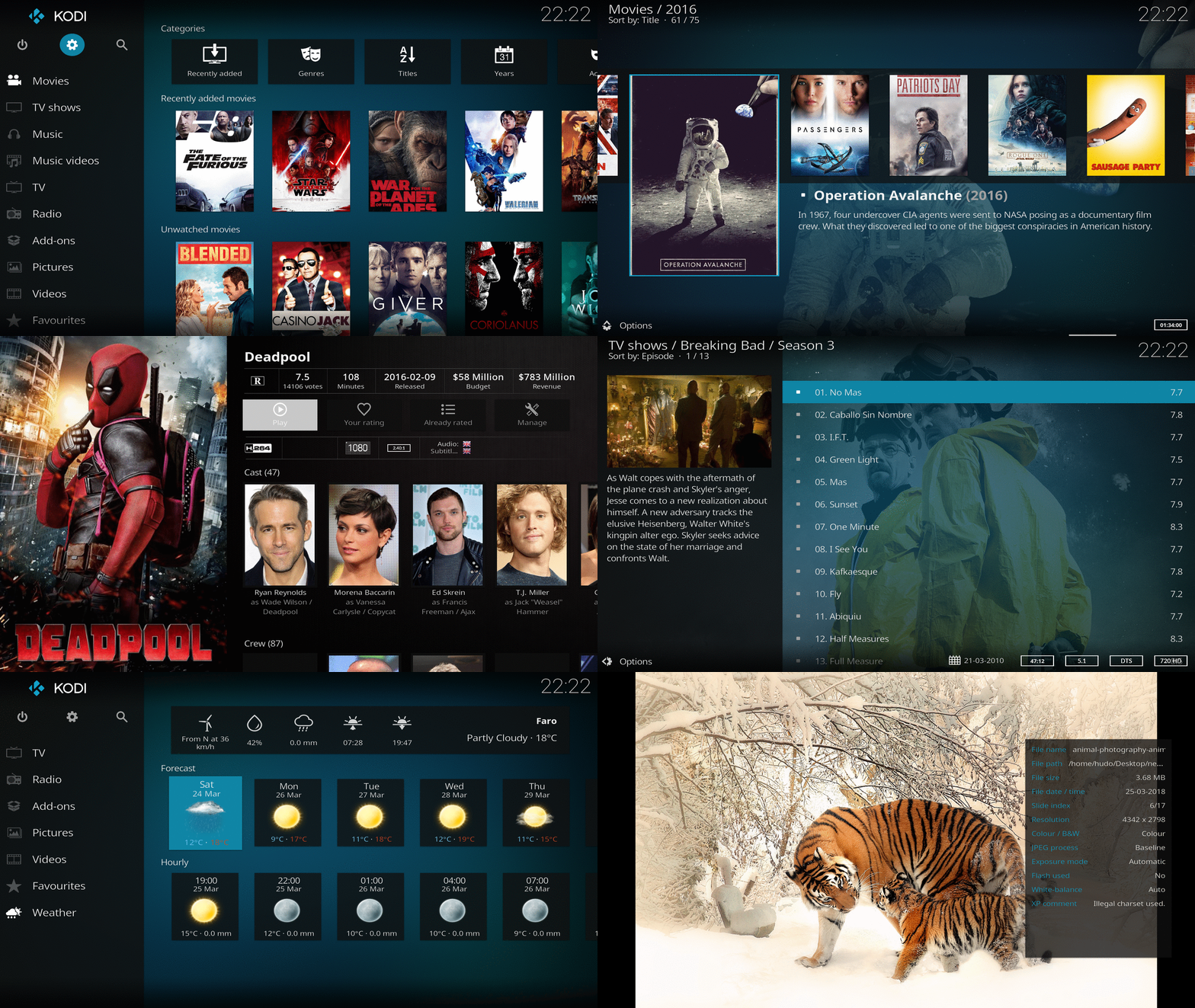
I have made a new version of ExTiX – The Ultimate Linux System. I call it ExTiX 19.5 LXQt/Kodi Live DVD. (The previous LXQt version was 19.1.2 from 190102). The best thing with ExTiX 19.5 is that while running the system live (from DVD/USB) or from hard drive you can use Refracta Snapshot (pre-installed) to create your own live installable Ubuntu system. So easy that a ten year child can do it! As an alternative to LXQt you can run Kodi 19 ALPHA1 Matrix. Just start Kodi like any other program while logged in to the LXQt Desktop as the ordinary user live. I have enabled a few addons in Kodi. Most important the Netflix addon. One other very good thing with this version of ExTiX is that it is quite light. The ISO file is of only 1220 MB, which means that you can run the system superfast from RAM. When the boot process is ready you can eject the DVD or USB stick. Use Boot alternative 2 or Advanced options… >> load to RAM.

ExTiX 19.5 LXQt/Kodi DVD 64 bit is based on Debian and Ubuntu 19.04. The original system includes the Desktop Environment Gnome. After removing Gnome I have installed LXQt 0.14.1. LXQt is the Qt port and the upcoming version of LXDE, the Lightweight Desktop Environment. It is the product of the merge between the LXDE-Qt and the Razor-qt projects: A lightweight, modular, blazing-fast and user-friendly desktop environment. I have also installed Kodi 19 Matrix with some addons already enabled. Most important Netflix, Plex and Amazon Video addons. NOTE: This ExTiX LXQt Build is for installation to UEFI-enabled computers. You shall use Refracta Installer for that.

The system language is ENGLISH.

WHAT’S SO SPECIAL about ExTiX and especially the new version from 190508?
1. The ExTiX ISO’s are ISO-hybrids, which means that they can very easily be transferred (copied) to a USB pen drive. You can even run ExTiX from the USB stick and save all your system changes on the stick. I.e. you will enjoy persistence!
2. Another big improvement is that both ExTiX versions can run from RAM. Use Boot alternative 2 (load to RAM). When the system has booted up you can remove the disc (DVD) or USB stick. You’ll need at least 2 GB RAM to run ExTiX that way. Running from RAM means that the system will run faster than from a DVD or a USB stick. Everything will be superfast I would say! Especially since the ISO file is of only 1220 MB!
3. ExTiX LXQt is now more stable than ever. All packages have been upgraded to the latest version by 190508.
4. I’ve replaced kernel 4.20.0-extix with kernel 5.1.0-exton. Kernel 5.1 is the latest kernel by 190508. (Released 190506).
5. I have replaced Ubuntu’s installation program Ubiquity (live installer) with Refracta Installer. It works very well. I.e. a new user (your user) will be created during the installation process and you’ll get a chance to change root’s password. Just start the installer from the menu under System.
6. The best thing with ExTiX 19.5 is that while running the system live (from DVD/USB) or from hard drive you can use Refracta Snapshot (pre-installed) to create your own live installable Ubuntu system.
7. As an alternative to LXQt you can run Kodi 19 Matrix . Just start Kodi like any other program while logged in to the LXQt Desktop as the ordinary user live. I have enabled a few addons in Kodi. Most important the Netflix addon. NOTE: You can’t run Kodi as root. (You won’t have sound).
8. Nvidia proprietary Graphics driver 418.74 is pre-installed in ExTiX 19.5. It will be used automatically if your computer has support for it.

What’s new in kernel 5.1?

The importance of Kodi 19 being in ALPHA level

I don’t think you will notice anything special. I.e. addons won’t crash or anything like that. Please tell me if you have any problems when running Kodi.

SCREENSHOTS
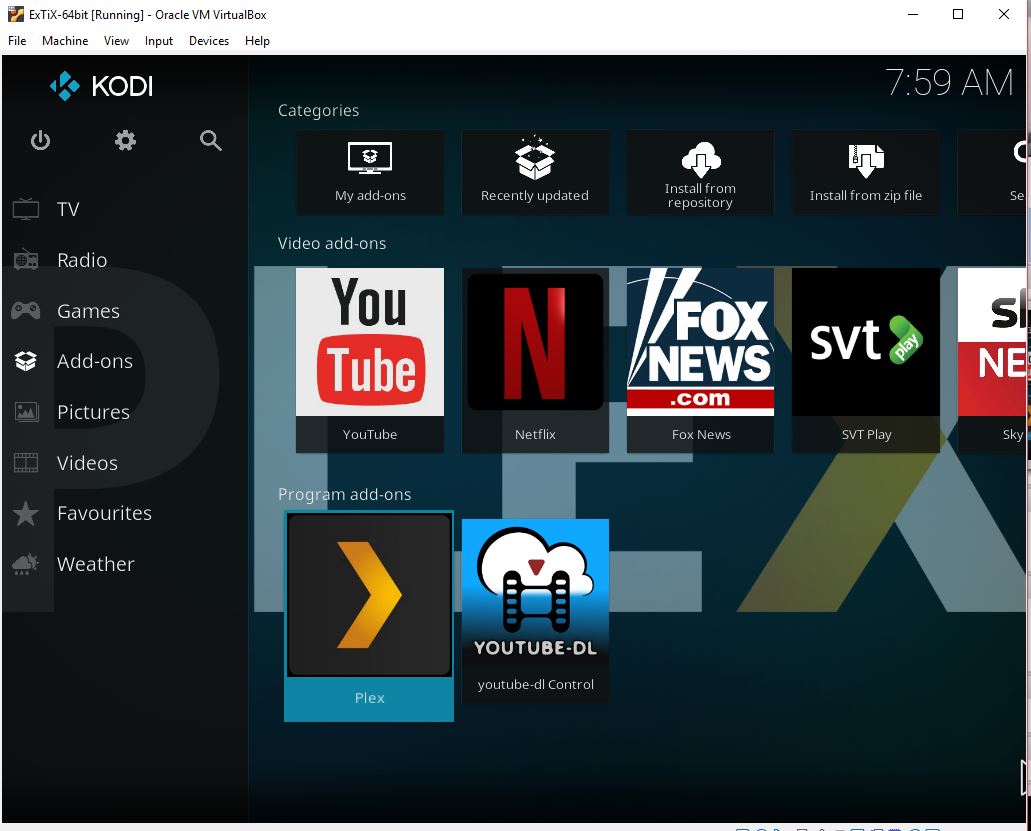
1. Kodi 19 running in VirtualBox
2. ExTiX LXQt/Kodi – live’s Desktop – VirtualBox
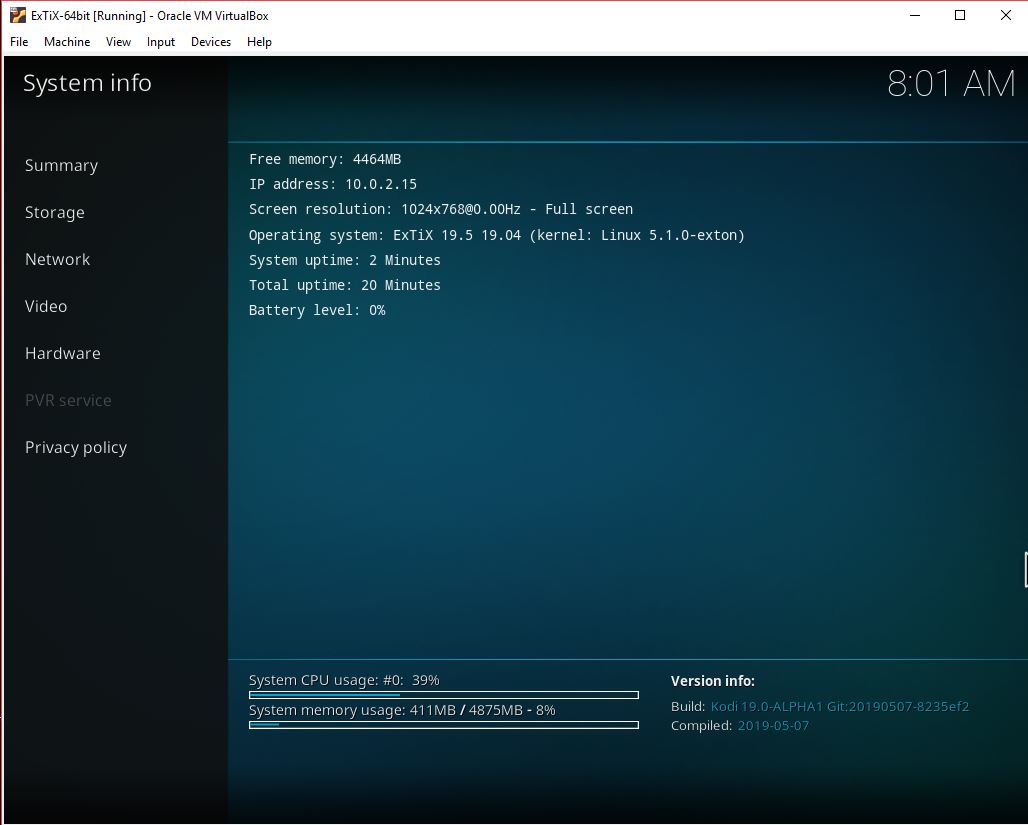
3. ExTiX LXQt/Kodi – Kodi info – VirtualBox
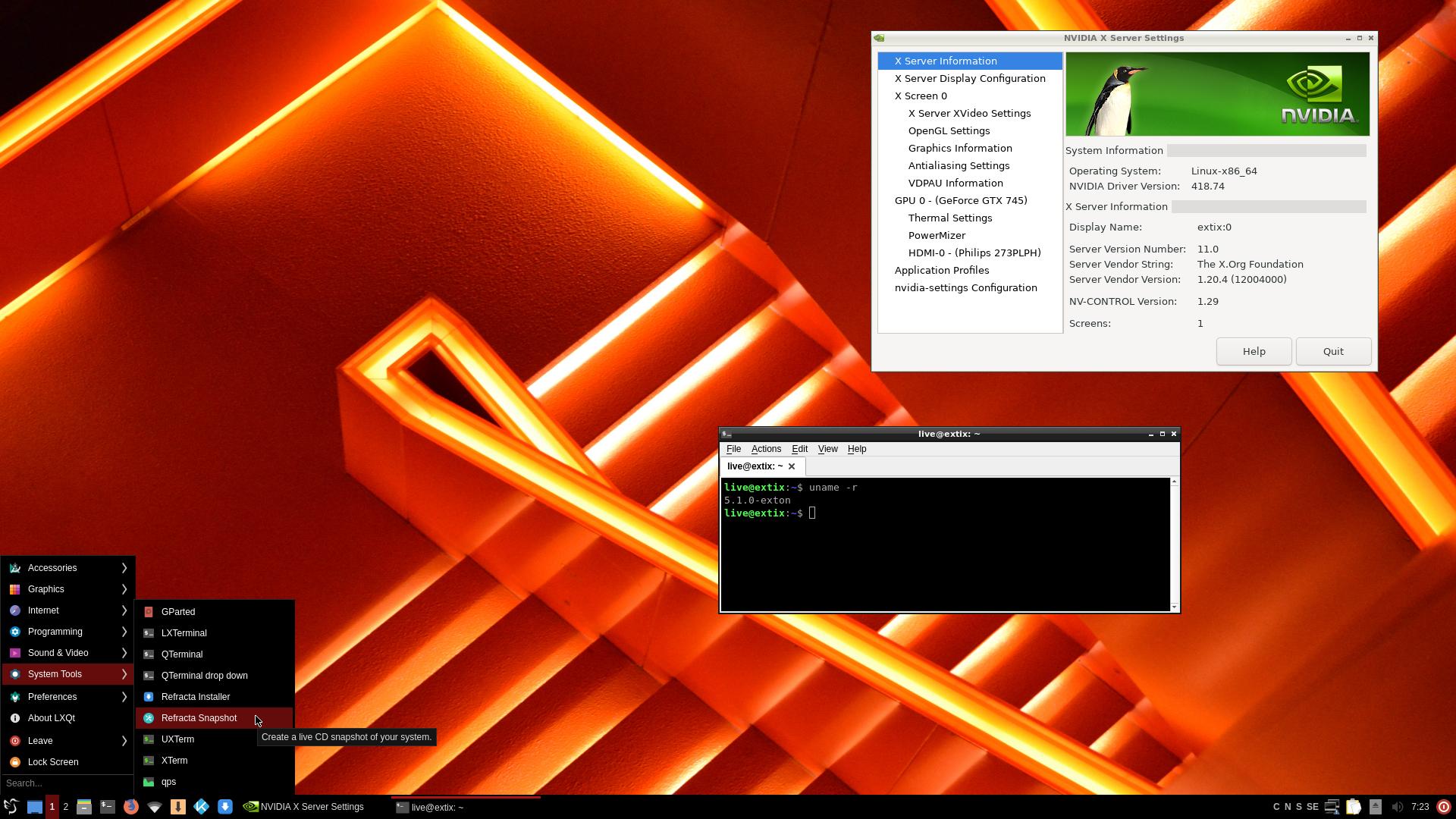
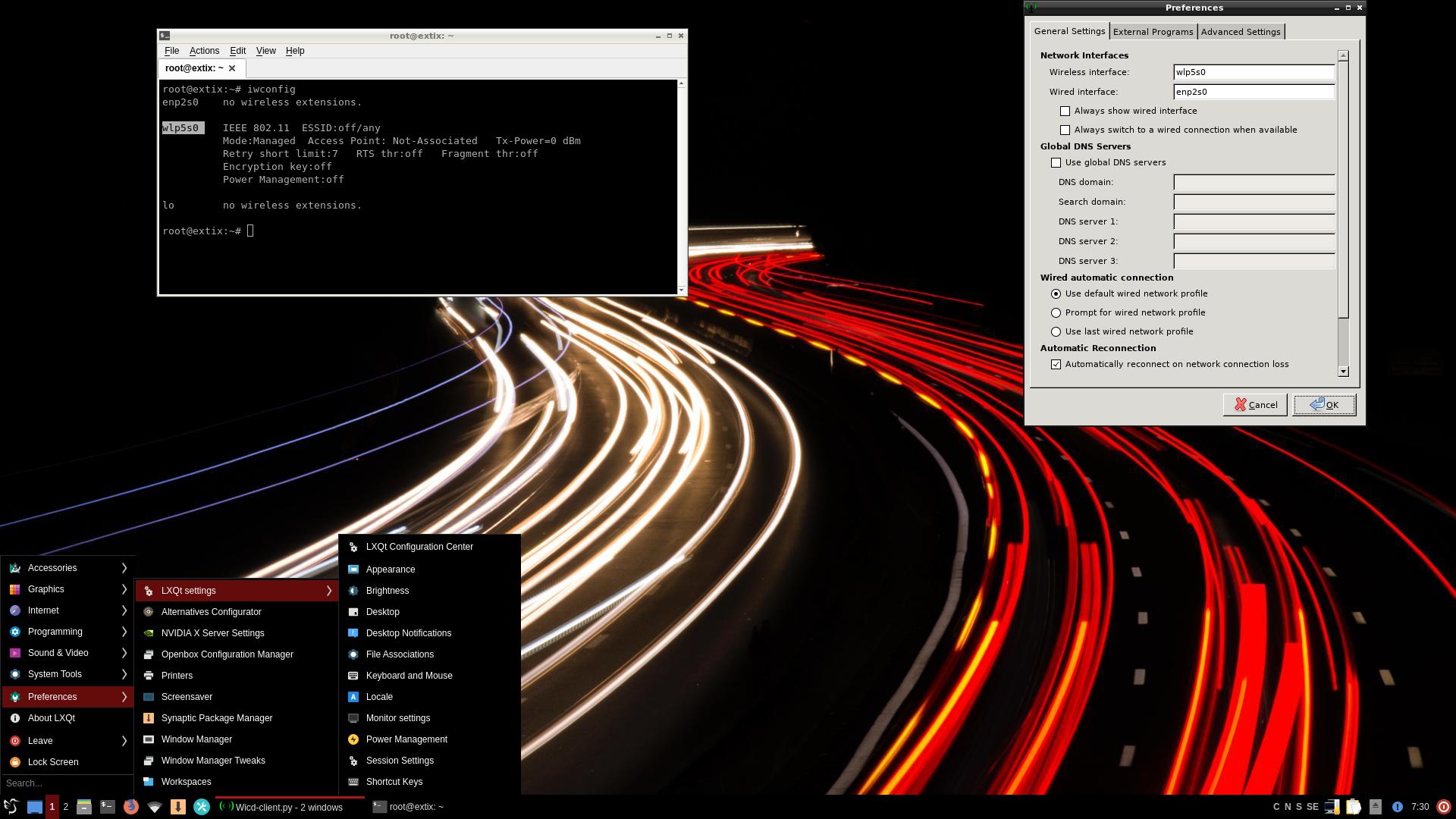
4. Live’s Desktop using the Nvidia Graphics driver
5. Root’s Desktop configuring Wifi

Kodi 19 in action – watch an animated GIF…

READ MORE…


Read about my Android-x86 Systems – Pie, Oreo, Nougat, Marshmallow, Lollipop and KitKat at
andex.exton.net – latest is AndEX Pie 9.0 (without GAPPS) and AndEX Oreo 8.1 (with GAPPS)!

and
about my Pie, Oreo, Nougat, Marshmallow and Lollipop versions for Raspberry Pi 3/2 at raspex.exton.se – latest is RaspAnd Pie 9.0 (without GAPPS) and RaspAnd Oreo 8.1 (with GAPPS)!